

When a new membership is created in MemberPress, create feedback in Savio
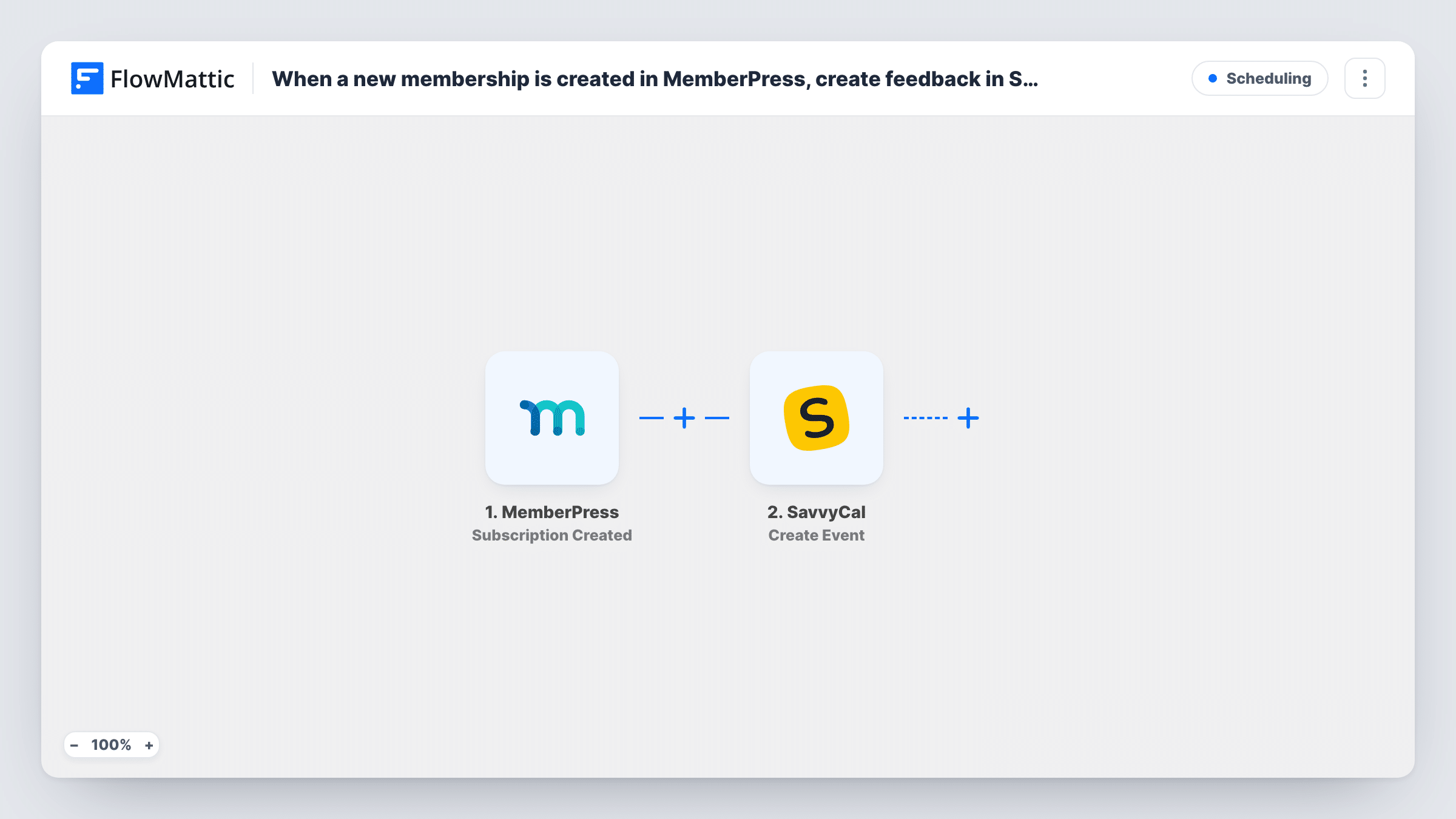
When a subscription is created in MemberPress, FlowMattic adds a feedback entry in Savio with the member and membership details you map, so your product team sees new members next to customer feedback.
 MemberPress
 Savio
2 steps Setup ~5 min Used on 1.5k sites Free to import
What this workflow does
If your product feedback lives in Savio and your members sign up through MemberPress, the two lists rarely meet. Logging each new subscription in Savio puts new members on record where your team already reviews what customers ask for, and makes it easier to connect later feedback to the plan someone bought.
The MemberPress trigger fires when a subscription is created, and passes on the member and membership details. Sign up a test member after import and check what arrives. If you also sell one-time memberships, test one of those as well to confirm it starts a run; MemberPress has other FlowMattic triggers, such as Member Signup Completed, if it doesn't.
The Savio Create Feedback step then adds an entry. It arrives with no fields mapped, so after import you connect Savio and write the text, mapping in the membership name and the member's email so the entry is tied to the right person.
The entry describes the signup. It isn't feedback from the member. Each new subscription adds one entry, and Task History shows Savio's response for every run.
New members visible to the product team
A membership software business logs each new subscription in Savio, so product managers know which plan a customer is on when their requests come in.
Tracking signups to a beta plan
A company offering a beta membership in MemberPress records each beta signup in Savio, where it gathers that group's feedback.
How this workflow runs
What happens at each step once the workflow is on, and what you need before you import it.
 MemberPress Subscription Created
Starts a run for each new MemberPress subscription. The member and membership details are passed on; a test signup shows the email and plan fields you can map.
- Savio Create Feedback
Adds a feedback entry to Savio about the new subscription. The template maps nothing, so connect Savio, write the entry text and map the membership and member email into it.
What you need
- FlowMatticCore
- MemberPress PluginPlugin
- Savio AccountAccount
After importing, map your own data. To keep the template universal, not every step is pre-filled. Open each step in the builder and connect your accounts and fields (channels, lists, sheets, recipients) before you switch the workflow on.
Make it yours
Changes worth making after you import it.
- Begin each entry with a fixed label, such as New subscription, so these records stand out from feedback customers write themselves.
- Put a Filter between the MemberPress trigger and the Savio step that continues only for the membership you care about, such as a beta or enterprise plan.
- Include the member's email in the entry, so feedback the same person sends later can be matched to their plan.
Questions about this workflow
Does a one-time MemberPress membership start this workflow?
Runs start on a new subscription. Test a signup for each membership type you sell; if one-time memberships don't start a run, swap in a trigger such as Member Signup Completed instead.
Is the Savio entry written by the member?
No. FlowMattic writes it from the MemberPress signup data, using the text you set in the Create Feedback step.
Which MemberPress details can I put in the Savio entry?
Whatever the Subscription Created event carries, such as the member and membership. Check a test signup in Task History and map the fields you need.
More Scheduling workflows
Other ready-to-import templates from the same category.






Import this workflow into your WordPress site
Download the JSON, import it from the Workflows screen and connect your accounts. Every run stays on your server, with no per-task fees.
30-day money-back guarantee Unlimited workflows and runs Self-hosted