

When a new MoClients lead arrives, add it to Zoho CRM and create a Todoist follow-up task
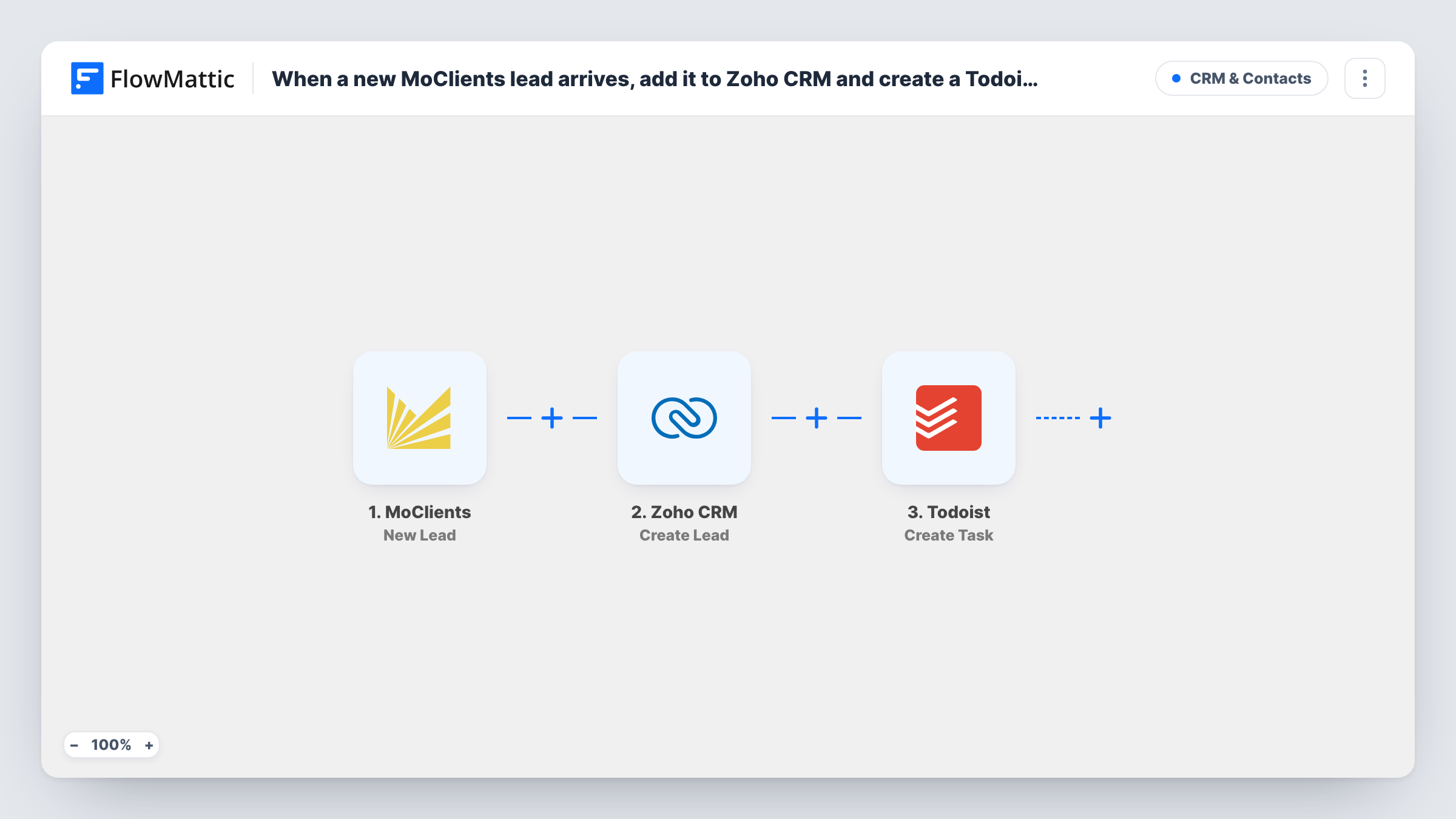
Each new MoClients lead is created as a lead in Zoho CRM, then a Todoist task is added so someone follows it up, giving you a CRM record and a to-do for every enquiry.
 MoClients
 Zoho CRM
 Todoist
3 steps Setup ~5 min Used on 1.4k sites Free to import
What this workflow does
A lead stored in a CRM still needs someone to act on it. If your team plans its day in Todoist, a CRM record alone is easy to overlook. This workflow records each new MoClients lead in Zoho CRM and puts a follow-up task in Todoist at the same time.
The MoClients trigger, New Lead, starts the run whenever MoClients records an enquiry. Its details become values you can map in both later steps.
Next, the Zoho CRM step, Create Lead, adds a new lead from the values you map, such as name, email and company. Then the Todoist step, Create Task, adds a task you word yourself, for example "Call" followed by the lead's name and phone. Both steps run for every new lead. Create Lead always adds a new record, so a person already in Zoho CRM may end up there twice unless you change the step.
Sales rep who plans the day in Todoist
Each MoClients enquiry shows up as a Todoist task with the lead's phone number, while the full record waits in Zoho CRM for notes after the call.
Agency passing leads to a client's Zoho CRM
Leads captured through MoClients land in the client's Zoho CRM, and the account manager gets a Todoist reminder to check they were contacted.
Owner-run business with no sales team
One person handles every lead, so a Todoist task per lead makes sure none is missed between other jobs.
How this workflow runs
What happens at each step once the workflow is on, and what you need before you import it.
 MoClients New Lead
Picks up each lead MoClients adds to your account. Connect your MoClients account on import and add a test lead so FlowMattic shows the details it passes on.
- Zoho CRM Create Lead
Adds the MoClients lead to Zoho CRM as a new Lead record. Connect Zoho CRM and map the lead's name, email, phone and any other values into the Zoho fields you use.
- Todoist Create Task
Creates a follow-up task in Todoist. Connect Todoist and write the task text from the lead's name and contact details so the task makes sense on its own.
What you need
- FlowMatticCore
- MoClients AccountAccount
- Zoho CRM AccountAccount
- Todoist AccountAccount
After importing, map your own data. To keep the template universal, not every step is pre-filled. Open each step in the builder and connect your accounts and fields (channels, lists, sheets, recipients) before you switch the workflow on.
Make it yours
Changes worth making after you import it.
- To avoid duplicate Zoho leads for people who come back, replace Create Lead with Zoho CRM's Find or Create Lead action, which reuses an existing lead instead of adding another.
- Put the lead's phone number or email in the Todoist task text so whoever picks it up can act without opening Zoho CRM.
- Add a Filter between the MoClients trigger and the Zoho CRM step that continues only when the lead has an email or phone. A Filter stops every later step, so empty enquiries create neither a Zoho record nor a task.
Questions about this workflow
What if the MoClients lead is already in Zoho CRM?
Create Lead adds a new lead every time, so you may get a second record. Swap in Zoho CRM's Find or Create Lead action if you want existing leads reused.
Does every MoClients lead get a Todoist task?
Yes. The template has no Filter, so each new lead adds one Zoho CRM lead and one Todoist task. If only some leads need a follow-up, add a Filter between the MoClients trigger and the Zoho CRM step.
Can the Todoist task link to the Zoho CRM lead?
If the Zoho CRM step returns the new lead's ID, you can build a link to it in the task text. Run a test to see what the Create Lead step gives back.
Will MoClients leads from before setup be copied to Zoho CRM?
No. Only leads created after you turn the workflow on go to Zoho CRM and Todoist.
More CRM & Contacts workflows
Other ready-to-import templates from the same category.






Import this workflow into your WordPress site
Download the JSON, import it from the Workflows screen and connect your accounts. Every run stays on your server, with no per-task fees.
30-day money-back guarantee Unlimited workflows and runs Self-hosted