

When a new Olx lead comes in, add a Google Sheets row and alert the team in Slack
Each new lead from your Olx listings is written to a Google Sheets row and announced in a Slack channel, so buyer inquiries are logged in one place and your team sees them as they come in.
 Olx
 Google Sheets
 Slack
3 steps Setup ~5 min Used on 673 sites Free to import
What this workflow does
Inquiries from Olx listings are easy to lose when several people share the account or when you sell many items at once. A shared sheet keeps every lead on record, and a Slack post lets whoever is free pick it up. This workflow does both for each new Olx lead.
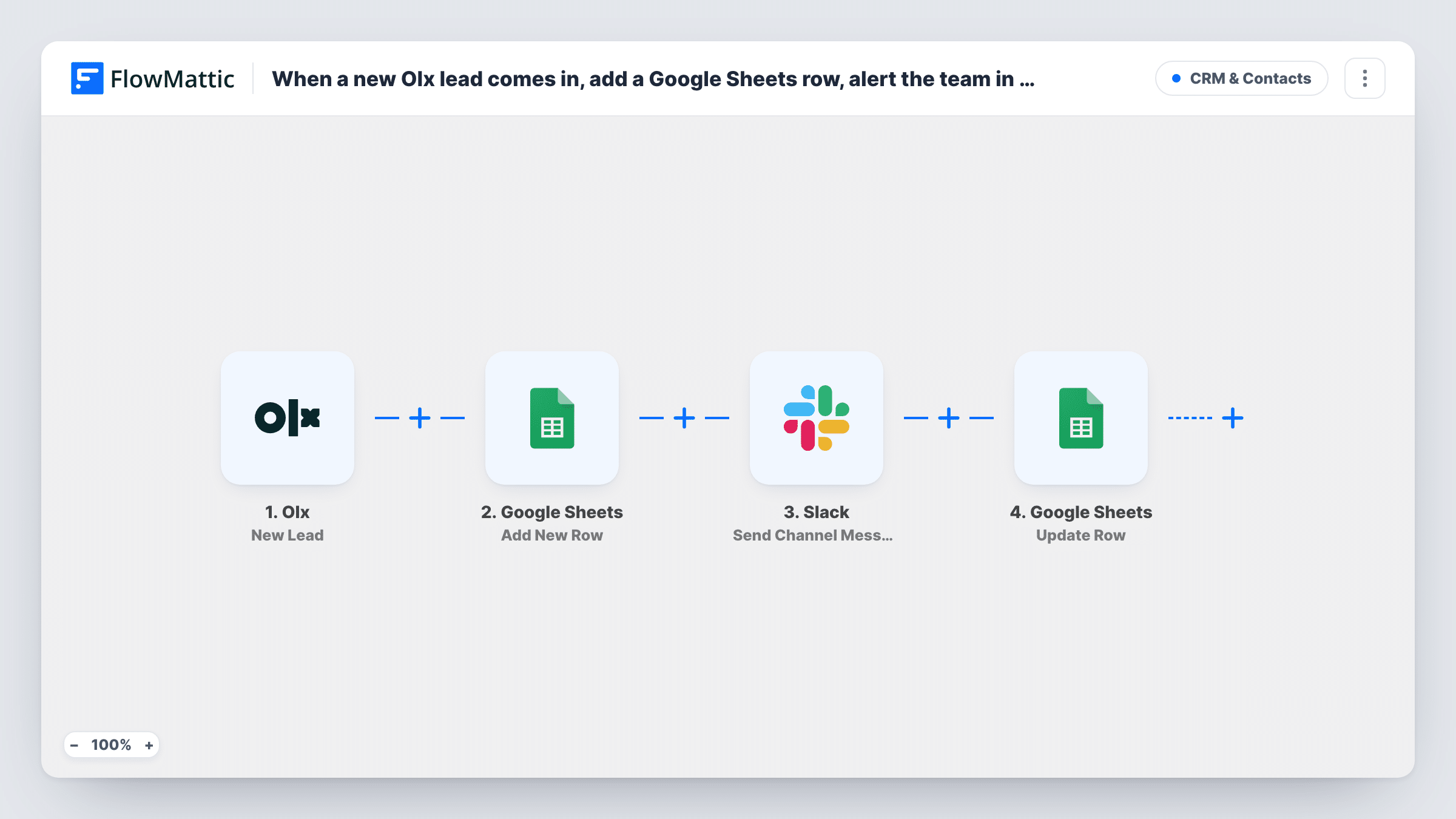
The Olx trigger, New Lead, starts one run per lead your OLX account receives. FlowMattic receives the lead's data, which typically includes details about the person and the listing they're asking about; one test lead shows the exact fields.
A Google Sheets step adds one row per lead, and a Slack step posts to the channel you choose. Both are left unmapped in the template. After import you connect Google and Slack, pick the spreadsheet and match lead fields to columns, then select the channel and write the message with the lead's name and listing mapped in.
Each lead produces exactly one row and one post, and only leads that arrive after you turn the workflow on are sent. Add a status column to the sheet so your team can mark leads as contacted. Check Task History after the first lead to confirm what arrived and how each step answered.
Car dealer sharing inquiries
A used-car dealer lists stock on Olx and posts each new lead to the sales team's Slack channel, while the sheet records which car every inquiry was about.
Property agent lead register
A rental agent keeps a Google Sheet of every Olx lead per property, so landlords can be told how much interest their listing received.
Small shop with part-time staff
A furniture reseller's part-time staff watch Slack for Olx leads during their shift and mark them as answered in the shared sheet.
How this workflow runs
What happens at each step once the workflow is on, and what you need before you import it.
 Olx New Lead
Fires when a new lead is created in your OLX account. The lead and listing details are handed on to the Google Sheets and Slack steps.
- Google Sheets Add New Row
Writes the Olx lead to a new row in your spreadsheet. No columns are set in the template, so choose the sheet and map the lead fields into your headers after import.
- Slack Send Channel Message
Sends a message about the lead to a Slack channel you select. Write the text after import and map in the person's details and the listing so the team can respond.
What you need
- FlowMatticCore
- Olx AccountAccount
- Google Sheets AccountAccount
- Slack AccountAccount
After importing, map your own data. To keep the template universal, not every step is pre-filled. Open each step in the builder and connect your accounts and fields (channels, lists, sheets, recipients) before you switch the workflow on.
Make it yours
Changes worth making after you import it.
- Add your own columns such as status, assigned to and notes to the right of the mapped ones, so the team can track follow-up in the same sheet.
- Include the listing title in the Slack message, so people can tell at a glance which item the Olx lead is asking about.
- To alert only about some listings, put a Filter between the Google Sheets step and the Slack step on the listing field. Every lead still gets its row.
Questions about this workflow
Will old Olx leads be added to the sheet?
No. The trigger only picks up inquiries that arrive once the workflow is switched on. Copy older inquiries into the sheet yourself if you want a complete history.
Can the Olx lead alert go to one person instead of a channel?
Yes. Swap the Slack step for Slack's Send Direct Message action and pick the team member who handles Olx leads.
Which Olx lead details can I put in Google Sheets?
The fields Olx sends with the lead. Receive one test lead after import, then map those values into the columns you want.
More CRM & Contacts workflows
Other ready-to-import templates from the same category.







Import this workflow into your WordPress site
Download the JSON, import it from the Workflows screen and connect your accounts. Every run stays on your server, with no per-task fees.
30-day money-back guarantee Unlimited workflows and runs Self-hosted