

When a new order created in WooCommerce, generate content using OpenAI
Each new WooCommerce order is sent to OpenAI with a prompt you write, and OpenAI generates text from the order details. Nothing uses that text yet, so you add the step that sends or stores it.
 WooCommerce
 OpenAI (ChatGPT)
2 steps Setup ~5 min Used on 1.5k sites Free to import
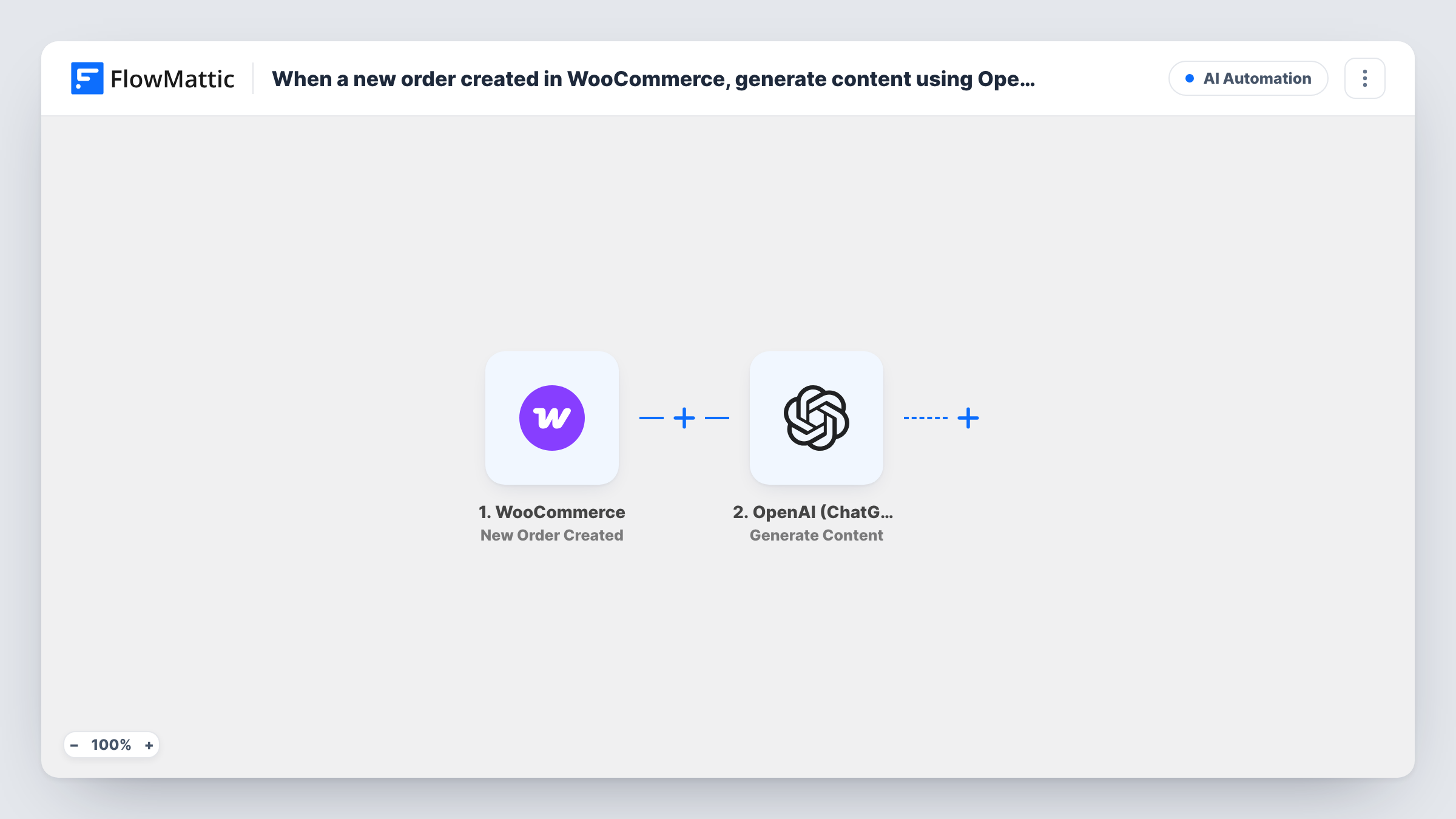
What this workflow does
Order data can be the raw material for useful text: a thank-you note that mentions what was bought, a short summary for the packing team, or product tips for the customer. Writing that by hand for every order doesn't scale. This workflow is a starting point that hands each order to OpenAI as soon as WooCommerce creates it.
Each time your shop records an order, the WooCommerce New Order Created trigger starts a run. FlowMattic passes the order details to OpenAI (ChatGPT), whose Generate Content action produces text from the prompt you write. You build that prompt with order data, such as the products, the customer's first name or the order total.
The imported template has no step after the AI call. The generated text appears in Task History but isn't emailed, saved or posted anywhere. Add a step after OpenAI that uses it, such as sending an email, adding an order note or writing to a sheet. Remember that order details sent in the prompt leave your site and go to OpenAI.
Personal thank-you notes
Prompt OpenAI to write a short thank-you that names the items ordered, then add an email step that sends it to the customer.
Packing summaries for the warehouse
Ask for a one-line summary of what to pack and any customer note, then post it to a Slack channel the packing team reads.
Care or usage tips per product
Generate a few care tips for the products in the order and add them to a follow-up email sent after delivery.
How this workflow runs
What happens at each step once the workflow is on, and what you need before you import it.
 WooCommerce New Order Created
Starts a run for each order WooCommerce creates on your site. Order details, including line items and customer information, go to the OpenAI step.
- OpenAI (ChatGPT) Generate Content
Sends your prompt to OpenAI and returns the generated content. Write the prompt with WooCommerce order data mapped in. The result is available to any step you add next.
What you need
- FlowMatticCore
- WooCommerce PluginPlugin
- OpenAI (ChatGPT) AccountAccount
After importing, map your own data. To keep the template universal, not every step is pre-filled. Open each step in the builder and connect your accounts and fields (channels, lists, sheets, recipients) before you switch the workflow on.
Make it yours
Changes worth making after you import it.
- Add an email or Gmail step after OpenAI and map the generated text into the message body, so the content actually reaches the customer.
- WooCommerce creates an order before payment completes for some payment methods. Add a Filter on the order status if the text should only be generated for paid orders.
- Keep personal data out of the prompt where you can. Mapping the product names alone is often enough to generate useful copy.
Questions about this workflow
Where does the OpenAI text go after a WooCommerce order?
Nowhere yet. The template ends at the OpenAI step, so the text is only visible in Task History. Add a step that emails, stores or posts it.
Do I need an OpenAI account for this WooCommerce workflow?
Yes. Generate Content runs through the OpenAI account you connect after import, and OpenAI bills that usage on its side.
Does every WooCommerce order call OpenAI?
Yes, as imported. Each new order starts a run with no Filter, so each one sends a prompt to OpenAI.
More AI Automation workflows
Other ready-to-import templates from the same category.







Import this workflow into your WordPress site
Download the JSON, import it from the Workflows screen and connect your accounts. Every run stays on your server, with no per-task fees.
30-day money-back guarantee Unlimited workflows and runs Self-hosted