

When a new post is created in WordPress, convert the post content to audio using Listnr and update post meta with audio file
When a WordPress post is published, Listnr turns its content into audio and FlowMattic saves the result in a listnr_audio custom field on that post, ready for your theme or player to use.
 WordPress
 Listnr
3 steps Setup ~5 min Used on 3.1k sites Free to import
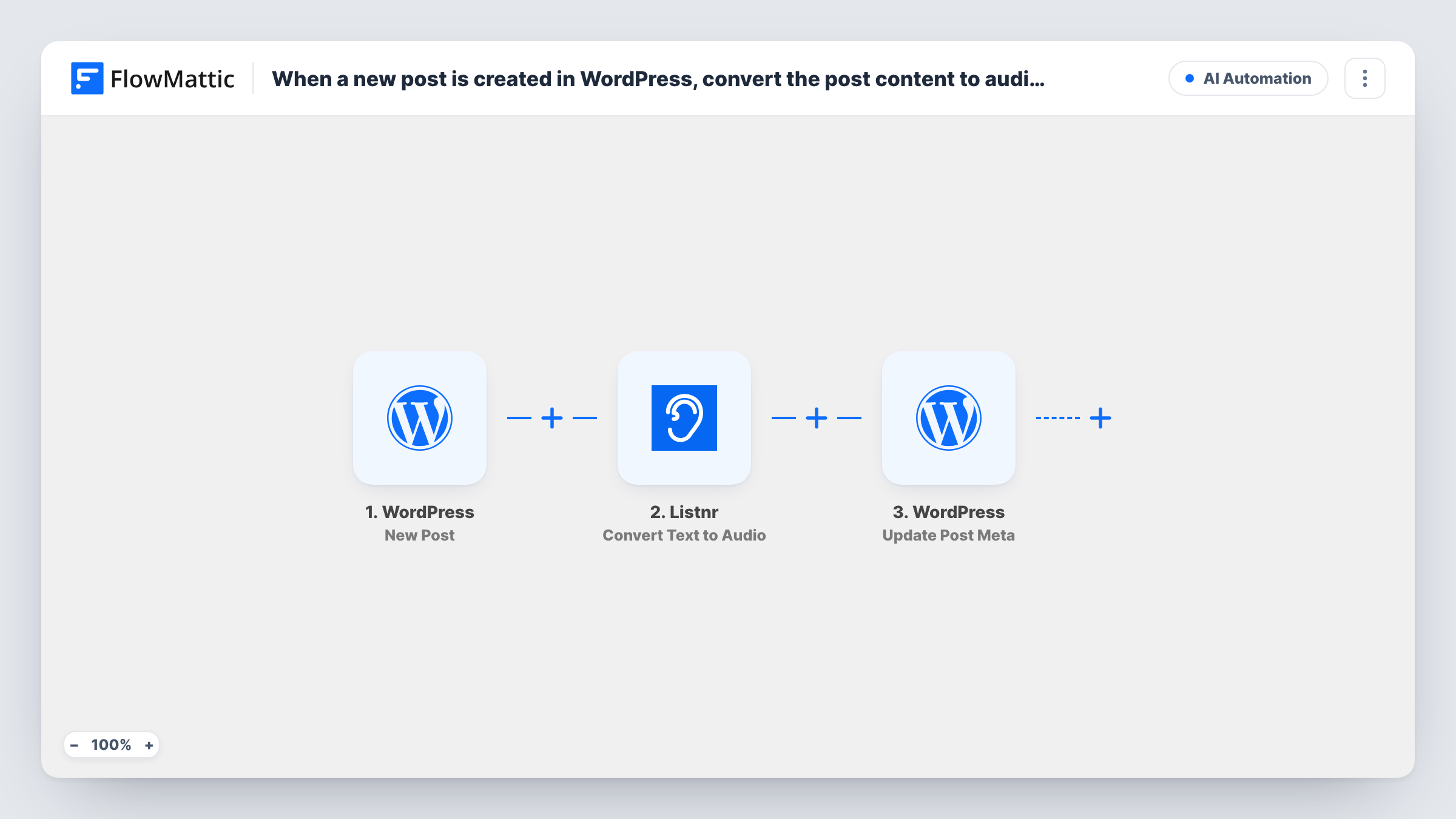
What this workflow does
Some readers would rather listen than read. This workflow creates an audio version of every new blog post with Listnr and stores the result on the post itself, so you can show a player without uploading audio by hand.
A run starts when a post goes live for the first time, through the WordPress New Post trigger. Changing a live post later doesn't repeat it, and publishing a page doesn't count. The post's fields, including its ID and content, are passed on.
The Listnr Convert Text to Audio step already has the post content mapped as the text to convert. After import you connect your Listnr account and pick any other options the step needs. Post content is stored with its HTML and block markup, so check a test run to hear how Listnr reads it.
The last step updates a post meta key on the same post. The post ID comes from the trigger and the key is set to listnr_audio, but the value is left for you: map the audio link from Listnr's response into it. Your theme or a custom field block can then read listnr_audio and display a player. Task History shows Listnr's response for each run.
Listen-along versions of blog posts
A food blogger adds an audio player under each recipe post so readers can follow the method while cooking.
Audio articles for a news site
A local news site publishes articles in WordPress and offers each one as audio for commuters, without a separate recording step.
Accessible content for members
A membership site gives members who prefer listening an audio copy of every new post stored on the post itself.
How this workflow runs
What happens at each step once the workflow is on, and what you need before you import it.
 WordPress New Post
Fires when a post is first published in WordPress. Updates to live posts and new pages don't fire it. The post ID, title, content and other post fields are passed on.
- Listnr Convert Text to Audio
Sends the post content to Listnr and converts it into audio. The text is already mapped to the post content; connect your Listnr account and check a test run to see what Listnr returns.
- WordPress Update Post Meta
Updates the listnr_audio meta key on the published post, using the post ID from the trigger. The value is left empty: map the audio link from Listnr's response into it before going live.
What you need
- FlowMatticCore
- Listnr AccountAccount
After importing, map your own data. To keep the template universal, not every step is pre-filled. Open each step in the builder and connect your accounts and fields (channels, lists, sheets, recipients) before you switch the workflow on.
Make it yours
Changes worth making after you import it.
- Map the post title plus the excerpt or content into the Listnr text, if you want the audio to open with the post's title.
- Display the audio by reading the listnr_audio custom field in your theme template or with a block that shows post meta.
- Put a Filter between the New Post trigger and the Listnr step that checks the post type, if custom post types on your site shouldn't get audio.
Questions about this workflow
Does editing a published WordPress post create new audio?
No. The New Post trigger fires only when a post first moves to published, so later edits don't send it to Listnr again.
Where is the Listnr audio stored on my site?
In the listnr_audio post meta field of that post, once you map Listnr's audio link into the Update Post Meta value. The template sets the post ID and key but not the value.
Will the audio include HTML from my post?
The step sends the post content as WordPress stores it, which can include HTML and block markup. Listen to a test run, and swap in the excerpt or a cleaned field if the markup gets in the way.
Do my existing WordPress posts get audio?
No. Only posts published after the workflow is turned on start a run. Older posts need converting another way.
More AI Automation workflows
Other ready-to-import templates from the same category.






Import this workflow into your WordPress site
Download the JSON, import it from the Workflows screen and connect your accounts. Every run stays on your server, with no per-task fees.
30-day money-back guarantee Unlimited workflows and runs Self-hosted