

When a new record is created in Airtable, update a template in Documint
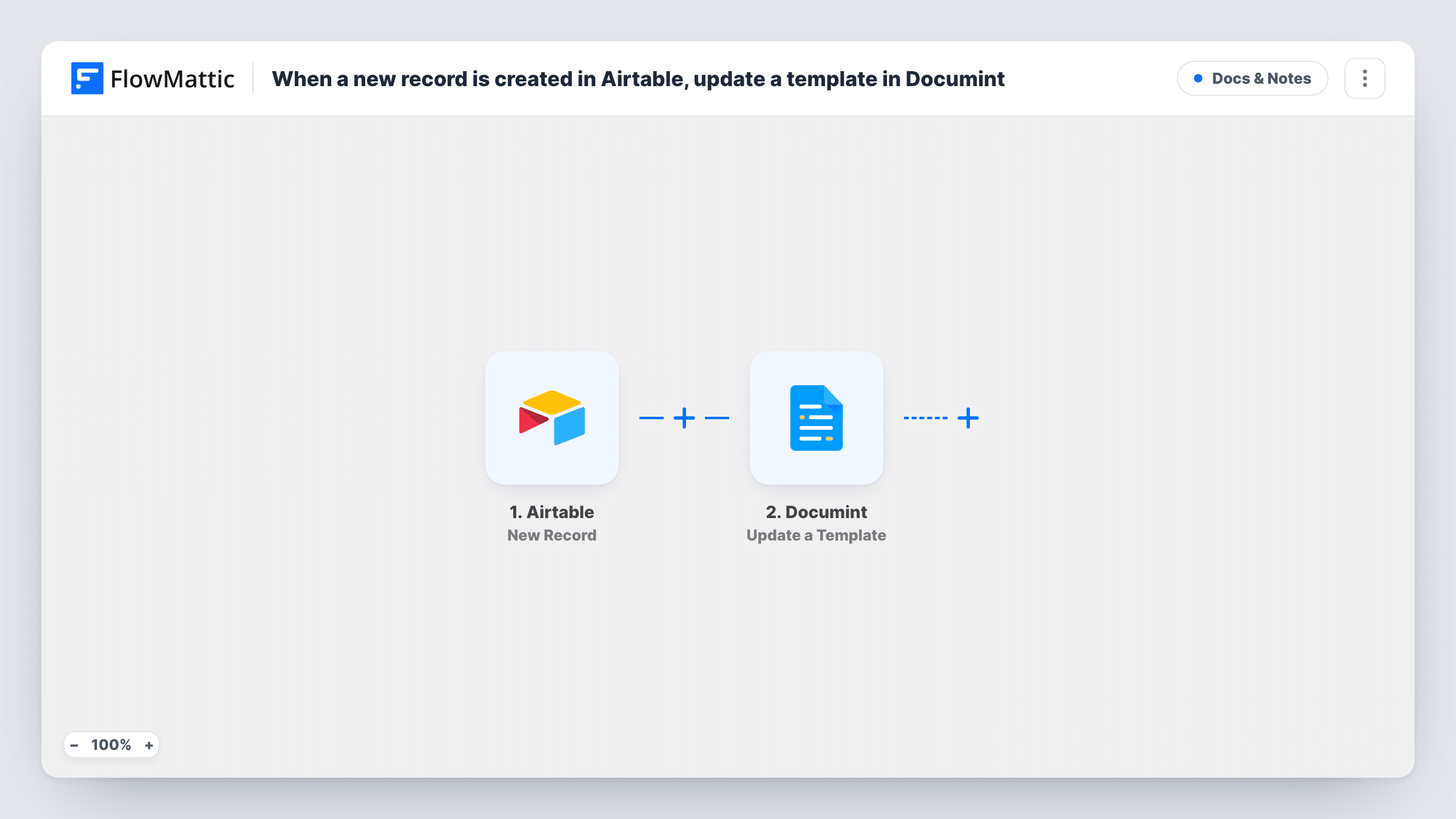
Each new Airtable record makes FlowMattic update an existing Documint template with data you map. It changes that one template and creates no document; nothing uses the result until you add a step.
 Airtable
 Documint
2 steps Setup ~5 min Used on 3.4k sites Free to import
What this workflow does
This template takes a new record in Airtable and runs Update a Template in Documint. That action updates an existing template. It does not generate a document from your data, so read this as a narrow, literal flow.
When a record is created in Airtable, its fields enter the workflow. The Documint step then changes the template you point it at, using whatever you map in. If the step points at one fixed template, every new record repeats the update on it, so the latest record decides what that template ends up holding.
No later step uses what Documint returns, and no file is produced. If what you really want is a document per record, Documint's Create Document action merges your data into a template; add it after this step or use it in place of the update. Check the change with one test record and Task History before you leave the workflow on.
Keeping one template in step with a table
A single Documint template should carry details that change in Airtable. Each new record overwrites the template with the values you map from it.
A base for a document flow
Import this to link Airtable and Documint, then add Create Document after the update so each record also gets a merged document.
Testing the Documint connection
Add a record in a test table and confirm in Task History that the update reached the template you expect, before building more on it.
How this workflow runs
What happens at each step once the workflow is on, and what you need before you import it.
 Airtable New Record
Fires for each record added to Airtable after the workflow is turned on, and hands that record's fields to the Documint step for mapping.
- Documint Update a Template
Updates an existing template in Documint with data you map from the record. It changes that template only and creates no document. Every new record runs it again, and no step uses its result.
What you need
- FlowMatticCore
- Airtable AccountAccount
- Documint AccountAccount
After importing, map your own data. To keep the template universal, not every step is pre-filled. Open each step in the builder and connect your accounts and fields (channels, lists, sheets, recipients) before you switch the workflow on.
Make it yours
Changes worth making after you import it.
- If you want a document for each record, add Documint's Create Document after this step, or swap the update for it, and map the record's fields into the merge.
- Add a Filter after the Airtable trigger so only records that should touch the template, such as ones with a ready checkbox ticked, reach the Documint step.
- Try it with one test record first and look at the template in Documint afterwards, so you see exactly what the update changed before real records arrive.
Questions about this workflow
Does this create a Documint document from each Airtable record?
No. Update a Template only changes an existing template. Documint's Create Document action is the one that merges data into a template to make a document.
What happens when several Airtable records are added?
Each record runs the update again. When the step targets one fixed template, that template holds whatever the most recent run wrote into it.
Can the update undo changes I made in Documint?
It can overwrite what you map into it each time a record arrives. Test on a copy of your template first and check the result in Documint.
Do I need anything besides Airtable and Documint accounts?
No. You connect both accounts on import, then set up the Documint step and run one test record to confirm which template it changes.
More Docs & Notes workflows
Other ready-to-import templates from the same category.




Import this workflow into your WordPress site
Download the JSON, import it from the Workflows screen and connect your accounts. Every run stays on your server, with no per-task fees.
30-day money-back guarantee Unlimited workflows and runs Self-hosted