

When a new security scan response is received, send a WhatsApp alert via WhatsApp Cloud API
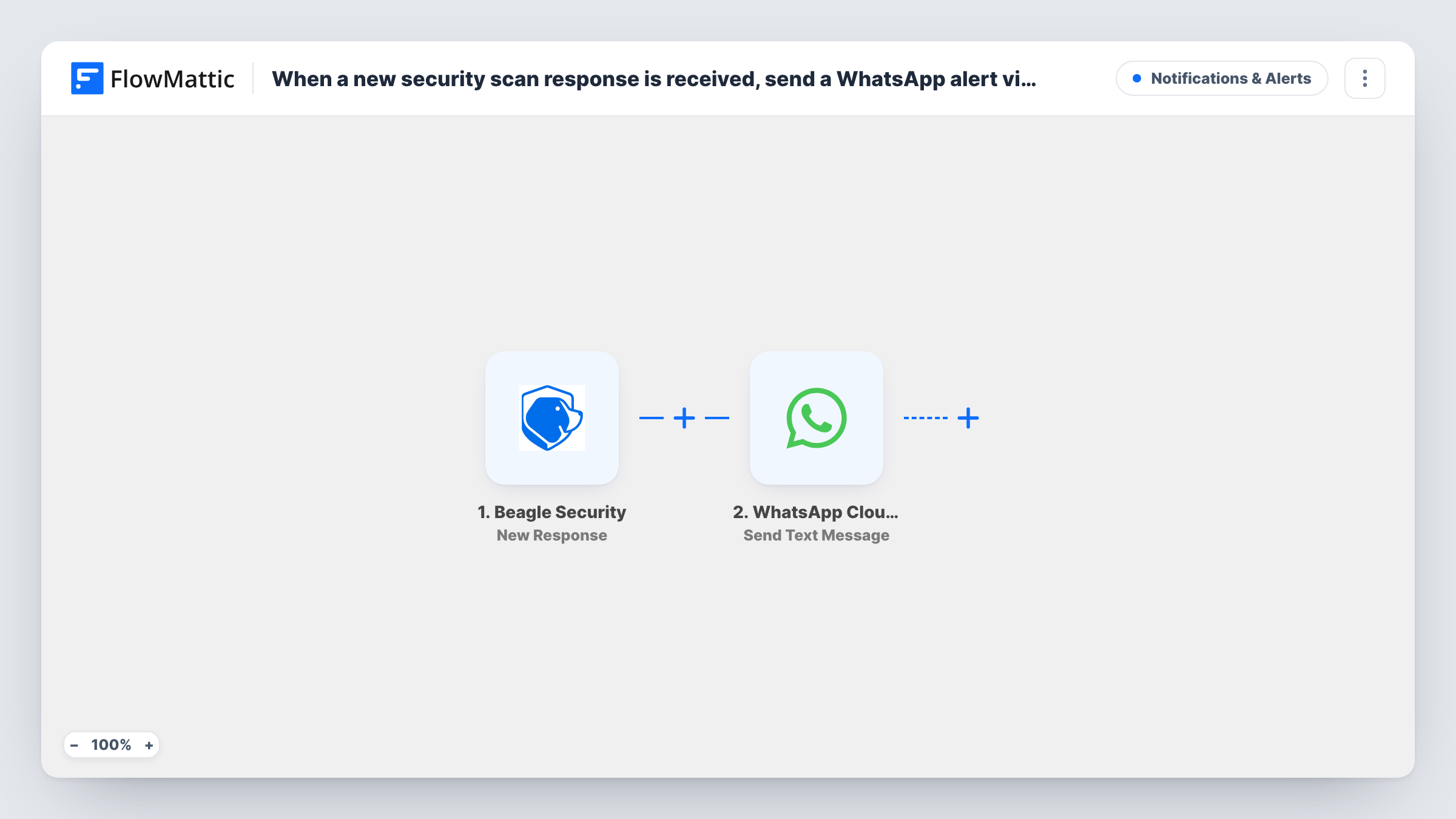
When Beagle Security sends a new response, this workflow sends a WhatsApp text through the WhatsApp Cloud API to the number you choose, with the scan details you map in.
 Beagle Security
 WhatsApp Cloud API
2 steps Setup ~5 min Used on 717 sites Free to import
What this workflow does
Security test results are easy to miss when they only arrive in a dashboard or an inbox you check once a day. This workflow sends a WhatsApp text to a phone you choose whenever Beagle Security reports a new response, so the person looking after the site hears about it on their phone.
The Beagle Security trigger is New Response, which fires when a new response is received from Beagle Security. Its data becomes available to the next step. The WhatsApp Cloud API step then runs Send Text Message from your WhatsApp business number, and you map the parts of the response you want into the text.
Free-form text has a limit you should plan for. WhatsApp only delivers it within 24 hours of the recipient messaging your business number. If your team member has not written to that number recently, the alert will usually not reach them. For alerts at any time, switch the step to Send Template Message with a template WhatsApp has approved.
Agency watching client sites
Each Beagle Security response for a client site sends a WhatsApp text to the developer responsible, with the details you map from the response.
Solo site owner
You run Beagle Security tests on your own store and want the result as a WhatsApp text on your phone instead of waiting for the next time you log in.
Handing results to an outside security contractor
Your contractor gets a WhatsApp text from your business number each time a response arrives, without needing access to your Beagle Security account.
How this workflow runs
What happens at each step once the workflow is on, and what you need before you import it.
 Beagle Security New Response
Fires when a new response is received from Beagle Security. The response data is passed on so you can map it into the WhatsApp text.
- WhatsApp Cloud API Send Text Message
Sends a free-form WhatsApp text from your Cloud API business number. Set the recipient and map the Beagle Security details into the text. WhatsApp delivers it only inside the 24-hour window after that person last messaged you.
What you need
- FlowMatticCore
- Beagle Security AccountAccount
- WhatsApp Cloud API AccountAccount
After importing, map your own data. To keep the template universal, not every step is pre-filled. Open each step in the builder and connect your accounts and fields (channels, lists, sheets, recipients) before you switch the workflow on.
Make it yours
Changes worth making after you import it.
- Change the action to WhatsApp Cloud API's Send Template Message and use an approved template, so alerts arrive even when the recipient has not messaged your number in the last 24 hours.
- Add a Filter after the trigger so only responses with a value you care about, such as a result you see in a test run, send a text.
- Add a second WhatsApp step to alert a backup contact as well, each with its own recipient number.
Questions about this workflow
Why didn't my Beagle Security WhatsApp alert arrive?
Send Text Message sends free-form text, which WhatsApp only delivers within 24 hours of the recipient messaging your business number. For alerts that must land at any hour, move this step to an approved template sent with Send Template Message. Task History shows WhatsApp's response.
Does every Beagle Security response send a WhatsApp text?
Yes, as imported. There is no Filter, so each new response starts a run and sends one message.
What do I need to send messages with the WhatsApp Cloud API?
A WhatsApp business number set up on the WhatsApp Cloud API, connected in FlowMattic, plus your Beagle Security account for the trigger.
Does this workflow change anything in Beagle Security?
No. It only listens for new responses from Beagle Security. Your tests, settings and results there stay as they are.
More Notifications & Alerts workflows
Other ready-to-import templates from the same category.




Import this workflow into your WordPress site
Download the JSON, import it from the Workflows screen and connect your accounts. Every run stays on your server, with no per-task fees.
30-day money-back guarantee Unlimited workflows and runs Self-hosted