

When a new Sitejet form is submitted, create a ClickUp task and notify the team in Slack
Each Sitejet website form submission becomes a ClickUp task, and a message about it is posted to a Slack channel, so the team sees the new entry and has a task to close it out.
 Sitejet
 ClickUp
 Slack
Slack3 steps Setup ~5 min Used on 2.1k sites Productivity Free to import
What this workflow does
A form on a Sitejet website usually means a person waiting for an answer. If the entry only reaches one inbox, it can wait for days while everyone assumes someone else has it. This workflow gives each submission an owner-ready task and tells the team it arrived.
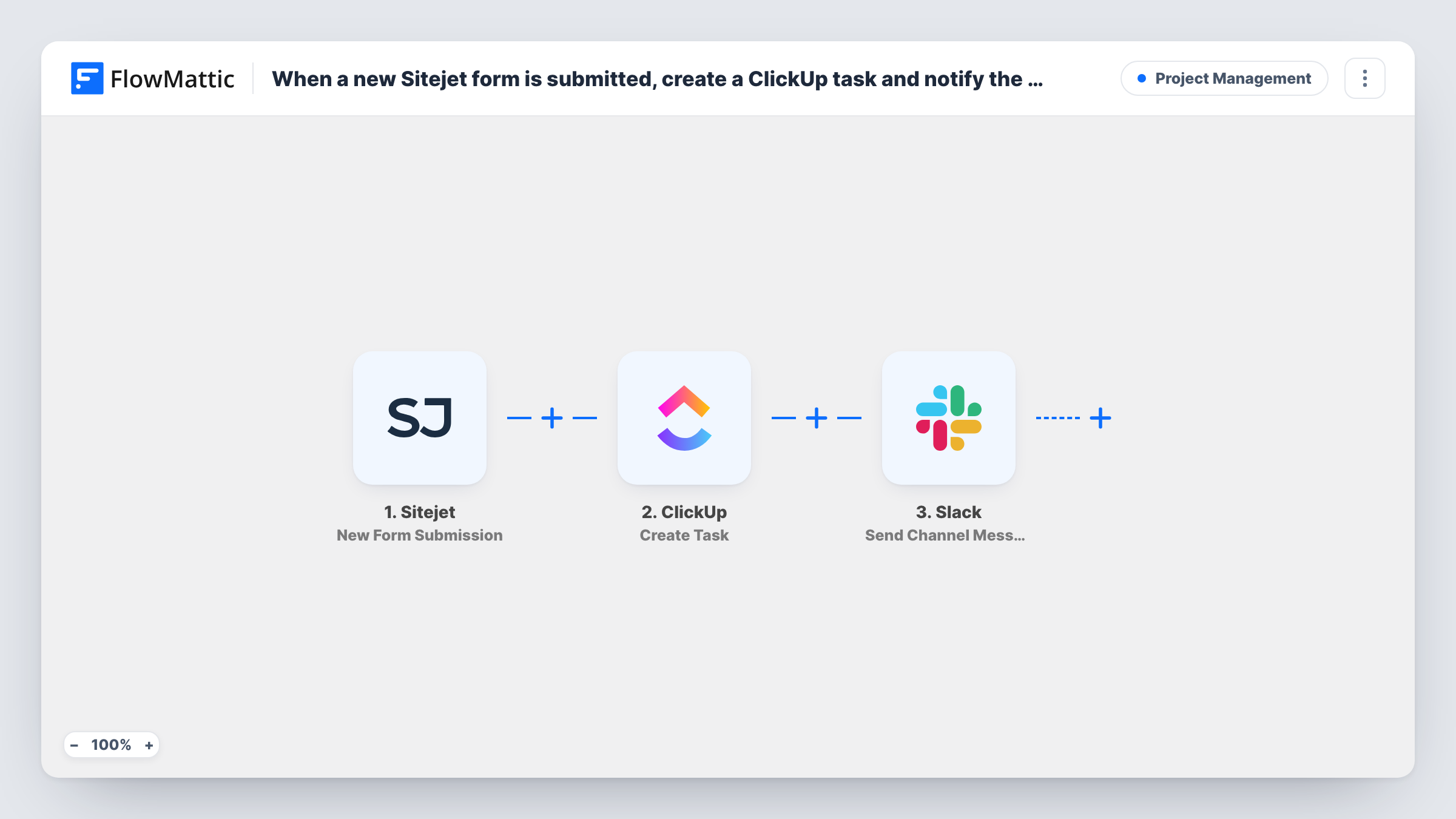
The Sitejet New Form Submission trigger fires when a visitor sends a form on your Sitejet site, and passes the answers to FlowMattic. Next, ClickUp Create Task adds a task built from those answers. Last, the Slack Send Channel Message step posts to the channel you choose, and can include the task details ClickUp returns along with the form data.
The steps run in that order for every submission, with no conditions. Spam or test entries also become tasks and messages unless you add the Filter described in the tips. If a Slack message arrives without a task link, Task History shows what the ClickUp step returned for that run.
Web agency handling client site enquiries
An agency builds client websites in Sitejet. Contact form entries from a client's site become ClickUp tasks for the account team, with a heads-up in that client's Slack channel.
Quote requests for a local trade business
Customers request a quote through the Sitejet site. Each request is a ClickUp task with the job details, and the crew's Slack channel hears about it at once.
Booking enquiries for a studio
A photography studio takes enquiries on its Sitejet site. Each enquiry becomes a follow-up task, and a Slack post lets whoever is free pick it up.
How this workflow runs
What happens at each step once the workflow is on, and what you need before you import it.
 Sitejet New Form Submission
Starts a run each time someone sends one of the forms on your Sitejet site. Their answers become values for the ClickUp and Slack steps.
- ClickUp Create Task
Opens a ClickUp task built from the Sitejet answers. Connect your ClickUp account, choose where tasks go, and write the task name and description from the form fields.
- Slack Send Channel Message
Announces the entry in a Slack channel of your choice. Mix form answers with the ClickUp task details from step 2, such as its link, so readers can jump straight to the task.
What you need
- FlowMatticCore
- Sitejet AccountAccount
- ClickUp AccountAccount
- Slack AccountAccount
After importing, map your own data. To keep the template universal, not every step is pre-filled. Open each step in the builder and connect your accounts and fields (channels, lists, sheets, recipients) before you switch the workflow on.
Make it yours
Changes worth making after you import it.
- Put a Filter between the Sitejet trigger and the ClickUp step that continues only when the email answer is not empty, so blank or bot submissions create neither a task nor a Slack post.
- Send one test submission through the Sitejet form after import. FlowMattic then has real answers and a real ClickUp response to map in the Slack message.
- For a private channel, swap the Slack step for Send Private Channel Message. To alert one person, use Send Direct Message instead.
Questions about this workflow
Does every Sitejet form submission create a ClickUp task?
Yes, as imported. There is no Filter, so each submission runs both steps. A Filter between the Sitejet trigger and the ClickUp step holds back entries you don't want as tasks, and those get no Slack post either.
Can the Slack message link to the ClickUp task?
Yes. The ClickUp step runs first, so values it returns are available to map in the Slack message. Check a test run to find the task link in its output.
Where in ClickUp do the Sitejet tasks end up?
Where you point the Create Task step. It ships unmapped, so after import you connect ClickUp, choose where tasks go, and build the task name and description from the Sitejet answers. A test submission shows which answers arrive.
I have several forms on my Sitejet site. Do they all trigger this?
Check which submissions arrive in a test run. If more than one form reaches the workflow, put a Filter between the Sitejet trigger and the ClickUp step on a value that only the form you want sends.
More Project Management workflows
Other ready-to-import templates from the same category.






Import this workflow into your WordPress site
Download the JSON, import it from the Workflows screen and connect your accounts. Every run stays on your server, with no per-task fees.
30-day money-back guarantee Unlimited workflows and runs Self-hosted