

When a new submission is received in Fluent Forms, send event registration link to user's WhatsApp using WA.Team
When someone submits your Fluent Forms form, this workflow sends them a WhatsApp template message through WA.Team that carries your event registration link, using the phone number they entered.
 Fluent Forms
 WhatsApp by WA.Team
2 steps Setup ~5 min Used on 2.0k sites Free to import
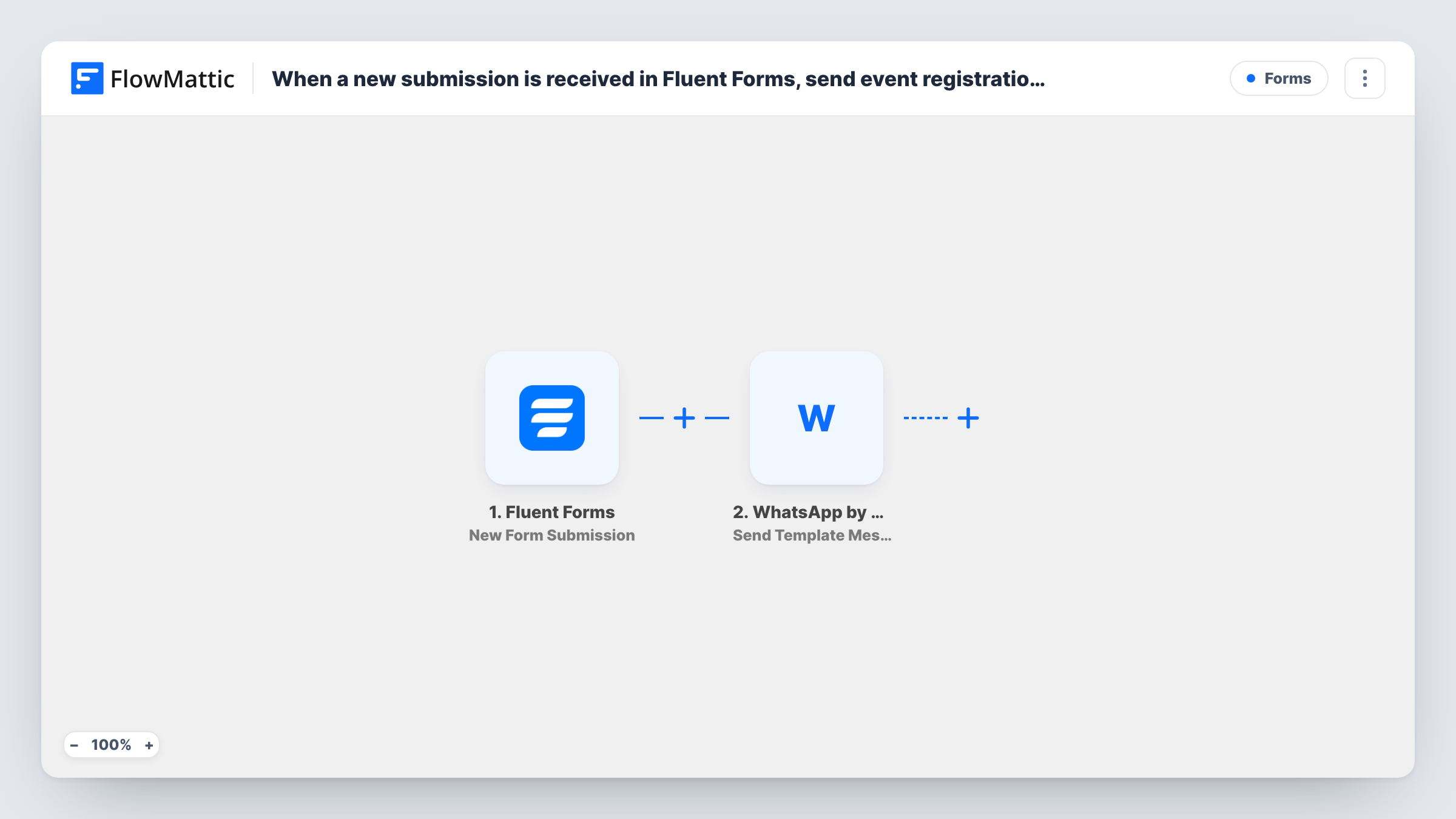
What this workflow does
People who show interest in an event on your site are more likely to act on a link that reaches their phone. Emails get buried, while a WhatsApp message is easy to tap. This workflow sends the registration link to each person who fills in your form.
Each run starts with an entry in your Fluent Forms event form. FlowMattic takes the phone number and name from the entry and passes them to WhatsApp by WA.Team, where Send Template Message sends a template you have set up there. The registration link goes in that template, either written into it or filled from a variable you map.
Every submission sends one message, so someone who submits twice gets it twice. Template messages are the WhatsApp format for starting a conversation with someone who hasn't written to you, which suits form leads. Task History shows each send and WA.Team's response.
Free webinar sign-up
Visitors leave their name and number in a Fluent Forms interest form. WA.Team sends them the webinar registration page so they can book a seat from their phone.
Local workshop enquiries
A studio collects enquiries for its next workshop. Each person gets the booking link on WhatsApp right after they submit the form.
Conference early-interest list
Before tickets open, a form gathers interested attendees. Swap the link in the template when registration goes live, and new sign-ups receive it.
How this workflow runs
What happens at each step once the workflow is on, and what you need before you import it.
 Fluent Forms New Form Submission
Starts the run when a visitor sends your Fluent Forms event form. The entry's fields, including the phone number, are passed to the WhatsApp step.
- WhatsApp by WA.Team Send Template Message
Uses WA.Team to deliver an approved WhatsApp template. Pick the template that holds your registration link, map the form's phone number and any template variables, and connect WA.Team.
What you need
- FlowMatticCore
- Fluent Forms PluginPlugin
- WhatsApp by WA.Team AccountAccount
After importing, map your own data. To keep the template universal, not every step is pre-filled. Open each step in the builder and connect your accounts and fields (channels, lists, sheets, recipients) before you switch the workflow on.
Make it yours
Changes worth making after you import it.
- Ask for the phone number with its country code in the form, or add a step that formats it, since WhatsApp numbers need the full international form.
- Add a consent checkbox to the form and a Filter after the trigger that continues only when it is ticked, so only people who agreed get WhatsApp messages.
- If the form is used for several events, add a Router with one route per event choice, each sending its own template and link.
Questions about this workflow
Why does the WA.Team step send a template rather than a normal text?
WhatsApp only allows free-form text within 24 hours of the person messaging you. Form leads usually haven't, so a template message is the format that can reach them.
Where do I put the event registration link?
In the WA.Team template itself, or in a template variable that you fill in the step. Send a test submission with your own number to see the result.
What happens if the Fluent Forms phone number is wrong?
The message can't be delivered, and Task History shows WA.Team's response for that run. Fluent Forms still saves the entry as normal.
Do I need my own WA.Team account to send the event link?
Yes. The message is sent through your WhatsApp by WA.Team connection, which you set up on import along with the template you want to use.
More Forms workflows
Other ready-to-import templates from the same category.






Import this workflow into your WordPress site
Download the JSON, import it from the Workflows screen and connect your accounts. Every run stays on your server, with no per-task fees.
30-day money-back guarantee Unlimited workflows and runs Self-hosted