

When a new submission is received in WPForms, check if the email is valid with Reoon Email Verifier, and add details to Google Spreadsheet
Every WPForms entry has its email address checked by Reoon Email Verifier, then the entry and the verification result are written to a new Google Sheets row, so you can see which addresses passed.
 WPForms
 Reoon Email Verifier
 Google Sheets
3 steps Setup ~5 min Used on 3.1k sites Free to import
What this workflow does
A form entry with a broken email address is a lead you can't reach. When entries go straight into a spreadsheet, you find out only when your follow-up email bounces. This workflow checks each WPForms address with Reoon first and records the outcome next to the entry.
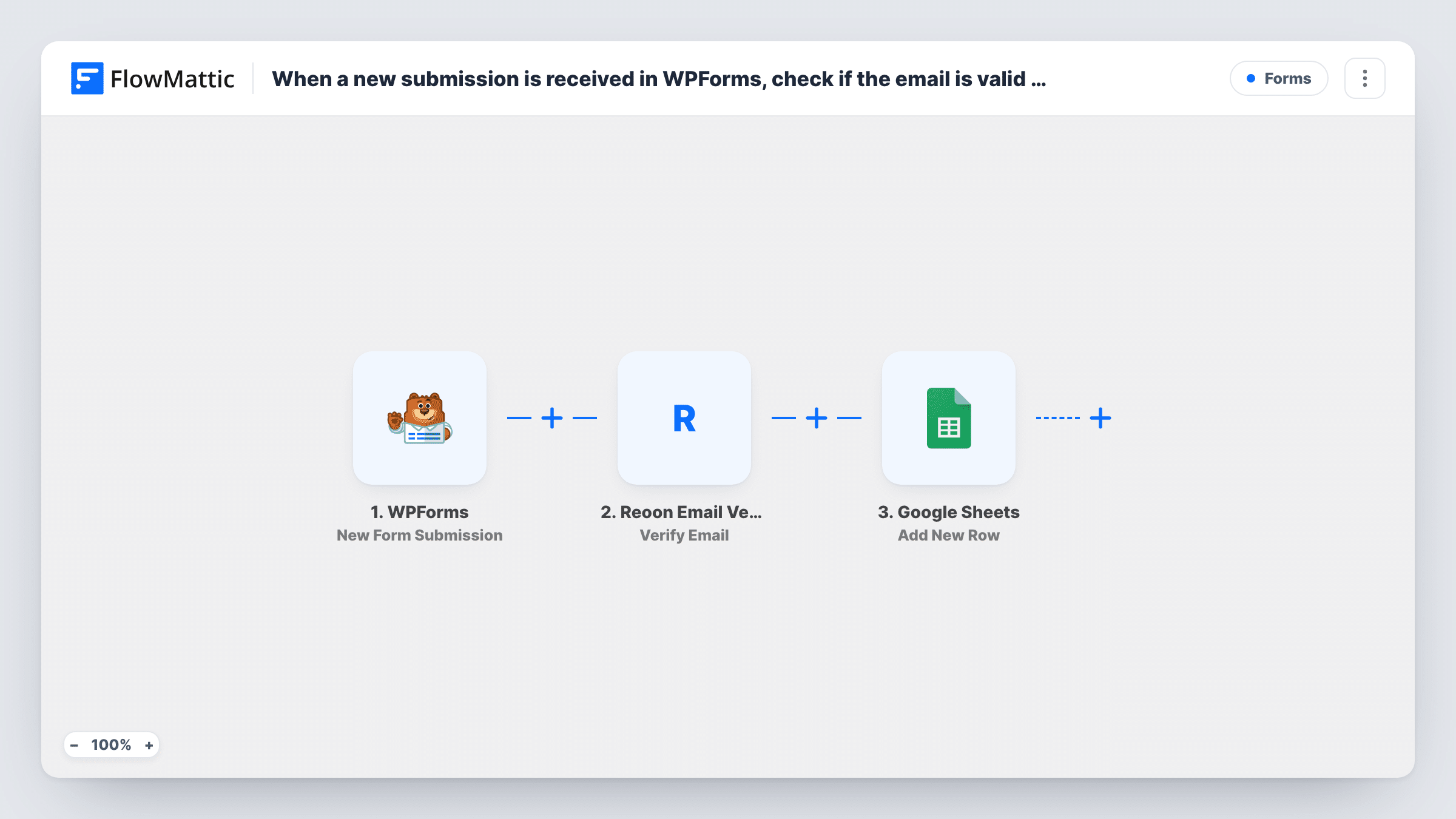
The WPForms trigger starts a run for each new submission. The email answer goes to Reoon Email Verifier, whose Verify Email action can run in a quick mode or a deeper power mode that takes longer. Reoon's response then becomes data you can map. The final step writes a new row in Google Sheets with the form answers and the verification result in the columns you choose.
The template has no Filter. Every submission gets a row, valid or not, which gives you a full log with each address marked. If the sheet should hold valid addresses only, add a Filter between Reoon and Google Sheets.
Free trial requests
Trial sign-ups through WPForms are logged with Reoon's verdict, so sales can skip leads whose address failed before reaching out.
Contest entries
Each WPForms contest entry is recorded with its verification result, which helps you spot throwaway addresses before you pick a winner.
Volunteer sign-up sheet
A charity collects volunteers through WPForms. The coordinator's sheet shows which email addresses checked out before the first group email goes out.
How this workflow runs
What happens at each step once the workflow is on, and what you need before you import it.
 WPForms New Form Submission
Starts a run whenever someone submits a WPForms form on your site. The email answer and the other fields are passed on for verification and logging.
- Reoon Email Verifier Verify Email
Checks the submitted address with Reoon Email Verifier, in quick or power mode. Link your Reoon account and map the WPForms email field. Reoon's response is then available to map.
- Google Sheets Add New Row
Writes a new row to the Google Sheets spreadsheet you pick. Map the WPForms answers to columns and add one for the Reoon result so every address carries its verdict.
What you need
- FlowMatticCore
- WPForms PluginPlugin
- Reoon Email Verifier AccountAccount
- Google Sheets AccountAccount
After importing, map your own data. To keep the template universal, not every step is pre-filled. Open each step in the builder and connect your accounts and fields (channels, lists, sheets, recipients) before you switch the workflow on.
Make it yours
Changes worth making after you import it.
- Add a Filter between Reoon and Google Sheets that continues only when the status Reoon returns matches a valid address. Look at a test run for the exact value before you set it.
- Use a Router to write passing and failing addresses to two different sheets, with route conditions on the Reoon result that can't both match.
- After import, submit one entry with your own address and one made-up address, so both kinds of Reoon response are captured for mapping.
Questions about this workflow
Does the workflow drop WPForms entries with invalid emails?
Not as imported. Each entry gets a Google Sheets row and the Reoon result sits next to it. Add a Filter after the Reoon step if you want failed addresses left out.
Which Reoon verification mode should I pick?
Quick mode answers fast. Power mode runs a deeper check and takes longer, so the row appears later. Pick based on how much checking you need.
Is a Reoon account required for the WPForms check?
Yes. Each check runs through your Reoon account, connected in the Verify Email step. Check your Reoon plan for how many checks it covers.
Does Reoon run before WPForms accepts the entry?
No. The workflow starts after the form is submitted, so a visitor with a bad address still sees your normal confirmation. The check only affects what lands in Google Sheets.
More Forms workflows
Other ready-to-import templates from the same category.








Import this workflow into your WordPress site
Download the JSON, import it from the Workflows screen and connect your accounts. Every run stays on your server, with no per-task fees.
30-day money-back guarantee Unlimited workflows and runs Self-hosted