

When a new submission is received in Fluent Forms, send event registration link to user's WhatsApp using WhatsApp Cloud API
When someone submits a Fluent Forms form, this workflow sends a WhatsApp text with your event registration link to the phone number they entered, through the WhatsApp Cloud API.
 Fluent Forms
 WhatsApp Cloud API
2 steps Setup ~5 min Used on 3.3k sites Free to import
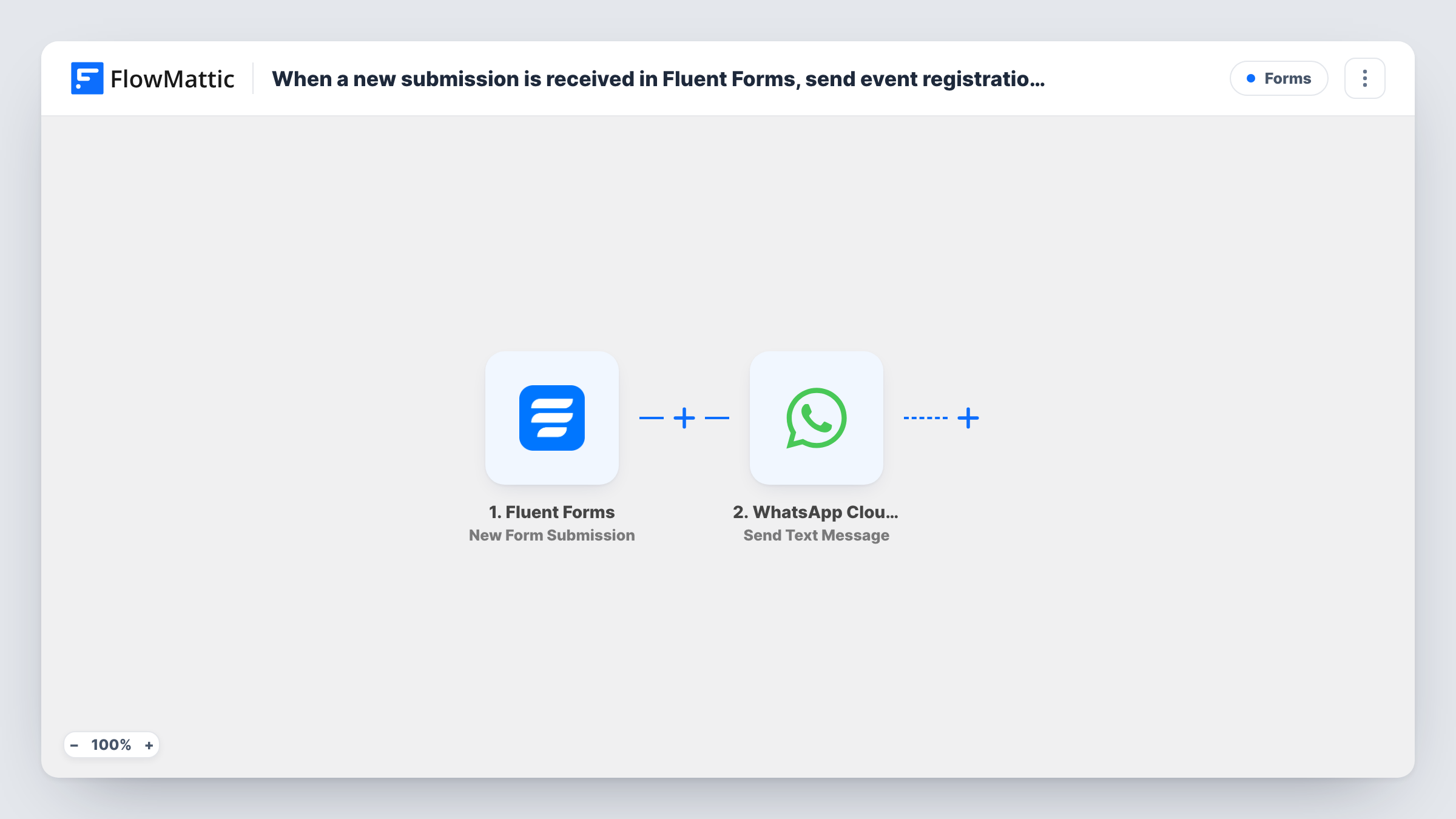
What this workflow does
People who show interest in an event on your site still have to register, and an email with the link can sit unread. This workflow sends the registration link as a WhatsApp text to the number given on your form.
The Fluent Forms trigger fires when a new form submission is received. FlowMattic then uses the WhatsApp Cloud API Send Text Message action. You map the phone field from the form as the recipient and write the message yourself, with your event link and, if you like, the person's name from the form.
There is one catch to know before you import. A plain WhatsApp text reaches a person only if they sent your business number a message in the previous 24 hours. Most people filling in a form on your site haven't, so they usually won't receive this text as imported. To reach them, switch the step to Send Template Message and use a template WhatsApp has approved for your account. There is no Filter here, so every submission of the form triggers a message attempt.
Webinar sign-up interest form
A Fluent Forms interest form collects names and phone numbers. Each person gets a WhatsApp message with the webinar registration link, once you use an approved template.
Workshop enquiries that start in WhatsApp
If your ads send people to message you on WhatsApp first and then fill in a form, the plain text arrives inside the 24-hour window with the link to register.
Community meetup reminders
Members fill in a short form saying they want to attend, and the registration link goes to their phone instead of an inbox they rarely check.
How this workflow runs
What happens at each step once the workflow is on, and what you need before you import it.
 Fluent Forms New Form Submission
Fires when a Fluent Forms form on your site receives a new submission. The answers, including the phone number field, are passed to the WhatsApp step.
- WhatsApp Cloud API Send Text Message
Sends your message as plain WhatsApp text via the Cloud API. Map the form's phone answer as the number to message and add your event registration link to the text. It only arrives if the person messaged your number in the last 24 hours.
What you need
- FlowMatticCore
- Fluent Forms PluginPlugin
- WhatsApp Cloud API AccountAccount
After importing, map your own data. To keep the template universal, not every step is pre-filled. Open each step in the builder and connect your accounts and fields (channels, lists, sheets, recipients) before you switch the workflow on.
Make it yours
Changes worth making after you import it.
- Switch the action to WhatsApp Cloud API Send Template Message with an approved template that holds the event link, so people who never messaged you can still receive it.
- Ask for the phone number with its country code in your Fluent Forms field, because WhatsApp needs the full international number to deliver.
- If the form is used for more than one event, add a Filter after the trigger so only submissions for this event get this link.
- Submit a test entry with your own WhatsApp number, then check Task History for the WhatsApp step's response.
Questions about this workflow
Why didn't the WhatsApp text reach someone who filled in my Fluent Forms form?
Plain WhatsApp text gets through only inside a 24-hour window that opens when the person messages your business number. New sign-ups usually haven't done that, so use Send Template Message with an approved template for them.
What do I set up on the WhatsApp side before this registration-link flow works?
A WhatsApp Cloud API business phone number set up through Meta, connected to FlowMattic on import, plus an approved template if you switch to Send Template Message.
Can the message include the person's name from the form?
Yes. Map the name field from the Fluent Forms submission into the message text along with your registration link.
Does a Fluent Forms entry still get saved if the WhatsApp text fails?
Yes. Fluent Forms keeps its own record of every entry, and the workflow doesn't change that. A failed send only shows as an error on the WhatsApp step in Task History.
More Forms workflows
Other ready-to-import templates from the same category.





Import this workflow into your WordPress site
Download the JSON, import it from the Workflows screen and connect your accounts. Every run stays on your server, with no per-task fees.
30-day money-back guarantee Unlimited workflows and runs Self-hosted