

When a New Submission is Received in Gravity Forms, Extract Country Details Using ISO Integration and Create a New Contact in HubSpot
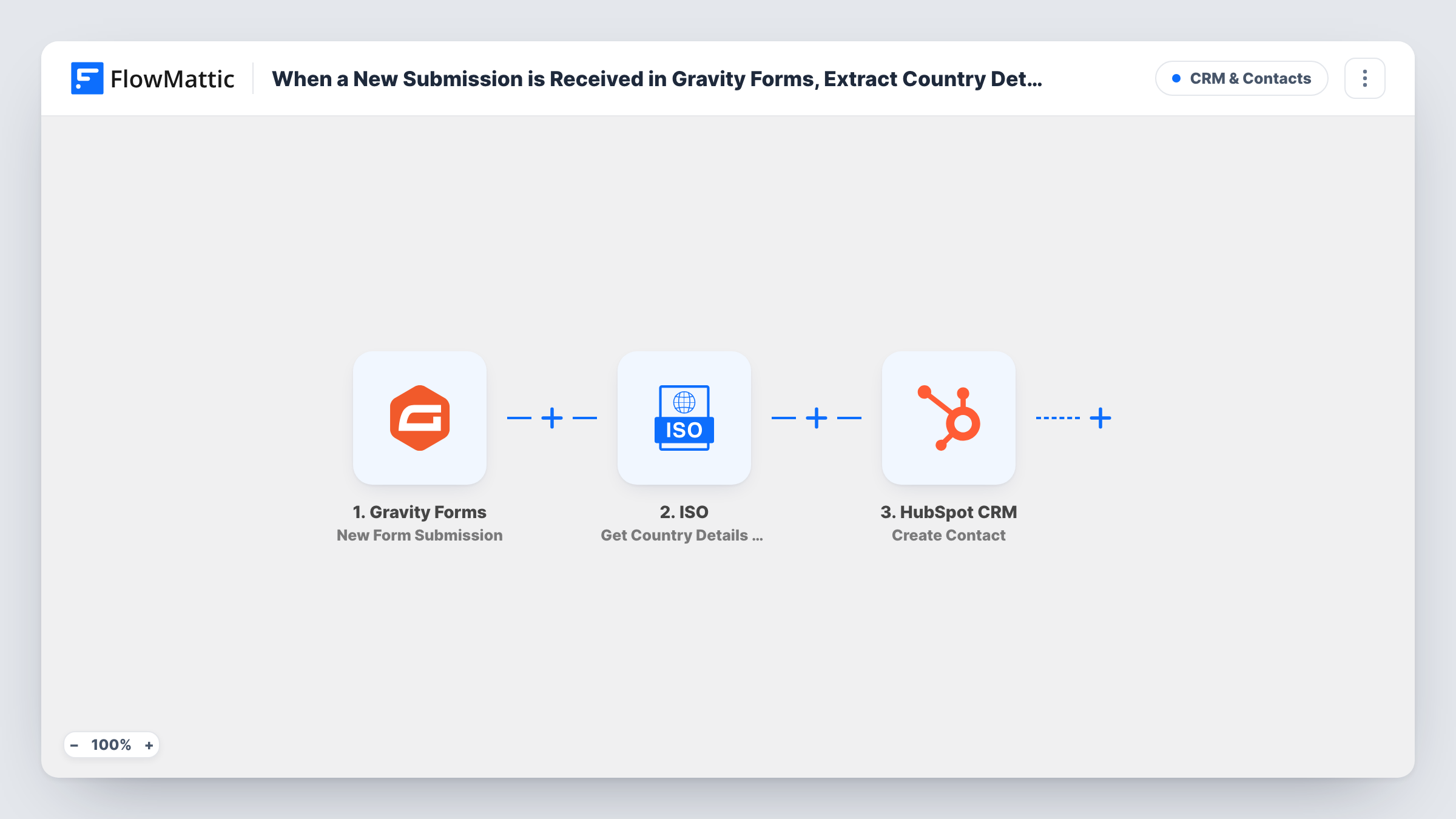
Each Gravity Forms submission has its country name looked up with the ISO integration, then a HubSpot contact is created with the form answers plus details such as the country code or region.
 Gravity Forms
 ISO
ISO
 HubSpot CRM
3 steps Setup ~5 min Used on 503 sites Free to import
What this workflow does
A form's country field gives you whatever the visitor typed or picked, usually just a name. Reporting and segmenting in HubSpot often works better with a standard code or a region. This workflow adds those details on the way from your form to your CRM.
The Gravity Forms trigger fires when a form is submitted on your site. The country value from the submission goes to the ISO step, whose Get Country Details by Country Name action returns information about that country: its name, code, capital, region, currency, language and flag. The last step creates a contact in HubSpot, and you map both the form answers and the ISO results into contact properties.
The lookup works from a country name, so the form should send a name the ISO step can match. A dropdown of country names works better than a free text box. Test with a few countries after import and check the results in Task History.
International lead forms
Visitors from many countries ask for a demo. Each lead reaches HubSpot with the country's code and region stored, ready for regional sales teams to filter.
Currency-aware quotes
The ISO lookup returns the country's currency. Store it on the HubSpot contact so whoever writes the quote knows which currency to price in.
Event sign-ups across regions
Map the region from the ISO step into a HubSpot property, then build lists per region for event invitations.
How this workflow runs
What happens at each step once the workflow is on, and what you need before you import it.
 Gravity Forms New Form Submission
Fires when a visitor submits your Gravity Forms form. All submitted fields, including the country, become available to the next two steps.
- ISO Get Country Details by Country Name
Looks up the country from the form's country field and returns its name, code, capital, region, currency, language and flag. Map the submission's country value into this step.
- HubSpot CRM Create Contact
Adds the person to HubSpot as a fresh contact. Map the form's email and name fields, then add the ISO results you want to keep, such as the country code or region, into contact properties.
What you need
- FlowMatticCore
- Gravity Forms PluginPlugin
- ISO AccountAccount
- HubSpot CRM AccountAccount
After importing, map your own data. To keep the template universal, not every step is pre-filled. Open each step in the builder and connect your accounts and fields (channels, lists, sheets, recipients) before you switch the workflow on.
Make it yours
Changes worth making after you import it.
- Use a Gravity Forms dropdown or the address field's country selector, so the value sent to the ISO step is always a full country name it can match.
- Decide where values like region or currency should live in HubSpot before you map them. Open the Create Contact step after import to see which contact properties it offers, then run a test submission.
- Add a Filter before the ISO step that continues only when the country field is not empty, so forms without a country don't send an empty lookup.
Questions about this workflow
What happens if the email is already a contact in HubSpot?
This step creates contacts and doesn't update them. HubSpot keeps one contact per email address, so the create can fail for a known email. Task History shows any error on that step.
Does the ISO country lookup need its own account?
The template lists an ISO account as a requirement. Connect it when you set up the ISO step after import.
What if the visitor types the country name with a typo?
The ISO step may not find a match, and the details it returns will be empty or wrong. A dropdown of country names in Gravity Forms avoids this.
Where do the ISO country details end up on the HubSpot contact?
Wherever you map them. The Create Contact step lists the contact properties you can fill; put the ISO name, code or region into the ones that fit, then check a test contact in HubSpot.
More CRM & Contacts workflows
Other ready-to-import templates from the same category.




Import this workflow into your WordPress site
Download the JSON, import it from the Workflows screen and connect your accounts. Every run stays on your server, with no per-task fees.
30-day money-back guarantee Unlimited workflows and runs Self-hosted