

Verify a Typeform submission email with EmailListVerify, then create a Pabbly customer
Each Typeform submission’s email address goes to EmailListVerify for a check, and FlowMattic then adds the respondent to Pabbly Subscriptions Billing as a new customer.
 Typeform
 EmailListVerify
 Pabbly Subscriptions
3 steps Setup ~5 min Used on 3.5k sites Free to import
What this workflow does
Billing records built from form answers are only as good as the email typed into the form. This workflow gives every Typeform respondent a quick EmailListVerify check on the way into Pabbly Subscriptions Billing, so you have a record of each address's status next to the new customer.
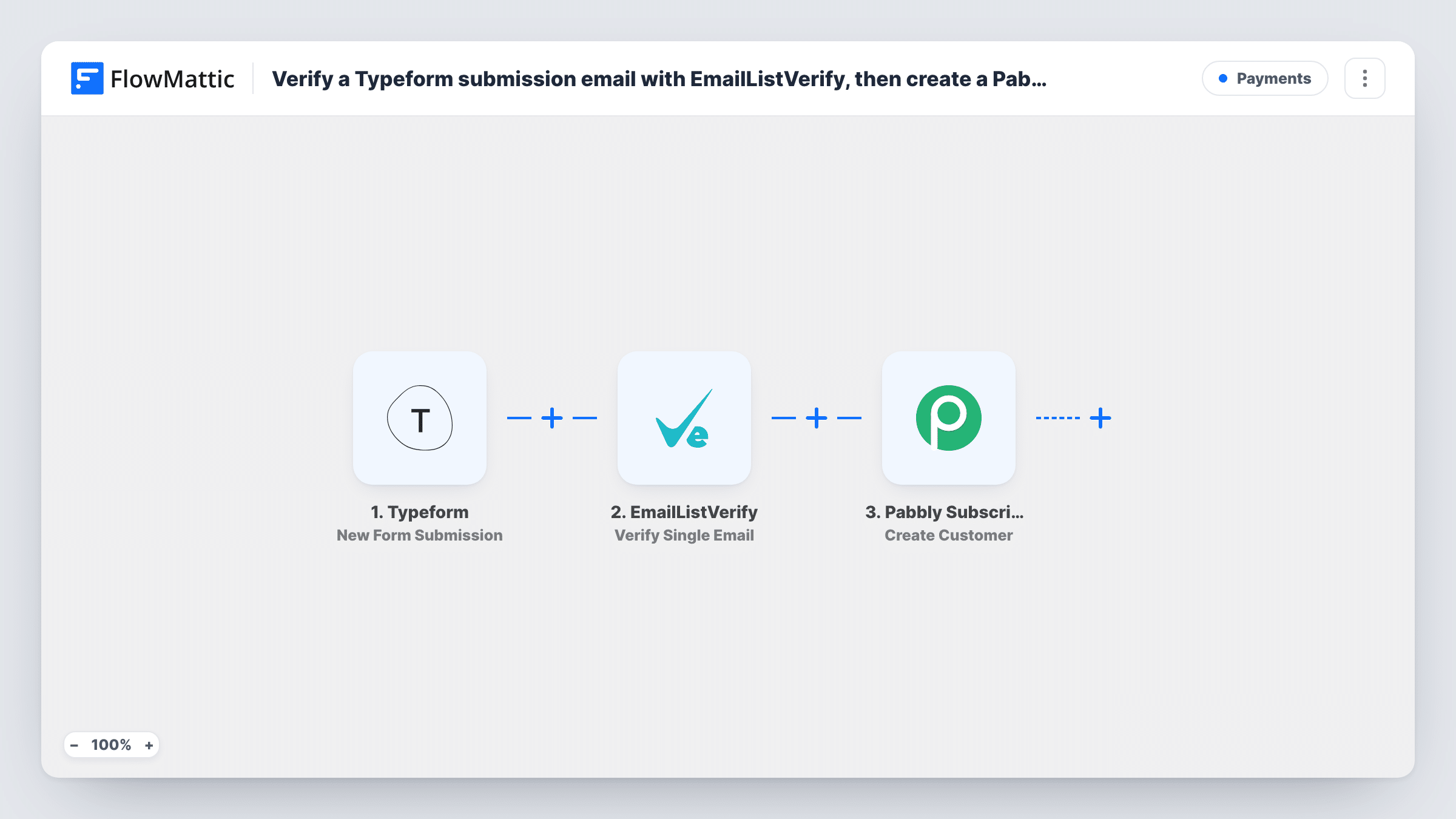
When a response is submitted, the Typeform trigger passes the answers to FlowMattic. The EmailListVerify Verify Single Email step checks the address you map from the email question and returns a status.
The Pabbly Subscriptions Create Customer step comes next and runs for every respondent. As shipped, nothing between the two steps looks at the EmailListVerify status, so failing addresses are created too. Look up the status values in Task History after a test, then decide whether to put a Filter in front of Pabbly.
After import, connect Typeform, EmailListVerify and Pabbly, map the email question into the check, and map name and email into the customer step. Expect one verification and one Pabbly request per submission.
Retainer sign-up for a consultancy
An IT consultancy's Typeform collects a new client's contact person. The client becomes a Pabbly customer, and the EmailListVerify status is kept in the run for the accounts team.
Subscription box order form
A coffee subscription brand takes first orders through Typeform. Each buyer is created in Pabbly, and staff check the verification status before the box ships.
Tutoring enrolments
A tutoring service enrols parents through a Typeform. Every parent is set up in Pabbly for monthly billing, with their email checked by EmailListVerify on the way in.
How this workflow runs
What happens at each step once the workflow is on, and what you need before you import it.
 Typeform New Form Submission
Fires on each new Typeform response. The answers, such as the respondent's name and email, are handed to EmailListVerify and to Pabbly for mapping.
- EmailListVerify Verify Single Email
Verifies the respondent's email with EmailListVerify and returns a status. After import, map the Typeform email answer here; no later step in the template reads the status.
- Pabbly Subscriptions Create Customer
Adds the respondent to Pabbly Subscriptions Billing as a customer, regardless of the EmailListVerify status. Connect Pabbly and map their name and email from Typeform.
What you need
- FlowMatticCore
- Typeform AccountAccount
- EmailListVerify AccountAccount
- Pabbly Subscriptions AccountAccount
After importing, map your own data. To keep the template universal, not every step is pre-filled. Open each step in the builder and connect your accounts and fields (channels, lists, sheets, recipients) before you switch the workflow on.
Make it yours
Changes worth making after you import it.
- Put a Filter between the EmailListVerify step and the Pabbly step that continues only on a passing status, so failing addresses don't become customers. Take the exact status from a test run.
- Test with a deliberately misspelled address first, so you know which EmailListVerify status a bad email produces.
- Add Pabbly's Create Subscription action after the customer step if each respondent should go straight onto a plan.
Questions about this workflow
Will Pabbly get customers whose email fails EmailListVerify?
Yes, as imported. Every response reaches Create Customer whatever the status. A Filter between the EmailListVerify and Pabbly steps that checks the status keeps failing addresses out.
Where can I see the EmailListVerify status for a Typeform response?
Task History holds that run. It shows the address that was checked and the status EmailListVerify returned, which is the value a later Filter would compare.
Can I send other Typeform answers to Pabbly?
Yes. Any question from the form can be mapped into the fields the Create Customer step shows, such as a company name or phone, if Pabbly offers them.
More Payments workflows
Other ready-to-import templates from the same category.





Import this workflow into your WordPress site
Download the JSON, import it from the Workflows screen and connect your accounts. Every run stays on your server, with no per-task fees.
30-day money-back guarantee Unlimited workflows and runs Self-hosted