

When a new submission is received in WPForms, check if the email is valid with Bounceless, and add details to Google Spreadsheet
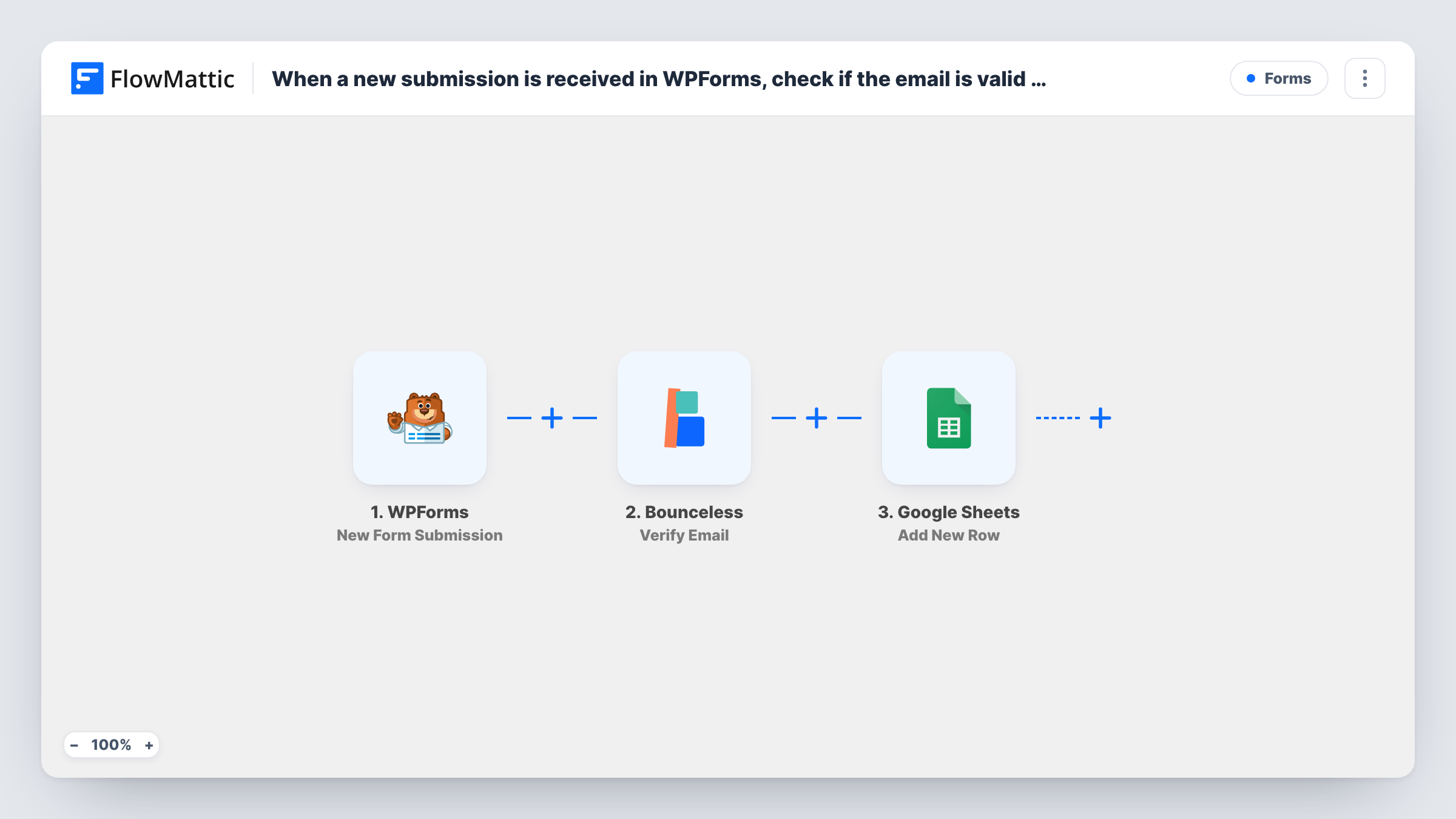
Each WPForms submission has its email address checked by Bounceless, then FlowMattic adds the entry and the verification result to a new Google Sheets row, so you can see which addresses passed.
 WPForms
 Bounceless
 Google Sheets
3 steps Setup ~5 min Used on 3.4k sites Free to import
What this workflow does
A form that collects email addresses also collects typos, fake addresses and throwaway inboxes. Mailing them later costs you bounces. This workflow checks each address with Bounceless when the form is sent and records the outcome beside the entry in a spreadsheet.
When a visitor submits a WPForms form, FlowMattic sends the email field to Bounceless with its Verify Email action. Whatever Bounceless returns becomes data the next step can use. Google Sheets then gets a new row holding the form answers and the result you map.
The check doesn't decide anything on its own. As imported, every entry reaches the sheet, valid or not, because no Filter sits between Bounceless and Google Sheets. That gives you a complete log with each address marked. Add a Filter on the Bounceless result between the Bounceless step and the Google Sheets step if the sheet should hold only addresses that passed.
Cleaning a sign-up list before export
You collect newsletter sign-ups with WPForms and import them into your mailing tool once a week. Sort the sheet by the result column and leave out failures.
Qualifying contact form leads
Sales can see at a glance which enquiries came with an address Bounceless accepted, and contact those first.
Spotting spam sign-ups
A burst of rows whose addresses fail the check points to bot submissions, which tells you it is time to tighten the form's spam protection.
How this workflow runs
What happens at each step once the workflow is on, and what you need before you import it.
 WPForms New Form Submission
Runs when someone submits your chosen WPForms form. Send one test entry after import so FlowMattic captures the email field and the other answers for mapping.
- Bounceless Verify Email
Sends the submitted email address to Bounceless to verify it. Map the WPForms email field here and connect your Bounceless account. Check a test run to see the result fields it returns.
- Google Sheets Add New Row
Writes the entry to a fresh row in your chosen Google Sheets file. Map form answers to columns and put the Bounceless result in its own column, so every row shows how its address checked out.
What you need
- FlowMatticCore
- WPForms PluginPlugin
- Bounceless AccountAccount
- Google Sheets AccountAccount
After importing, map your own data. To keep the template universal, not every step is pre-filled. Open each step in the builder and connect your accounts and fields (channels, lists, sheets, recipients) before you switch the workflow on.
Make it yours
Changes worth making after you import it.
- Add a Filter between Bounceless and Google Sheets that continues only when the result shows a valid address. Check a test run to see the exact value Bounceless returns.
- To log valid and invalid addresses on separate tabs, add a Router between the Bounceless step and the Google Sheets step, with two result conditions that can't both match and a Google Sheets step on each route.
- Make the WPForms email field required, so every entry has an address for Bounceless to check.
Questions about this workflow
Do entries with invalid emails still reach Google Sheets?
Yes, as imported. Every submission gets a row with the Bounceless result beside it. Add a Filter between the Bounceless step and the Google Sheets step if you want those entries left out.
Does Bounceless stop WPForms from saving a bad email?
No. The check runs after the form is submitted, so WPForms handles the entry as usual. Bounceless only affects what you see in the sheet.
Do I need a Bounceless account?
Yes. The Verify Email step runs through your own Bounceless account, which you connect when you set up the step.
What does Bounceless return for each WPForms address?
Whatever its Verify Email response holds for that address. Send a test entry and open the Bounceless step in Task History to see the result fields, then map the one you want into its own column.
More Forms workflows
Other ready-to-import templates from the same category.






Import this workflow into your WordPress site
Download the JSON, import it from the Workflows screen and connect your accounts. Every run stays on your server, with no per-task fees.
30-day money-back guarantee Unlimited workflows and runs Self-hosted