

When a new submission received in Elementor Pro Forms, check if the email is valid with Email List Validation, and create a new contact in Sendinblue
Each Elementor Pro form submission has its email address checked by Email List Validation, then the person is created as a contact in Brevo, with the check result there for you to act on.
 Elementor
 Email List Validation
 Brevo ( Sendinblue )
3 steps Setup ~5 min Used on 820 sites Free to import
What this workflow does
Forms built with Elementor Pro feed sign-ups straight into your marketing list, mistyped and throwaway addresses included. Those bounce later and drag on your sending. This workflow runs each address through a verification service on its way to Brevo, so you have the result at hand.
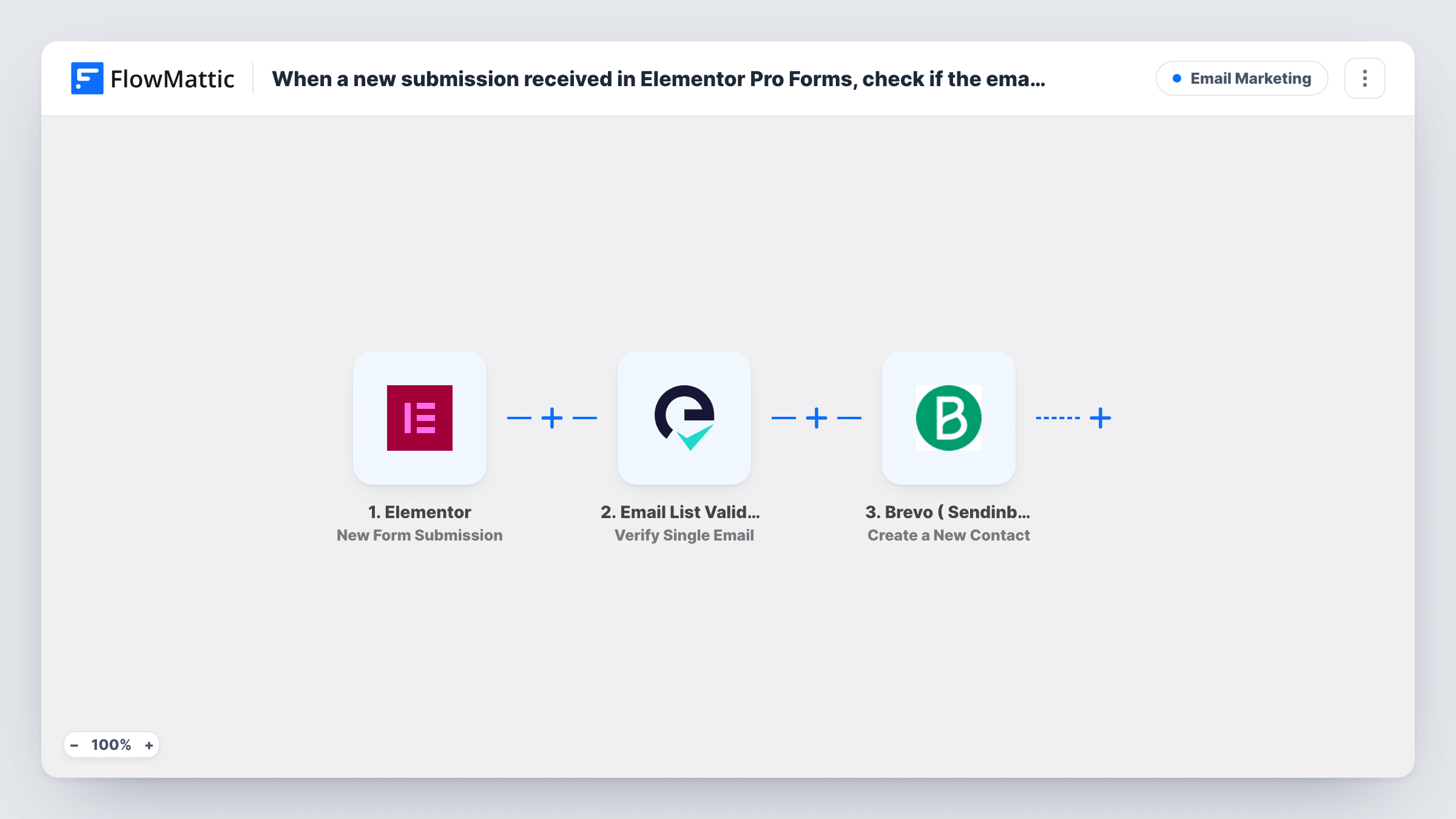
When a visitor submits an Elementor form, FlowMattic sends the email field to Email List Validation with its Verify Single Email action. Its reply becomes data you can map. The final step creates a contact in Brevo ( Sendinblue ) from the form answers.
As imported, nothing reads the verification result before Brevo. Every submission is sent on to Brevo, whatever the check says. To keep failed addresses out of your list, add a Filter between the two actions. Task History shows each run, what the check returned and Brevo's response.
Newsletter sign-up in a site footer
A footer form built in Elementor Pro adds readers to Brevo, and the verification response sits in the run so you can add a Filter once you've seen the values.
Gated download on a landing page
Visitors hand over an address to get a PDF guide. Each address is checked before it reaches Brevo, so you can see which leads typed a working one.
Event registration through Elementor
Attendees sign up on an Elementor page and land in Brevo for reminder emails, with each address checked on the way.
How this workflow runs
What happens at each step once the workflow is on, and what you need before you import it.
 Elementor New Form Submission
Runs when a visitor submits an Elementor Pro form. The email field and the other answers are passed on to the verification and Brevo steps.
- Email List Validation Verify Single Email
Checks the submitted email address with Email List Validation. Map the Elementor email field into it and connect your Email List Validation account. The service's response is then available for the steps after it.
- Brevo ( Sendinblue ) Create a New Contact
Creates a contact in Brevo from the form answers. Map the email and any name fields, and connect your Brevo account. Every submission reaches this step as imported.
What you need
- FlowMatticCore
- Elementor PluginPlugin
- Email List Validation AccountAccount
- Brevo ( Sendinblue ) AccountAccount
After importing, map your own data. To keep the template universal, not every step is pre-filled. Open each step in the builder and connect your accounts and fields (channels, lists, sheets, recipients) before you switch the workflow on.
Make it yours
Changes worth making after you import it.
- Place a Filter between Email List Validation and Brevo that continues only when the result shows a valid address. Submit a test entry to see which value the service returns for a good one.
- If you want a record of failed addresses too, use a Router: one route to Brevo for valid results, one to a Google Sheets row for the rest, with conditions that can't both match.
- Mark the email field as required in the Elementor form so every submission gives the verification step an address to check.
Questions about this workflow
Are invalid Elementor sign-ups kept out of Brevo?
Not as imported. Every submission goes on to Brevo whatever the result. Add a Filter after the Email List Validation step to stop failed addresses before they become contacts.
What if the Elementor sign-up's address is already in my Brevo contacts?
The step creates contacts, so Brevo may refuse an address it already holds. Brevo's reply for that submission appears in Task History.
Can I use this Brevo flow without Elementor Pro?
No. The Form widget the trigger listens to comes with Elementor Pro, which must be active on the same WordPress site as FlowMattic.
Which Email List Validation result should the Filter check?
Use the status field from the service's response. Send one entry with your own address and one with a made-up address, then compare the two responses in Task History.
More Email Marketing workflows
Other ready-to-import templates from the same category.





Import this workflow into your WordPress site
Download the JSON, import it from the Workflows screen and connect your accounts. Every run stays on your server, with no per-task fees.
30-day money-back guarantee Unlimited workflows and runs Self-hosted