

When a new Textline contact message arrives, find the contact in HubSpot CRM, log it in Google Sheets, then update the HubSpot CRM record
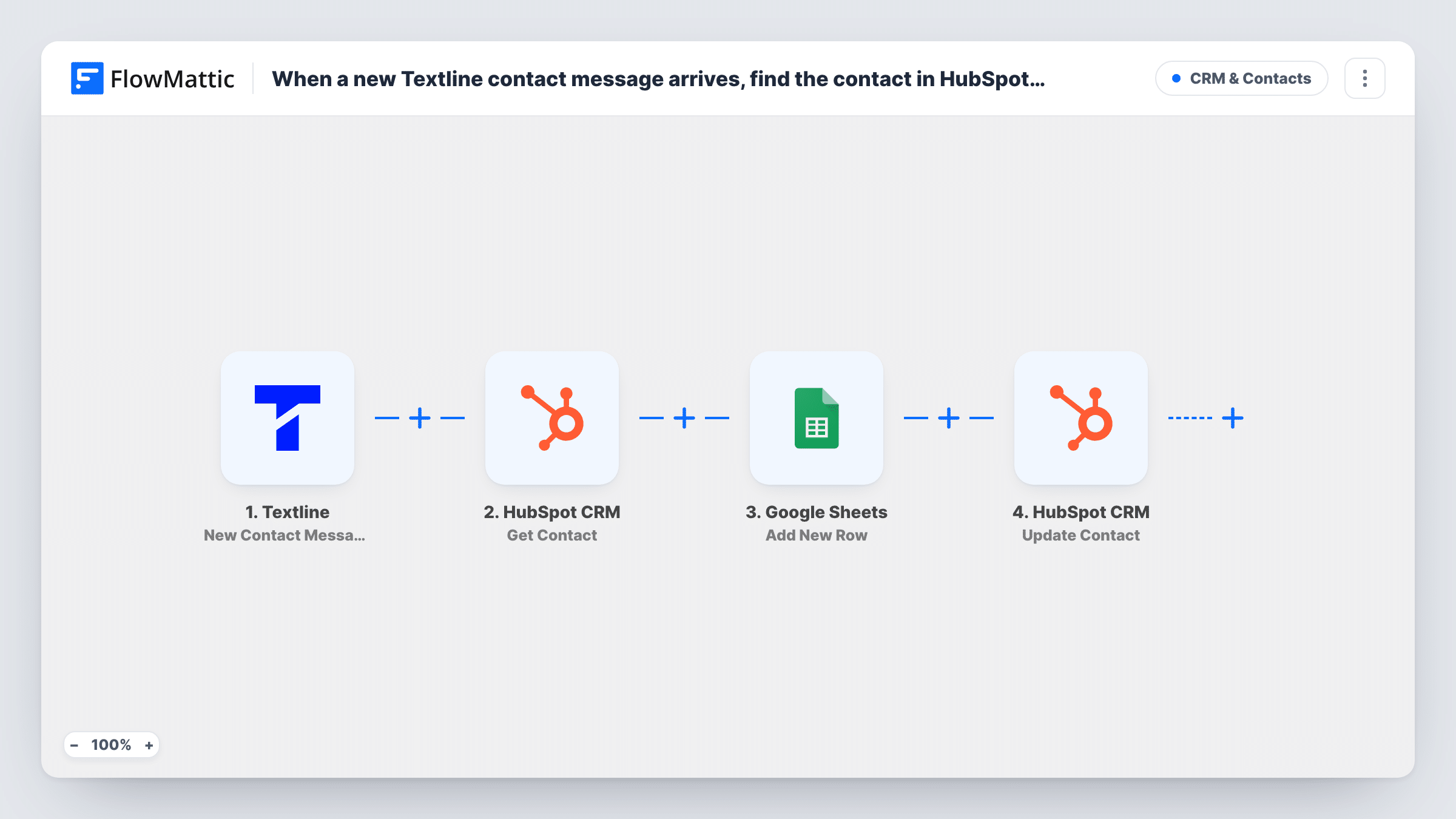
When a contact texts your Textline account, FlowMattic looks the person up in HubSpot CRM, adds the message and contact details to a Google Sheets row, then updates that HubSpot contact.
 Textline
 HubSpot CRM
 Google Sheets
4 steps Setup ~8 min Used on 2.3k sites Free to import
What this workflow does
Text conversations in Textline rarely make it into the CRM. Sales and support see the texts, but the HubSpot record shows nothing about them, and nobody keeps a list of what customers asked by SMS. This workflow ties each inbound text to the HubSpot contact and keeps a running log of the messages.
It starts when a contact sends a message to your Textline account. The next step uses Get Contact in HubSpot CRM to fetch the matching contact, using details from the Textline event that you map in. With both sets of data available, the Google Sheets step adds a new row, for example the message text beside the HubSpot contact's details. The last step updates the existing HubSpot contact with values you choose, such as a note of the latest text.
The update depends on the lookup. If Get Contact finds nobody, the run still goes on: the row is added and the update step has no contact to change, and Task History shows the errors on those steps. Test with someone who is already a HubSpot contact before you switch it on.
Showing SMS activity on the CRM record
A sales team writes the latest inbound text onto the HubSpot contact, so a rep opening the record sees what the person last asked by SMS.
A message log for a support lead
Every inbound text lands in a shared sheet with the HubSpot contact's details next to it, giving the support lead one list to review each week.
Spotting texts from people outside the CRM
Rows where the HubSpot lookup returned nothing point to texters who aren't in HubSpot yet, so someone can add them.
How this workflow runs
What happens at each step once the workflow is on, and what you need before you import it.
 Textline New Contact Message
Fires when a contact sends a text to your Textline account. The message and the sender's details from Textline are passed to the steps that follow.
- HubSpot CRM Get Contact
Fetches a contact from HubSpot CRM using Textline data you map in. Run a test with a texter who already exists in HubSpot to confirm the lookup returns the right person.
- Google Sheets Add New Row
Writes one new row per inbound text to your Google Sheets log. Map columns from the Textline message and from the HubSpot contact returned by the lookup.
- HubSpot CRM Update Contact
Updates the existing HubSpot contact found in step 2. Point it at the contact the lookup returned, then map the Textline values you want written to the record.
What you need
- FlowMatticCore
- Textline AccountAccount
- HubSpot CRM AccountAccount
- Google Sheets AccountAccount
After importing, map your own data. To keep the template universal, not every step is pre-filled. Open each step in the builder and connect your accounts and fields (channels, lists, sheets, recipients) before you switch the workflow on.
Make it yours
Changes worth making after you import it.
- Add a Filter after the HubSpot lookup that continues only when the lookup returned a contact. Texts from unknown numbers then stop there instead of reaching the update step with nothing to change.
- Keep a date column in the sheet and map the time of the text into it, so the log can be sorted by when each message arrived.
- If you also want new texters added to HubSpot, build a second workflow on the same Textline trigger with a HubSpot Create Contact step.
Questions about this workflow
What happens if the Textline sender isn't in HubSpot CRM?
Get Contact returns no contact, but the run carries on. The Google Sheets row is still added, and the Update Contact step has no contact to change, so it ends with an error. Task History shows both results.
Does this create HubSpot contacts for new numbers?
No. The workflow only looks up and updates contacts that already exist. Add a separate workflow with Create Contact if you want new texters added.
What gets written to the HubSpot contact from the Textline message?
Whatever you map in the Update Contact step. Pick the Textline values you want stored and the contact properties they go into, then check the record after a test.
Are outbound Textline texts logged in Google Sheets as well?
No. The trigger only fires on messages contacts send to you, so texts from your team are not added to the sheet or the HubSpot record.
More CRM & Contacts workflows
Other ready-to-import templates from the same category.






Import this workflow into your WordPress site
Download the JSON, import it from the Workflows screen and connect your accounts. Every run stays on your server, with no per-task fees.
30-day money-back guarantee Unlimited workflows and runs Self-hosted