

When a new Wyng form entry comes in, record it in Google Sheets and add the contact to Mailchimp
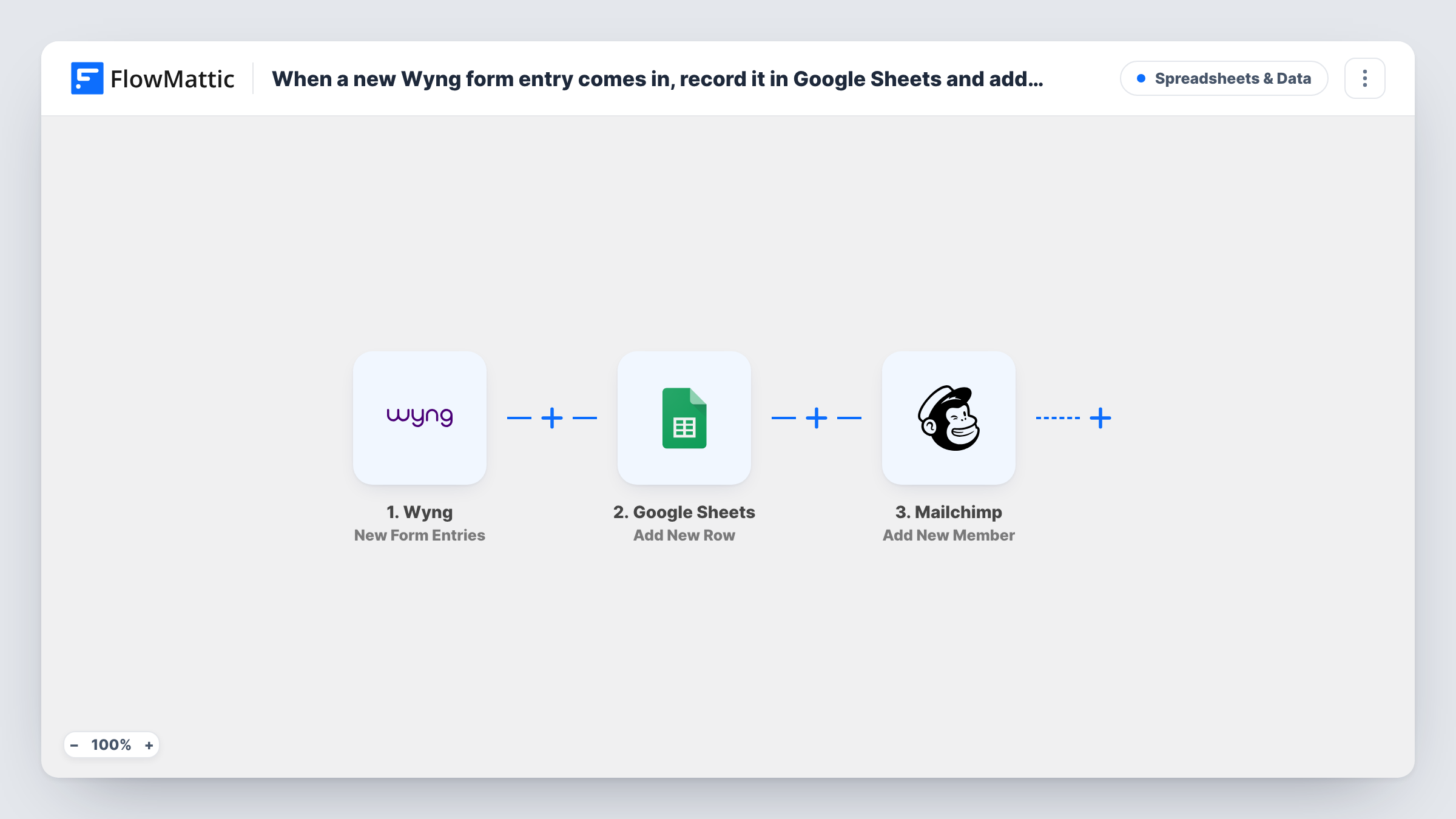
Each new Wyng form entry is written to a Google Sheets row and then sent to your Mailchimp audience, so you keep a full record of responses and grow your email list from the same submission.
 Wyng
Wyng
 Google Sheets
 Mailchimp
3 steps Setup ~5 min Used on 1.4k sites Free to import
What this workflow does
A Wyng entry is useful in two places. The marketing team wants the person on the email list, and someone else wants every answer in a spreadsheet they can sort and share. Doing both by hand means two exports per campaign. This workflow handles both for each entry.
The Wyng trigger, New Form Entries, picks up each new entry with its answers. The Google Sheets step, Add New Row, writes those answers to a new row in the spreadsheet you choose. The Mailchimp step, Add New Member, then adds the respondent to your audience, or updates the member if their email is already there.
The sheet gets every entry, including people Mailchimp already knows, so it works as a complete log. Task History shows what the Sheets and Mailchimp steps returned for each entry.
Giveaway with a winner draw
All entrants are listed in the sheet for the draw, and those who gave an email join your Mailchimp audience for future offers.
Survey with a follow-up newsletter
Survey answers land in Google Sheets for analysis, while respondents are added to Mailchimp to receive the results summary later.
Client reporting for an agency
The agency shares the sheet with the client as a record of each campaign's entries and keeps the email audience growing in Mailchimp.
How this workflow runs
What happens at each step once the workflow is on, and what you need before you import it.
 Wyng New Form Entries
Fires for every new Wyng form entry and passes the respondent's answers, including their email, to the steps that follow.
- Google Sheets Add New Row
Writes the Wyng answers into a new row of the spreadsheet you pick. Map each column to an answer and connect your Google account on import.
- Mailchimp Add New Member
Adds the respondent to your Mailchimp audience with Add New Member, or updates them if their email is already a member. Map the Wyng email and name answers.
What you need
- FlowMatticCore
- Wyng AccountAccount
- Google Sheets AccountAccount
- Mailchimp AccountAccount
After importing, map your own data. To keep the template universal, not every step is pre-filled. Open each step in the builder and connect your accounts and fields (channels, lists, sheets, recipients) before you switch the workflow on.
Make it yours
Changes worth making after you import it.
- Add a Filter between the Google Sheets step and the Mailchimp step that checks a consent answer. Every entry is still logged in the sheet, but only people who opted in reach Mailchimp.
- Add a column to the sheet for the date of the entry, if Wyng returns one, so you can sort entries by when they came in.
- Make a test entry in Wyng after import, then map the sheet columns and the Mailchimp fields from the captured answers before switching the workflow on.
Questions about this workflow
Does the Google Sheets row get added even if the person is already in Mailchimp?
Yes. The sheet step runs first for every entry. Mailchimp's Add New Member then updates an existing member rather than adding a duplicate.
Which Mailchimp audience do Wyng respondents join?
The one you pick in the Add New Member step after connecting Mailchimp. FlowMattic describes this action as adding a member to the list, or updating them if they already exist, so choose the audience your campaigns go to.
Can I keep people who didn't opt in out of Mailchimp?
Not as imported. Add a Filter between the Google Sheets step and the Mailchimp step on your Wyng consent answer. The sheet keeps logging everyone because it comes earlier.
Does the workflow change anything in Wyng?
No. Wyng only supplies the trigger here. Entries stay in Wyng as they are, and the workflow copies their answers to the sheet and Mailchimp.
More Spreadsheets & Data workflows
Other ready-to-import templates from the same category.



Import this workflow into your WordPress site
Download the JSON, import it from the Workflows screen and connect your accounts. Every run stays on your server, with no per-task fees.
30-day money-back guarantee Unlimited workflows and runs Self-hosted