

When a Payhip transaction succeeds, log it in Google Sheets and add the buyer to ActiveCampaign
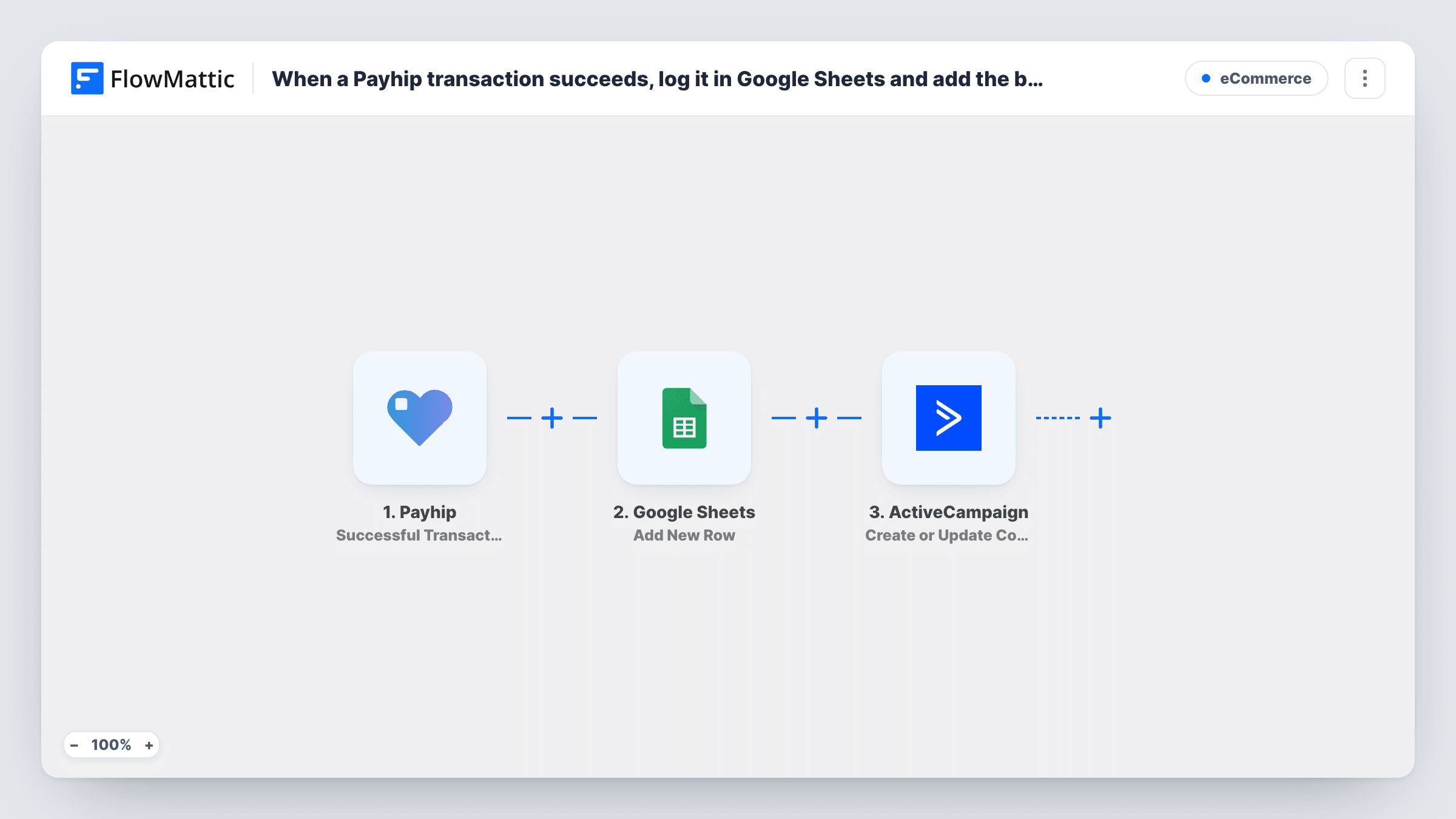
Every successful Payhip transaction becomes a new Google Sheets row, and the buyer is created or updated as a contact in ActiveCampaign, so your sales log and your email list both grow with each sale.
 Payhip
 Google Sheets
 ActiveCampaign
3 steps Setup ~5 min Used on 672 sites Free to import
What this workflow does
Payhip handles the checkout for your digital products, but the sale data stays in Payhip until you export it. If you keep your own sales record in a spreadsheet and email buyers from ActiveCampaign, each sale means two copy jobs. This workflow does both from the same transaction.
The Payhip trigger fires when a transaction succeeds. FlowMattic writes the transaction details you map into a new row in Google Sheets. The buyer's details then go to ActiveCampaign, where the Create or Update Contact action adds a new contact or updates the one that already exists.
Every successful sale runs both steps. A buyer who comes back for a second product gets a second row in the sheet, while ActiveCampaign keeps a single contact and refreshes its details. Task History records each run, so you can see which data reached each app.
Ebook author tracking sales outside Payhip
Each ebook sale lands in a sheet you use for monthly totals, and the reader becomes an ActiveCampaign contact you can tell about your next book.
Course creator with a buyer welcome sequence
Buyers of a Payhip course appear in ActiveCampaign right after payment, ready for an automation you build there to send onboarding emails.
Shared sales sheet for a co-author or partner
A partner who splits revenue with you reads the Google Sheet instead of logging in to your Payhip account.
How this workflow runs
What happens at each step once the workflow is on, and what you need before you import it.
 Payhip Successful Transaction
Fires each time a Payhip transaction completes successfully. The transaction and buyer data it carries become available to map in the next two steps.
- Google Sheets Add New Row
Writes one sale per row in your Payhip sales sheet. Connect your Google account, choose the sheet, and map each column to a value from the Payhip transaction.
- ActiveCampaign Create or Update Contact
Creates a contact in ActiveCampaign from the buyer's details, or updates the contact if that email is already there. Map the buyer email, plus any name values the transaction includes.
What you need
- FlowMatticCore
- Payhip AccountAccount
- Google Sheets AccountAccount
- ActiveCampaign AccountAccount
After importing, map your own data. To keep the template universal, not every step is pre-filled. Open each step in the builder and connect your accounts and fields (channels, lists, sheets, recipients) before you switch the workflow on.
Make it yours
Changes worth making after you import it.
- Add a header row to the sheet before you map the Google Sheets step, so each column has a clear name such as Date, Product, Amount and Buyer Email.
- Make a test purchase in Payhip after import so FlowMattic captures real transaction data, then use it to map the sheet columns and the ActiveCampaign contact fields.
- Sell several products? Add a Filter before the ActiveCampaign step that checks which product was bought, so only buyers of chosen products are added as contacts while every sale is still logged.
Questions about this workflow
Does a repeat Payhip buyer become a duplicate ActiveCampaign contact?
No. The ActiveCampaign step creates or updates, so a returning buyer's existing contact is updated. The Google Sheets step still adds a new row for each sale, which is what you want in a sales log.
Are failed or abandoned Payhip payments logged?
No. The trigger is Successful Transaction, so only completed payments start a run.
Will my past Payhip sales be added to the sheet?
No. Only transactions that succeed after you turn the workflow on are sent to Google Sheets and ActiveCampaign.
Does this add the buyer to an ActiveCampaign list?
Not as imported. The step creates or updates the contact. If you need the contact on a list, add ActiveCampaign's Subscribe or Unsubscribe Contact From List action after it. The contact exists by then, so the list step has someone to subscribe.
More E-Commerce workflows
Other ready-to-import templates from the same category.




Import this workflow into your WordPress site
Download the JSON, import it from the Workflows screen and connect your accounts. Every run stays on your server, with no per-task fees.
30-day money-back guarantee Unlimited workflows and runs Self-hosted