

When a Peggy Pay subscription is cancelled, log it to Google Sheets, alert sales in Slack, then mark the row reviewed
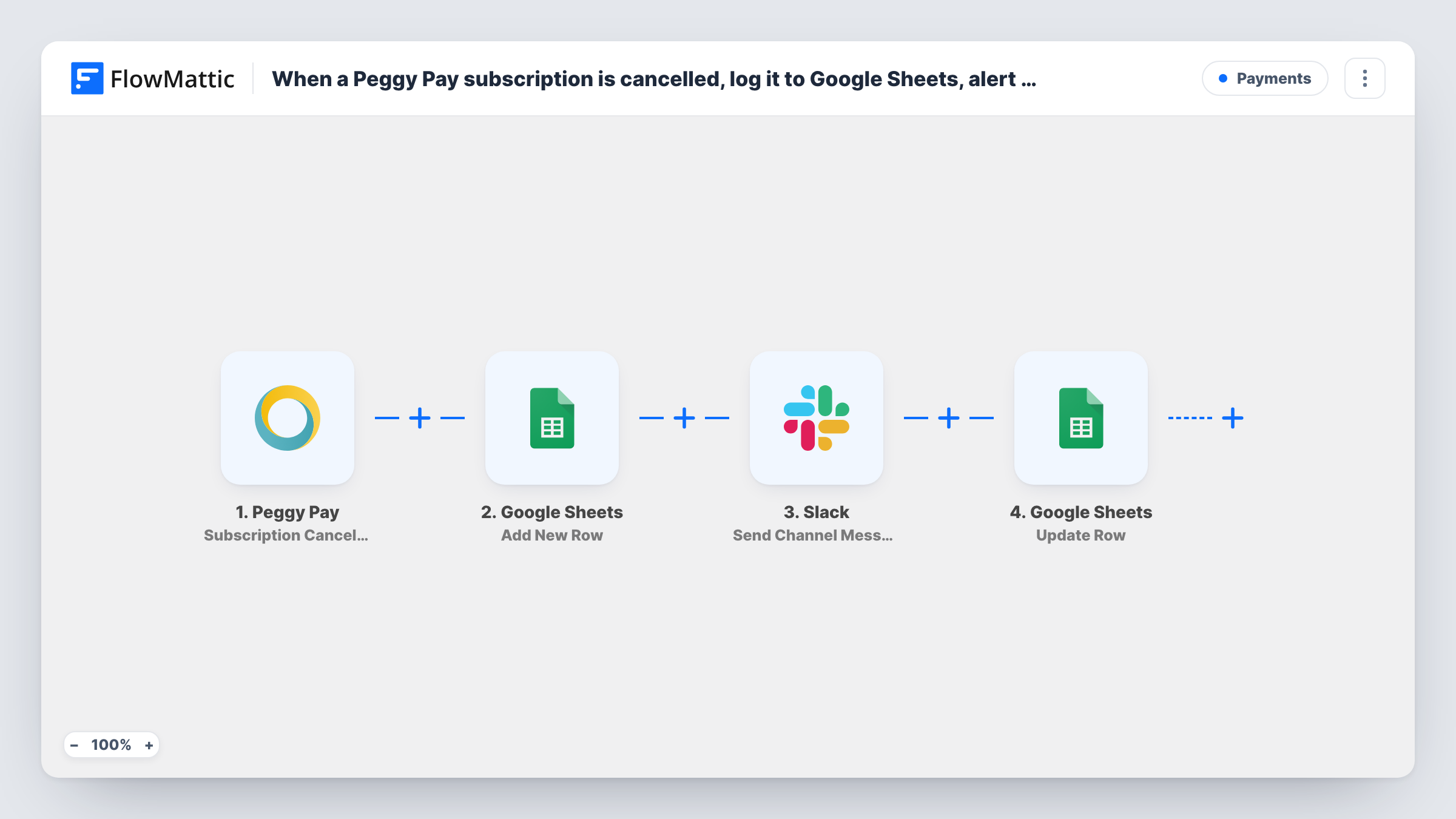
When a customer stops their Peggy Pay subscription on the unsubscribe page, FlowMattic adds a row to Google Sheets, posts it to Slack for your sales team, then updates that row with a status you set.
 Peggy Pay
 Google Sheets
 Slack
Slack4 steps Setup ~8 min Used on 3.5k sites Free to import
What this workflow does
A cancelled subscription is a moment sales may want to act on, and finance wants it on record. This workflow does both, then writes a status back to the same row so your sheet shows the alert went out.
The Peggy Pay trigger fires when a subscription is stopped by the customer through the unsubscribe page. FlowMattic adds a row to Google Sheets with the cancellation details you map. Next, a message goes to the sales channel in Slack. Last, an Update Row step changes the row that was just added.
Be clear about what that last step means. It runs straight after the Slack post, so a column such as Reviewed is filled in by the workflow, not by a person who has looked at the case. Treat it as a mark that the alert was sent. Update Row needs to know which row to change, so map the row details returned by the Add New Row step and check them in a test run.
Win-back calls for a subscription service
Sales sees each cancellation in Slack, calls the customer, and adds the outcome to the same row in the sheet.
Monthly churn list for finance
Every customer-initiated cancellation sits in one sheet, so the finance team can count them by month without exporting from Peggy Pay.
Proof that every cancellation was announced
The status column written by the last step shows that each row reached Slack, which helps when someone asks whether a cancellation was missed.
How this workflow runs
What happens at each step once the workflow is on, and what you need before you import it.
 Peggy Pay Subscription Cancelled By Customer
Starts a run when a customer stops their subscription via the Peggy Pay unsubscribe page. Who cancelled and which subscription it was become values the next three steps can use.
- Google Sheets Add New Row
Adds a row for the cancellation to the spreadsheet you choose. Map Peggy Pay values to columns such as customer, plan and date, and leave a column empty for the status.
- Slack Send Channel Message
Posts the cancellation to a Slack channel your sales team watches. Write the text with values from Peggy Pay so they know who cancelled and which plan.
- Google Sheets Update Row
Updates the row added two steps earlier, for example writing Reviewed or Sent to Slack into the status column. Map the row reference from the Add New Row step so the right row is changed.
What you need
- FlowMatticCore
- Peggy Pay AccountAccount
- Google Sheets AccountAccount
- Slack AccountAccount
After importing, map your own data. To keep the template universal, not every step is pre-filled. Open each step in the builder and connect your accounts and fields (channels, lists, sheets, recipients) before you switch the workflow on.
Make it yours
Changes worth making after you import it.
- Rename the status value to something like Alerted, so nobody reads it as a person having reviewed the cancellation.
- Write the status in the Add New Row step instead and remove Update Row, if you do not need the row to change after the Slack post.
- Want subscriptions paused by you tracked too? Copy the workflow and switch the trigger to Peggy Pay's Subscription Cancelled By Owner event.
Questions about this workflow
Does a person review the Peggy Pay cancellation before the row is marked?
No. The Update Row step runs right after the Slack message, so the workflow fills in the status itself. Your team adds its own notes to the row afterwards.
Do Peggy Pay subscriptions I stop myself start this workflow?
No. This trigger covers subscriptions the customer stops through the unsubscribe page. Peggy Pay has a separate Subscription Cancelled By Owner trigger.
How does Update Row find the row created for this cancellation?
You map the row details that the Add New Row step returns. Run one test after import and check Task History to see which value to use.
Can the Slack message about the cancelled subscription go to a private channel?
The included action posts to a channel you pick from the list. For a private sales channel, switch to Slack's Send Private Channel Message action.
More Payments workflows
Other ready-to-import templates from the same category.





Import this workflow into your WordPress site
Download the JSON, import it from the Workflows screen and connect your accounts. Every run stays on your server, with no per-task fees.
30-day money-back guarantee Unlimited workflows and runs Self-hosted