

When a Rendi FFmpeg command completes, upload the file to Google Drive and notify the team in Slack
When a Rendi FFmpeg command completes, this workflow uploads the output file to a Google Drive folder and then posts a Slack message, so your team knows the processed media is ready and where to find it.
 Rendi
Rendi
 Google Drive
 Slack
Slack3 steps Setup ~5 min Used on 783 sites Free to import
What this workflow does
Media jobs run in the background, and nobody wants to keep refreshing a dashboard to see whether a render is done. When Rendi finishes an FFmpeg command, the file should go somewhere shared and the people waiting for it should hear about it. This workflow covers both.
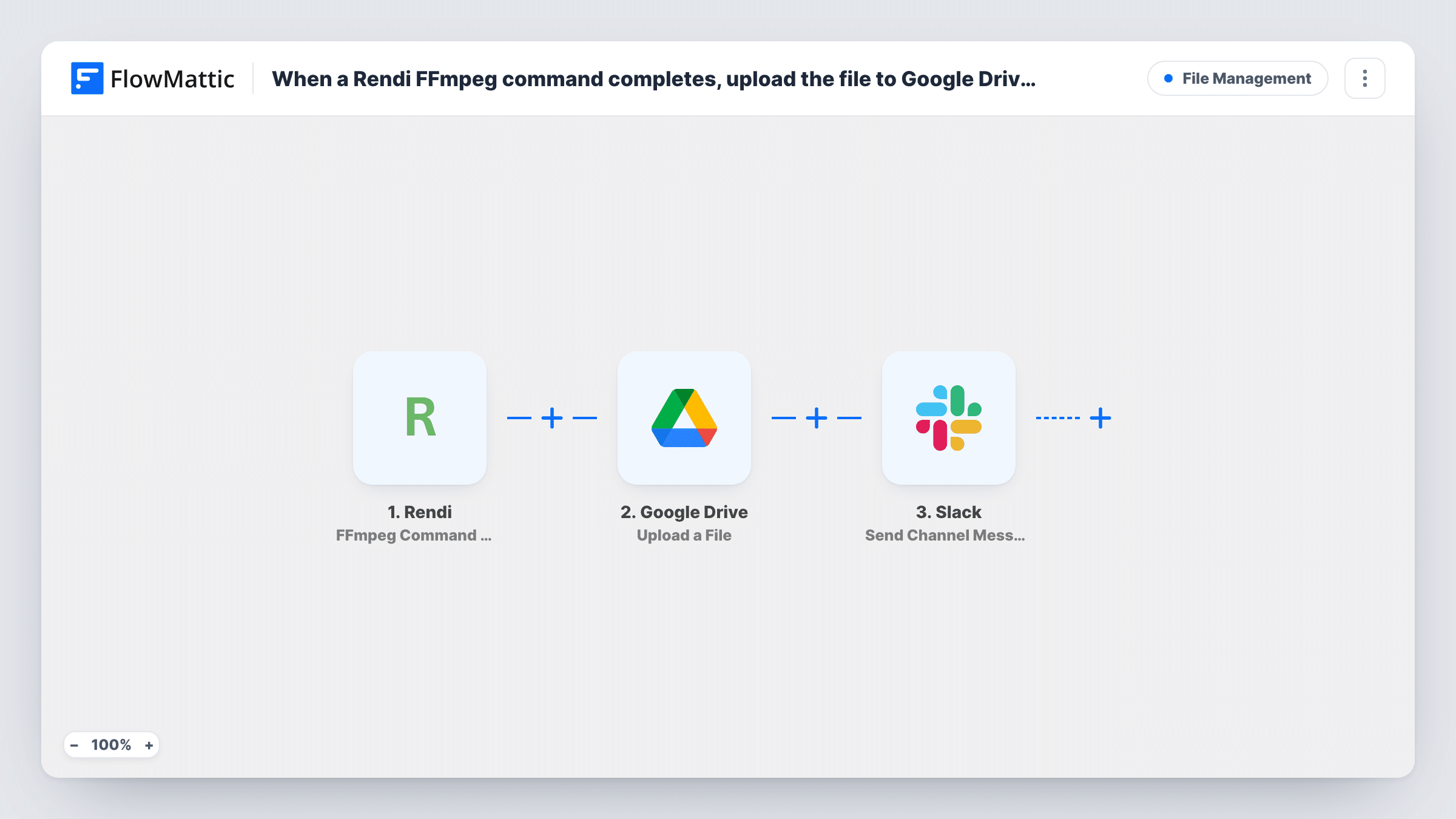
The flow begins with the Rendi trigger, which runs when an FFmpeg command has completed and carries the details of its output. FlowMattic uploads the output you map to the Google Drive folder you select. Then it posts to a Slack channel with a message you write, which can include the file name and details from the upload step.
Every completed command goes through both steps. Commands that end in an error also count as completed, so the upload may have nothing to send, and the Slack message still posts. A Filter on the command status, covered in the tips, keeps those out.
Video team hand-offs
An editor queues a transcode in Rendi, and when the file reaches the team's Drive folder the producer sees a Slack message saying it's ready to review.
Marketing clip production
Short clips cut from a webinar are saved to a shared Drive folder, and the social media channel in Slack hears about each new one.
Audio for a podcast workflow
Rendi converts a recording to MP3, the file goes to the podcast's Drive folder, and the host gets a Slack note to start the upload to their podcast host.
How this workflow runs
What happens at each step once the workflow is on, and what you need before you import it.
 Rendi FFmpeg Command Completed
Runs once Rendi reports that an FFmpeg command has completed. The command's output details are made available to the Google Drive and Slack steps.
- Google Drive Upload a File
Uploads the output file from Rendi to the Google Drive folder you select. Map the output file from the trigger data and connect your Google account on import.
- Slack Send Channel Message
Sends a message to a Slack channel saying the processed file is ready. Add the file name or Drive details from the previous step, then connect Slack and pick the channel.
What you need
- FlowMatticCore
- Rendi AccountAccount
- Google Drive AccountAccount
- Slack AccountAccount
After importing, map your own data. To keep the template universal, not every step is pre-filled. Open each step in the builder and connect your accounts and fields (channels, lists, sheets, recipients) before you switch the workflow on.
Make it yours
Changes worth making after you import it.
- Add a Filter right after the trigger that continues only when Rendi's status field shows success, so failed commands neither upload nor post to Slack.
- If a command can return several output files, place an Iterator before the Google Drive step so each file is uploaded on its own.
- Run a short test command through Rendi after import, then map the output in the Drive step and the message fields in Slack using the captured data.
Questions about this workflow
Does the Slack message include a link to the Google Drive file?
It can if the Upload a File step returns one. Run a test after import and insert whichever link or file field the Drive step's response contains.
What happens when a Rendi FFmpeg command errors out?
The trigger still fires on completion and both steps run. The upload has nothing valid to send and Task History shows the error, while Slack still gets a message. Add a Filter on the status to avoid this.
Can I upload Rendi output to Dropbox instead of Google Drive?
Yes. Swap the Google Drive step for Dropbox Upload File and map the same Rendi output into it, then adjust the Slack message.
Do I need FFmpeg on my WordPress server for this?
No. Rendi runs the commands on its own service. Your site only receives the result and passes the file on.
More File Management workflows
Other ready-to-import templates from the same category.





Import this workflow into your WordPress site
Download the JSON, import it from the Workflows screen and connect your accounts. Every run stays on your server, with no per-task fees.
30-day money-back guarantee Unlimited workflows and runs Self-hosted