

Convert new parsed emails to PDF using PDF.co
Each email that arrives at your FlowMattic Email Parser address is sent to PDF.co, which converts the content you map, such as the message body, into a PDF file that later steps can store or share.
 Email Parser by FlowMattic
 PDF.co
2 steps Setup ~5 min Used on 2.9k sites Free to import
What this workflow does
Some emails need to be kept as documents: confirmations, signed approvals, order notices or messages a client asked you to file. Printing each one to PDF by hand is slow. This workflow sends the email content to PDF.co for conversion as soon as it arrives.
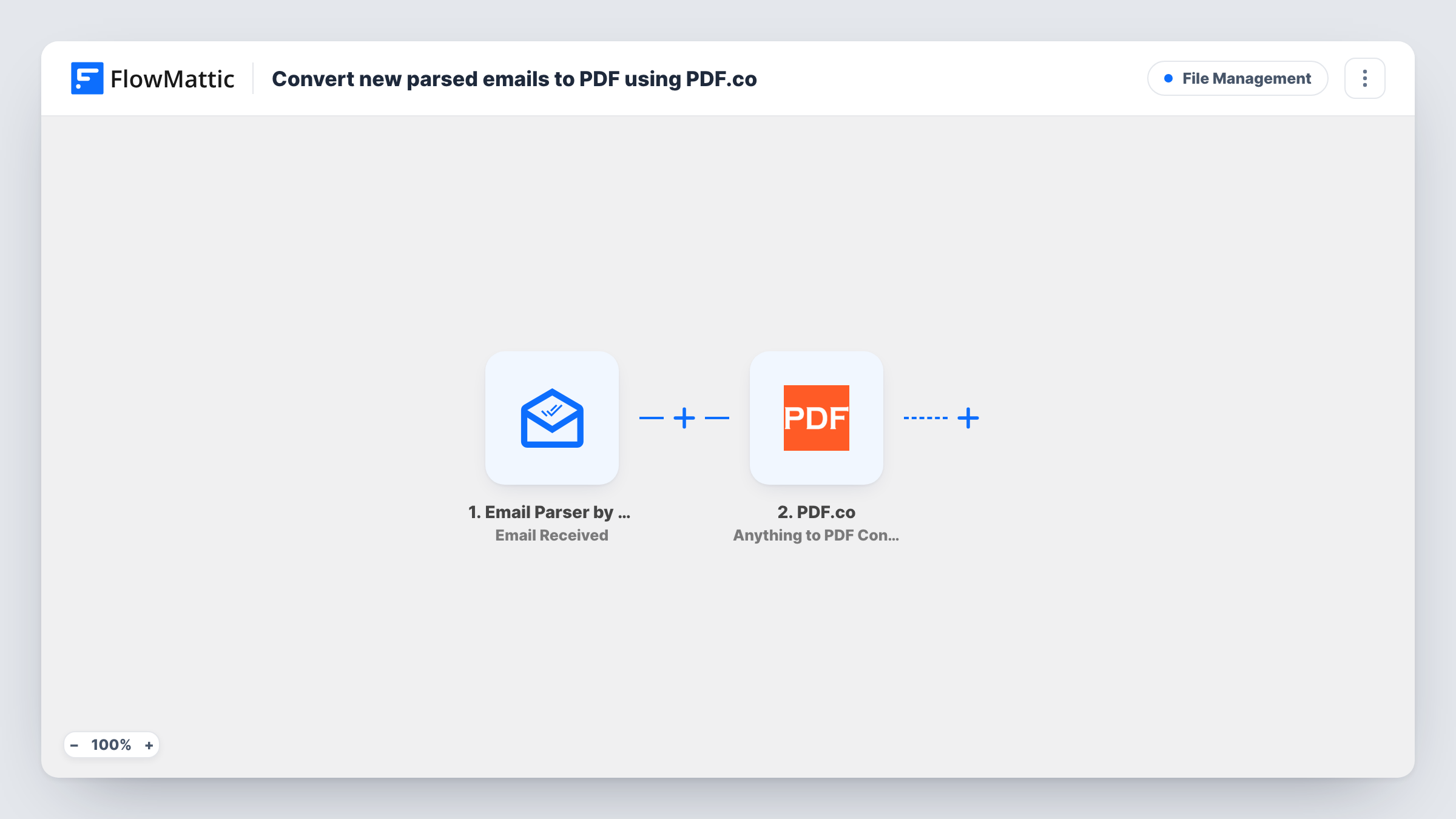
The Email Parser trigger, Email Received, fires when an email reaches the parser address FlowMattic gives you. The sender, subject and body become data you can map. The PDF.co step, Anything to PDF Convert, turns what you map into a PDF. Its catalog description lists inputs such as URLs, HTML code, documents and images, so the email's HTML body is a natural fit.
As imported, the workflow stops after the conversion. PDF.co's reply holds the result, but no step saves it to Drive, emails it or logs it anywhere. Add a step that does, using the file link from PDF.co's response. Check a test run to see what the reply contains.
Archiving order confirmations
Forward supplier order confirmations to the parser address, and each one becomes a PDF you can add to your purchase records with a follow-on step.
Keeping client approvals on file
When a client approves work by email, forwarding it creates a PDF record of the approval for the project folder.
Turning newsletters into reading files
Industry newsletters sent to the parser address become PDFs you can save and read offline after adding a storage step.
How this workflow runs
What happens at each step once the workflow is on, and what you need before you import it.
 Email Parser by FlowMattic Email Received
Runs when an email arrives at your FlowMattic Email Parser address. The sender, subject, body and other email data are passed on for mapping.
- PDF.co Anything to PDF Convert
Sends the content you map, such as the email's HTML body, to PDF.co and converts it into a PDF. Connect your PDF.co account on import and check a test run for the file link in the reply.
What you need
- FlowMatticCore
- PDF.co AccountAccount
After importing, map your own data. To keep the template universal, not every step is pre-filled. Open each step in the builder and connect your accounts and fields (channels, lists, sheets, recipients) before you switch the workflow on.
Make it yours
Changes worth making after you import it.
- Add Google Drive's Upload a File after the PDF.co step and map the converted file from PDF.co's reply, so every email PDF is saved in one folder.
- Put the subject and sender at the top of the content you send to PDF.co, so each PDF shows where the email came from.
- Add a Filter after the trigger on the sender or subject if only some forwarded emails should become PDFs.
Questions about this workflow
Where is the PDF saved after PDF.co converts the email?
Nowhere yet. The template ends at the conversion, so add a step such as Google Drive Upload a File and map the result from PDF.co's reply.
Are email attachments converted too?
No. The step converts the content you map. To convert an attachment, map that attachment as the input instead, or add a second PDF.co step for it.
Which address should I send emails to for PDF conversion?
The address the Email Parser trigger shows in FlowMattic. Forward emails there by hand or with a rule in your mail client.
Do I need a PDF.co account?
Yes. The conversion runs through your PDF.co account, which you connect in the PDF.co step. Check your PDF.co plan for how many conversions it allows.
More File Management workflows
Other ready-to-import templates from the same category.




Import this workflow into your WordPress site
Download the JSON, import it from the Workflows screen and connect your accounts. Every run stays on your server, with no per-task fees.
30-day money-back guarantee Unlimited workflows and runs Self-hosted