

When a webhook response is received, wait for a minute, and create a new customer in Pabbly Subscriptions Billing
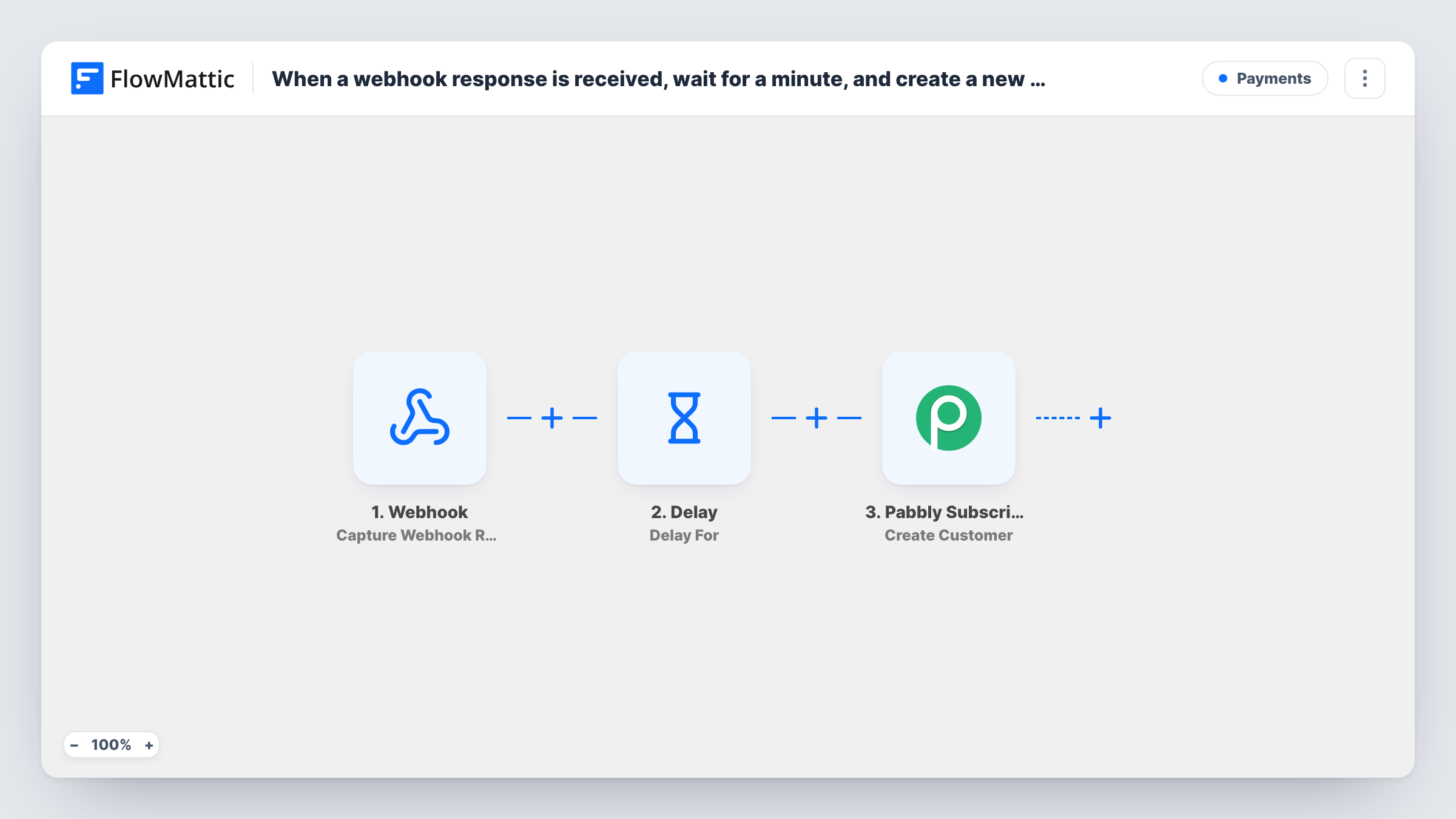
Any app or script that posts data to this workflow’s webhook URL gets a new customer created in Pabbly Subscriptions one minute later, after a built-in Delay step.
 Webhook
 Delay
Delay
 Pabbly Subscriptions
3 steps Setup ~5 min Used on 549 sites Free to import
What this workflow does
Not every tool you sell through has a ready-made FlowMattic trigger, but most can send a webhook. This workflow gives you a URL to receive that data and turns each delivery into a Pabbly Subscriptions customer, with a short pause in between.
The Webhook trigger hands you an address of your own to post to. Whatever an app, form or script posts there starts a run, and the fields it sends become available to map. Unless you turn on the trigger's option to require authentication on incoming requests, any caller with the URL can start a run, so keep it private or set that option.
Next, a Delay step waits one minute. That pause helps when the sending system needs a moment to finish its own work first, and you can change the length to suit. After the wait, the Pabbly Subscriptions step creates a new customer from the webhook data.
Pabbly's customer fields are left blank in the template. Send one test request to the URL after import, then connect your Pabbly account and map the incoming name, email and any other details into the customer. Task History shows the payload, the wait and Pabbly's response for each run.
Sign-ups from a custom checkout
A developer's custom checkout page posts the buyer's details to the webhook, and the buyer appears as a Pabbly Subscriptions customer a minute later.
Leads from a landing page builder
A marketer's landing page tool sends each paying sign-up by webhook, so every one becomes a Pabbly customer ready for recurring billing.
Giving another system time to finish
An app that sends the webhook before its own record is fully saved benefits from the one-minute Delay, so related steps you add later find complete data.
How this workflow runs
What happens at each step once the workflow is on, and what you need before you import it.
 Webhook Capture Webhook Response
Listens on the workflow's own webhook address, and every POST it receives begins a run. Send a test request after import so the fields show up for mapping, and turn on authentication if the URL could leak.
- Delay Delay For
Pauses the run for one minute before the next step. The delay is set to 1 minute in the template; change the number or unit if you need a longer or shorter wait.
- Pabbly Subscriptions Create Customer
Creates a new customer in Pabbly Subscriptions from the webhook data once the wait is over. Connect your Pabbly account and map the incoming name and email into the customer.
What you need
- FlowMatticCore
- Pabbly Subscriptions AccountAccount
After importing, map your own data. To keep the template universal, not every step is pre-filled. Open each step in the builder and connect your accounts and fields (channels, lists, sheets, recipients) before you switch the workflow on.
Make it yours
Changes worth making after you import it.
- Turn on "Require authentication on incoming requests" in the Webhook trigger and give the sender the key, so only your own system can create customers.
- If you don't need a pause, delete the Delay step and the customer is created as soon as the webhook arrives.
- Send the same field names every time, such as email and first_name, so the mapping in the Pabbly step finds them on every run.
Questions about this workflow
Why does this Pabbly workflow wait a minute after the webhook?
The Delay step gives the sending system a moment before the customer is created. If your sender doesn't need it, remove the Delay or shorten it.
Which app can send data to the webhook?
Anything able to send an HTTP POST: a SaaS tool's webhook setting, a form plugin or your own code. It just needs to include the customer details you plan to map into Pabbly.
What if the webhook sends a customer who already exists in Pabbly?
The workflow still calls Create Customer. Pabbly decides whether to accept a repeat email, so test with an existing customer and read the response in Task History.
Can strangers create Pabbly customers through my webhook URL?
Only if they have the URL and authentication is off. Switch on the trigger's authentication setting to require a key with every request.
More Payments workflows
Other ready-to-import templates from the same category.








Import this workflow into your WordPress site
Download the JSON, import it from the Workflows screen and connect your accounts. Every run stays on your server, with no per-task fees.
30-day money-back guarantee Unlimited workflows and runs Self-hosted