

When an Attentive email message link is clicked, log the click in Google Sheets, notify the team in Slack, then mark the row as engaged
When someone clicks a link in an Attentive email, this workflow logs the click as a Google Sheets row, posts a note to a Slack channel, then updates that row to mark the contact as engaged.
 Attentive
 Google Sheets
 Slack
Slack4 steps Setup ~8 min Used on 3.3k sites Free to import
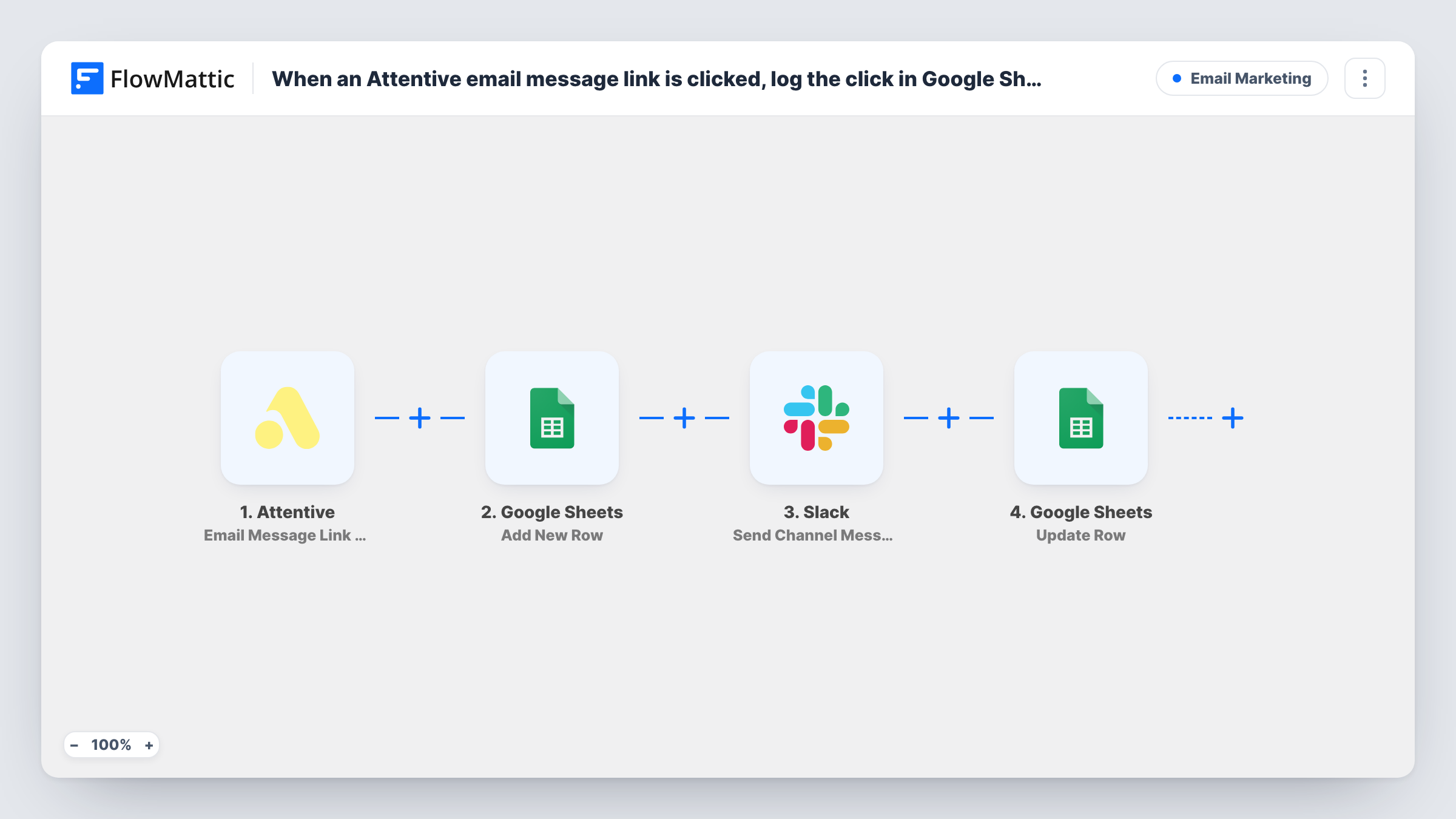
What this workflow does
Link clicks are one of the clearest signs that someone read your email, yet they usually stay inside the marketing tool's reports. Sales or support never see who clicked what. This workflow writes each Attentive email click into a spreadsheet and tells your team about it in Slack.
The Attentive trigger, Email Message Link Clicked, fires when a link in one of your emails is clicked. FlowMattic adds a row in Google Sheets with the click details you map. Next, Send Channel Message posts a note to a Slack #channel. Last, Update Row writes to an existing row in the spreadsheet, which you use to set a status column to a value such as Engaged.
For the last step to change the row it just added, it needs that row's reference. Map it from what Add New Row returns, and confirm with a test click that the right row changes. Every click runs all four steps, so a person who clicks three links gives three rows and three Slack messages.
Hot leads for the sales team
A prospect clicks the pricing link in a nurture email. The sales channel hears about it, and the sheet shows the contact as engaged for the next call list.
Tracking interest in a product launch
Clicks on the launch email build a sheet of everyone who opened the new product page, with each row already marked engaged for follow-up.
Reviewing which links get used
The marketing team sorts the click log by link to see which parts of an email drew attention, without exporting Attentive reports.
How this workflow runs
What happens at each step once the workflow is on, and what you need before you import it.
 Attentive Email Message Link Clicked
Fires when a recipient clicks a link in one of your Attentive emails. The click and subscriber data are passed to the later steps for mapping.
- Google Sheets Add New Row
Adds a row to your Google Sheets click log with the details you map from Attentive, such as the subscriber and the link they clicked.
- Slack Send Channel Message
Posts a note about the click to a Slack #channel. Write the message and include values from Attentive so the team knows who clicked and which email it was.
- Google Sheets Update Row
Updates an existing row in the same spreadsheet to mark the contact as engaged. Map the row reference from the Add New Row step so the row you just added is the one that changes.
What you need
- FlowMatticCore
- Attentive AccountAccount
- Google Sheets AccountAccount
- Slack AccountAccount
After importing, map your own data. To keep the template universal, not every step is pre-filled. Open each step in the builder and connect your accounts and fields (channels, lists, sheets, recipients) before you switch the workflow on.
Make it yours
Changes worth making after you import it.
- Add the engaged value directly in the Add New Row step if you don't need the separate update, and remove Update Row to keep the workflow shorter.
- Put a Filter after the trigger on the clicked link, from a test run, so only clicks on links that matter to sales, like a pricing page, reach the sheet and Slack.
- Use Slack's Send Private Channel Message action if your sales channel is private, since Send Channel Message is not built for private channels.
Questions about this workflow
Why does the workflow add a Google Sheets row and then update it?
The first step logs the click, and the last step marks it as engaged after the Slack note is posted. If you prefer, you can set the engaged value in Add New Row and drop the update.
What if a subscriber clicks several links in one Attentive email?
Each click starts its own run, so you get one row and one Slack message per click. Add a Filter on the link if that is too many.
How does Update Row know which Google Sheets row to change?
You map a row reference from the Add New Row step's output. Run a test click and check Task History to see what Add New Row returns and that the right row is updated.
Does this include clicks in Attentive SMS messages?
No. The trigger covers links clicked in emails. Attentive's SMS Message Link Clicked trigger is a separate event you could use in another workflow.
More Email Marketing workflows
Other ready-to-import templates from the same category.






Import this workflow into your WordPress site
Download the JSON, import it from the Workflows screen and connect your accounts. Every run stays on your server, with no per-task fees.
30-day money-back guarantee Unlimited workflows and runs Self-hosted