

When an envelope is cancelled in Signable, update the record in Airtable
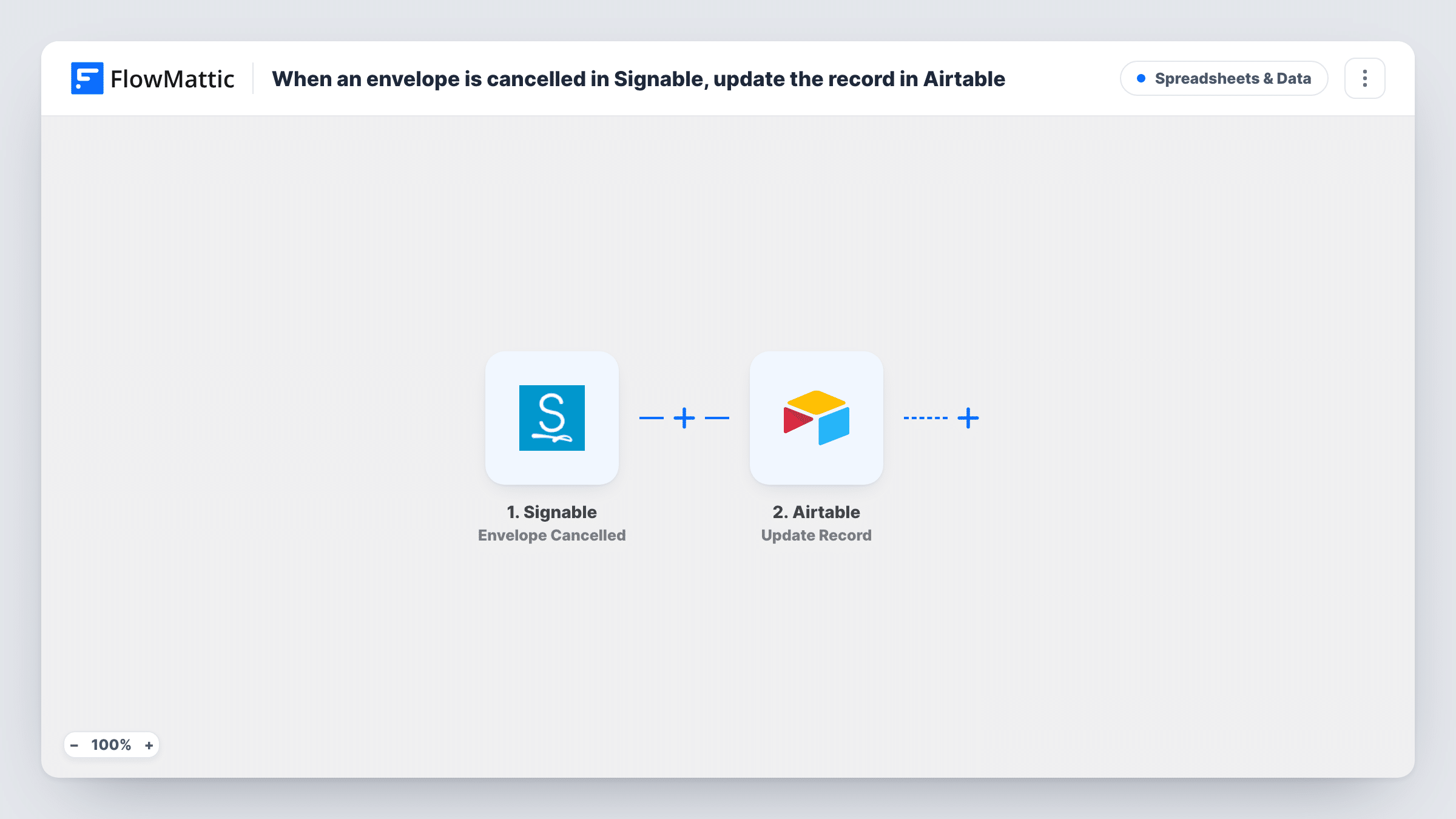
When an envelope is cancelled in Signable, FlowMattic searches your Airtable base for the record that tracks it and updates that record, so your document tracker shows the cancellation.
 Signable
 Airtable
3 steps Setup ~5 min Used on 2.3k sites Free to import
What this workflow does
If you track contracts, proposals or agreements in Airtable, a cancelled Signable envelope should not keep showing as out for signature. Finding the record and changing its status by hand is easy to forget. This workflow does it as soon as Signable reports the cancellation.
The Signable trigger fires when an envelope is cancelled and passes the envelope's details on. The first Airtable step searches a table with a filter formula. It ships unmapped: pick the base and table and write a formula that matches a column holding a Signable value, such as the envelope ID, against the same value from the trigger.
The second Airtable step updates a record. Map the record ID from the search result into it, then set the fields to change, for example a Status column to Cancelled and a cancellation date. There is no Filter between the two steps, so if the search finds nothing there is no record ID to pass on, and the run's Task History entry shows the result of both Airtable steps.
Your table needs a record for each envelope that holds the value you search on. Cancel a test envelope that has a record before relying on it.
Sales contract tracker
A sales team logs every contract it sends through Signable in Airtable. When a rep cancels an envelope to fix the terms, the record's status changes to Cancelled.
Tenancy agreements for a letting agent
A letting agency tracks tenancy agreements in an Airtable base. A cancelled envelope marks the property's agreement record so staff know to send a new one.
Freelancer onboarding paperwork
An agency sends contractor agreements with Signable and keeps the status in Airtable, so a withdrawn offer shows up in the onboarding view.
How this workflow runs
What happens at each step once the workflow is on, and what you need before you import it.
 Signable Envelope Cancelled
Fires when an envelope is cancelled in your Signable account. The envelope's details, such as its ID and title, are passed to the Airtable search and update.
- Airtable Search Record
Searches an Airtable table with a filter formula. After import, choose the base and table, then write a formula that matches the column holding the Signable envelope ID or another value you store.
- Airtable Update Record
Changes the fields on the record the step 2 search turned up. The step ships unmapped: map the record ID from the search result, then set the fields to change, such as a status of Cancelled and the date.
What you need
- FlowMatticCore
- Signable AccountAccount
- Airtable AccountAccount
After importing, map your own data. To keep the template universal, not every step is pre-filled. Open each step in the builder and connect your accounts and fields (channels, lists, sheets, recipients) before you switch the workflow on.
Make it yours
Changes worth making after you import it.
- Put a Filter between the Search Record step and the Update Record step that continues only when the search found a record, so cancellations without a matching record go no further. Check a test run for the value to test.
- Save the Signable envelope ID in its own Airtable column when you send each envelope, and search that column. Titles can repeat, IDs can't.
- Keep the formula narrow enough to match one record, because the update only uses the record ID you map from the search.
Questions about this workflow
What if no Airtable record matches the cancelled Signable envelope?
The search returns nothing, so there is no record ID for the update step. Task History lists what both Airtable steps returned for that run. Add a Filter between the two Airtable steps to stop those runs earlier.
Does this workflow add Signable envelopes to Airtable?
No. It only updates a record that already exists. Add the records when you send envelopes, either by hand or with another workflow.
Which Airtable fields change when an envelope is cancelled?
The ones you set in the Update Record step after import. A status field and a cancellation date are common choices, and anything you don't set is left for you to decide.
Can I track completed Signable envelopes the same way?
Build a second copy for that. FlowMattic's Signable integration also has an Envelope Completed trigger, among others, so you can duplicate this flow and swap the trigger.
More Spreadsheets & Data workflows
Other ready-to-import templates from the same category.





Import this workflow into your WordPress site
Download the JSON, import it from the Workflows screen and connect your accounts. Every run stays on your server, with no per-task fees.
30-day money-back guarantee Unlimited workflows and runs Self-hosted