

When an Oneflow contract is signed, create a Google Sheets row and notify the sales team in Slack
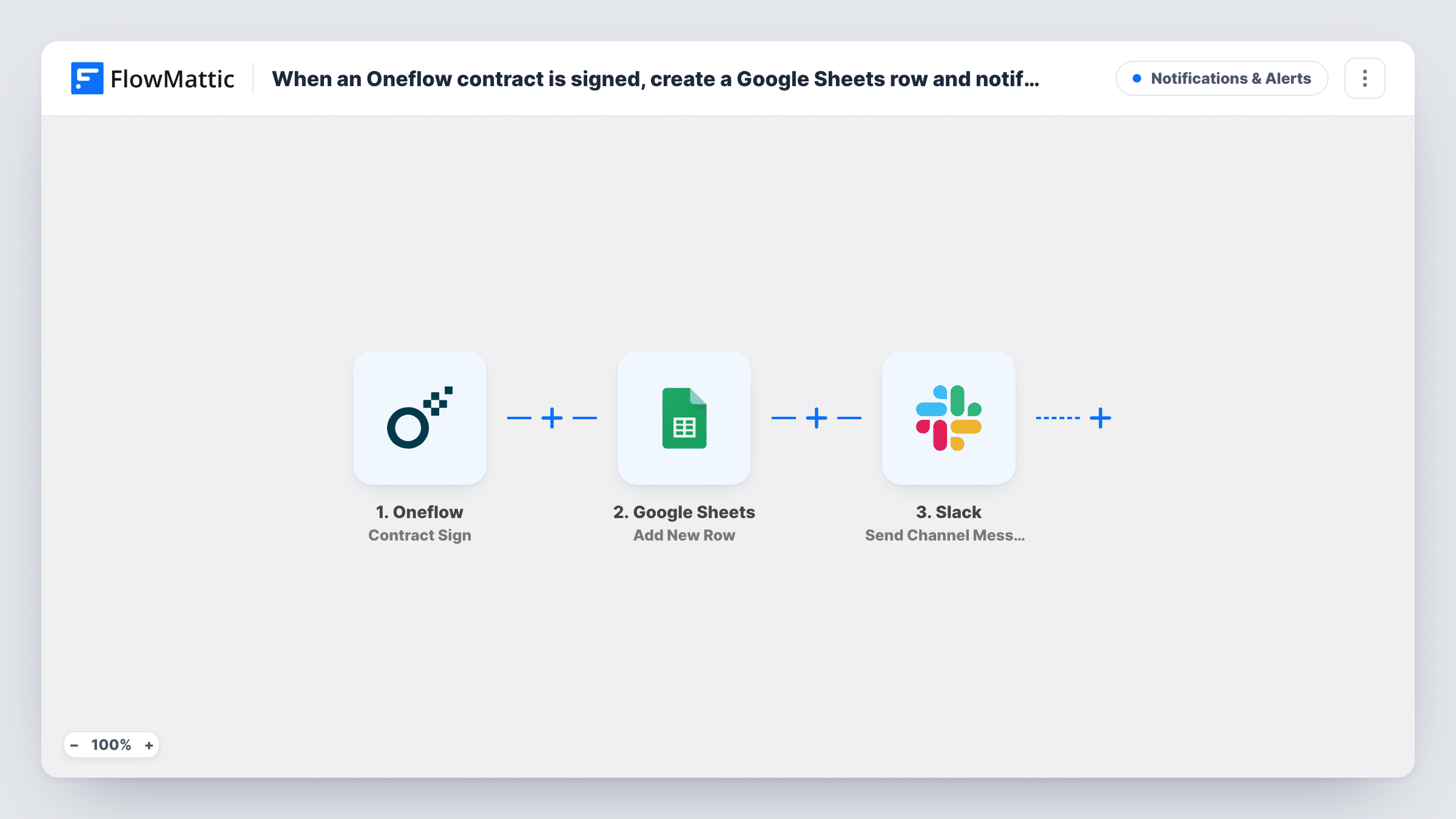
When a contract is signed in Oneflow, this workflow adds a row about the deal to Google Sheets and then posts a message in a Slack channel, so the sales team has a record and a heads-up together.
 Oneflow
 Google Sheets
 Slack
3 steps Setup ~5 min Used on 345 sites Free to import
What this workflow does
A signed contract is the moment a deal becomes real, and several people want to know. Finance needs a record, and the sales team wants to hear about the win. This workflow handles both from one Oneflow event, so nobody has to copy details or post the news by hand.
The Oneflow trigger is Contract Sign, the contract-level signing event. It is separate from Oneflow's Participant Sign trigger, which covers individual signers. The contract data it carries is passed first to Google Sheets, which appends a row to the spreadsheet you pick. Then Slack receives a message in the channel you choose, written by you with contract details mapped in.
Both steps run for every signed contract, in that order. Task History shows what the sheet and Slack steps returned for every signing. Run a test signing after import to see which contract fields Oneflow sends before you map them.
Celebrating closed deals in a sales channel
Each signed Oneflow contract posts to #wins with the details you mapped, while the sheet keeps a dated list for the monthly review.
Handing signed work to delivery
An agency posts each signed contract in a delivery channel so the project team knows a client is ready to start, and the sheet tracks every start.
Commission tracking for account managers
Sales operations reads the sheet of signed contracts at month end to work out commissions, and the Slack post lets reps see their deals land.
How this workflow runs
What happens at each step once the workflow is on, and what you need before you import it.
 Oneflow Contract Sign
Fires on Oneflow's Contract Sign event, which reports a signed contract as a whole rather than each participant's signature. The contract data is passed to both later steps.
- Google Sheets Add New Row
Writes a row for the signed contract to the Google Sheets spreadsheet and tab you choose. Map the Oneflow fields to your columns and connect your Google account when importing.
- Slack Send Channel Message
Announces the signed contract in the Slack channel you pick, using a message you write with Oneflow details mapped in. Connect your Slack workspace during import.
What you need
- FlowMatticCore
- Oneflow AccountAccount
- Google Sheets AccountAccount
- Slack AccountAccount
After importing, map your own data. To keep the template universal, not every step is pre-filled. Open each step in the builder and connect your accounts and fields (channels, lists, sheets, recipients) before you switch the workflow on.
Make it yours
Changes worth making after you import it.
- Want an alert for each signer as well? Build a separate workflow on Oneflow's Participant Sign trigger that posts to Slack when one party signs.
- For a private sales channel, swap the Slack step for Slack's separate Send Private Channel Message action.
- Put a Filter between the Oneflow trigger and the Google Sheets step if only some contracts should be logged and announced, for example those whose name contains a product line you track. Other contracts then stop before both steps.
Questions about this workflow
Does the workflow fire when one party signs an Oneflow contract?
The template uses Contract Sign, the contract-level event. Oneflow also has a Participant Sign trigger for individual signatures, which you can use in a separate workflow.
Which Oneflow contract details can go into the sheet row?
Whatever the Contract Sign event sends. Add New Row ships unmapped, so run a test signing after import, set up your column headers, and map the contract fields you want into them.
Can the Slack post go to a private Oneflow deals channel?
A private channel needs Slack's Send Private Channel Message, so swap the step to that action. The template's Send Channel Message action is for regular channels.
Are Oneflow contracts signed before import added to the sheet?
No. Only contracts signed after the workflow is active create a row and a Slack message.
More Notifications & Alerts workflows
Other ready-to-import templates from the same category.




Import this workflow into your WordPress site
Download the JSON, import it from the Workflows screen and connect your accounts. Every run stays on your server, with no per-task fees.
30-day money-back guarantee Unlimited workflows and runs Self-hosted