

When data is received from a webhook, create a new user in WordPress
Send data to a FlowMattic webhook URL from any app or script and a WordPress user account is created from it, so outside sign-up forms, CRMs or payment tools can register people on your site.
 Webhook
 WordPress
2 steps Setup ~5 min Used on 2.0k sites Free to import
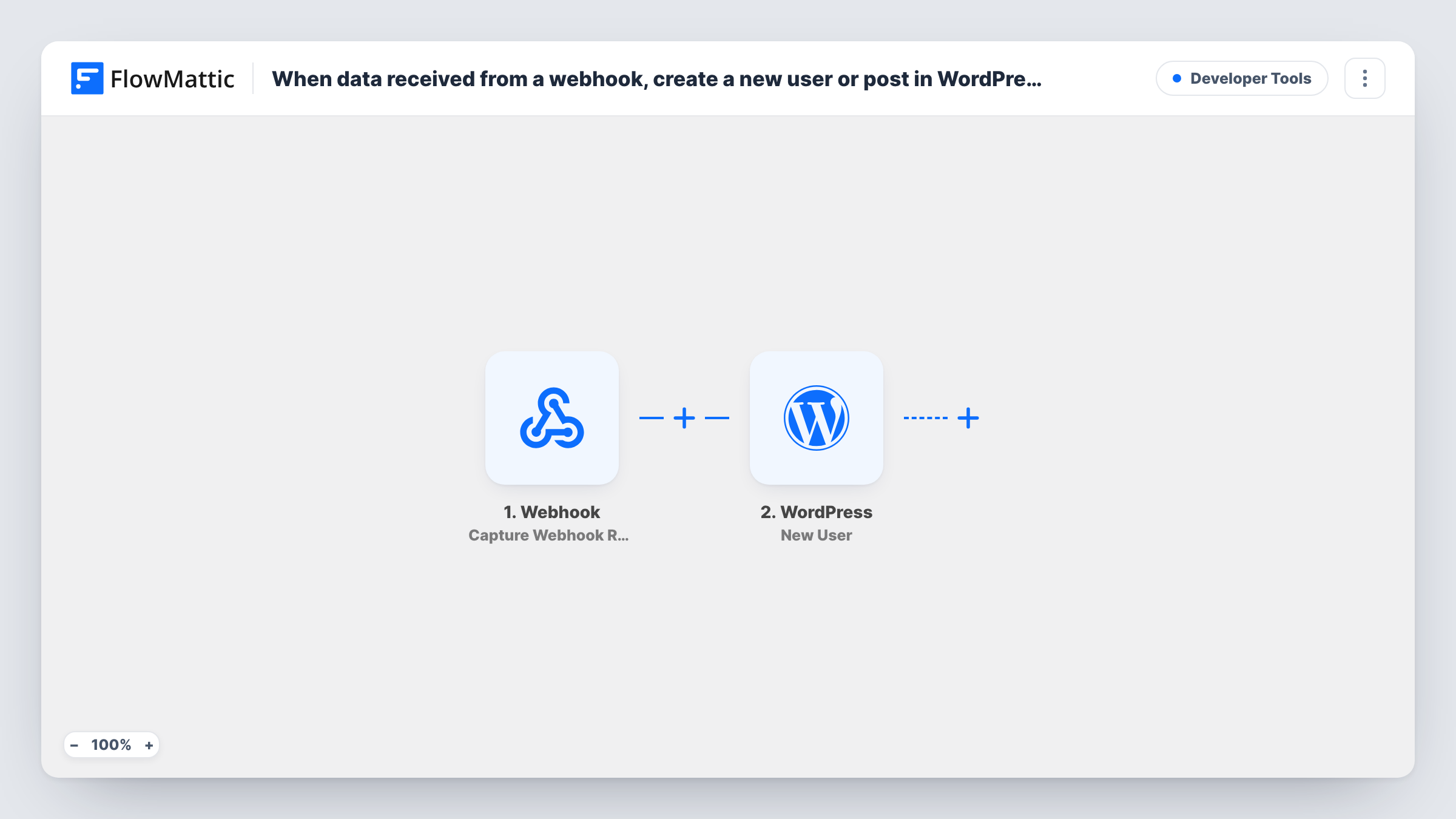
What this workflow does
Plenty of sign-ups happen outside WordPress: a form on another platform, a checkout on a hosted page, a CRM that marks someone as a customer. If those people also need a login on your site, this workflow gives you one URL to send their details to, and FlowMattic creates the account.
You get a URL of your own from the Webhook trigger. Whatever the sending app posts to it, such as an email, a username and a name, becomes data for the next step. The payload is up to the sender, so send one test request first and FlowMattic captures its fields.
The WordPress New User step then creates the account. It ships unmapped: map the email and username from the webhook data, plus the first and last name if you send them, and choose the role. You can let WordPress generate the password or map one, and decide whether a new user notification goes out.
If the email in a request already belongs to a WordPress account, the New User step doesn't add a second one; it returns the existing user's ID. Leave the trigger's "Require authentication on incoming requests" setting off and anyone who has the URL can create accounts, so turn it on and have the sender include the key. Task History shows each request and the account result.
Accounts for buyers from a hosted checkout
A course seller whose payments run on an external checkout page posts each buyer to the webhook, and the buyer gets a WordPress login for the members area.
Registrations from a non-WordPress form
An event organiser collects sign-ups in a form tool that supports webhooks and creates a site account for each attendee to download materials.
Provisioning from your own app
A SaaS team's backend calls the webhook when a customer upgrades, so the customer can log in to the WordPress help portal.
How this workflow runs
What happens at each step once the workflow is on, and what you need before you import it.
 Webhook Capture Webhook Response
Each request posted to this workflow's webhook URL starts a new account run. Send one test request after import so FlowMattic captures the fields the sender includes, such as email and username.
- WordPress New User
Creates a WordPress user from the webhook data. Map the email and username, plus names if sent, and set the role and password options. If the email already has an account, that user's ID is returned instead.
What you need
- FlowMatticCore
After importing, map your own data. To keep the template universal, not every step is pre-filled. Open each step in the builder and connect your accounts and fields (channels, lists, sheets, recipients) before you switch the workflow on.
Make it yours
Changes worth making after you import it.
- Turn on "Require authentication on incoming requests" in the Webhook trigger and give the sending app the key, so only that sender can create accounts.
- If the sender has no username field, map the email address into the username too, so every request has a unique login.
- Set the role in the New User step to the lowest one these people need, such as subscriber, rather than mapping a role from the payload.
Questions about this workflow
What data must the webhook request include to create a WordPress user?
At least an email and a username to map into the New User step. Names, a password or a role are optional extras you can send and map.
What if the webhook sends an email that already has a WordPress account?
FlowMattic's New User step checks the email first. When an account exists, it returns that user's ID and doesn't create a duplicate or change the existing user.
Can anyone with the webhook URL create accounts on my site?
Yes, if you leave the endpoint open. Turn on the trigger's "Require authentication on incoming requests" setting so requests without the key you set are refused.
Will the new user get a welcome email from WordPress?
That depends on the notification option you pick in the New User step. Choose to send it, or leave notifications off if the sending app already welcomes people.
More Developer Tools workflows
Other ready-to-import templates from the same category.





Import this workflow into your WordPress site
Download the JSON, import it from the Workflows screen and connect your accounts. Every run stays on your server, with no per-task fees.
30-day money-back guarantee Unlimited workflows and runs Self-hosted