

When Fathom meeting content is ready, save the transcript to a Notion page and notify the team in Slack
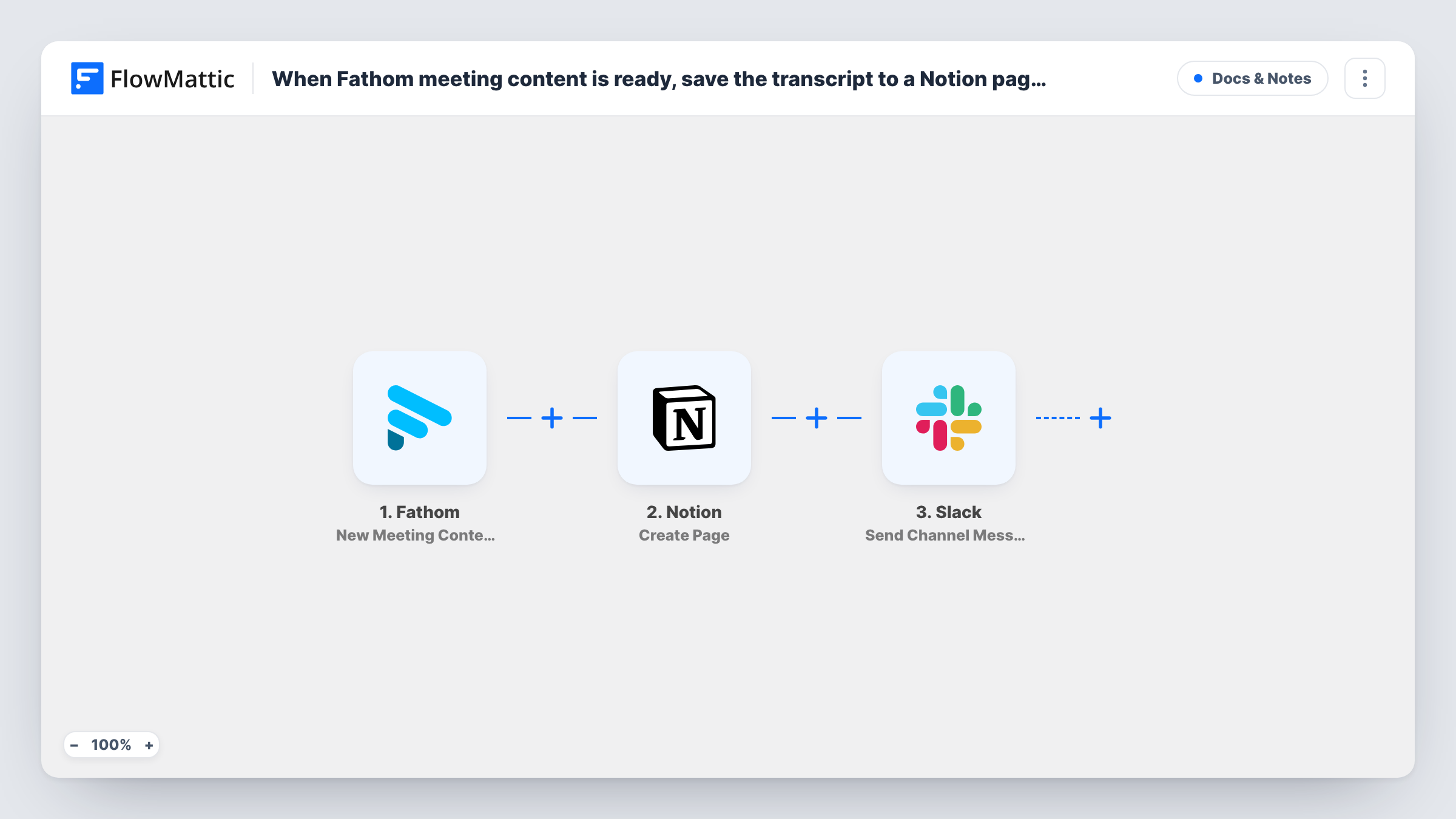
When Fathom has the content of a recorded meeting ready, FlowMattic creates a Notion page with it and then posts a Slack message, so the transcript is stored and the team knows it is there.
 Fathom
 Notion
 Slack
Slack3 steps Setup ~5 min Used on 1.1k sites Free to import
What this workflow does
Fathom records and transcribes your calls, but the notes stay in Fathom unless someone copies them out. If your team keeps its knowledge in Notion and talks in Slack, the meeting record should end up in one and be announced in the other. This workflow handles both after every meeting Fathom processes.
The Fathom trigger fires once the content for a meeting is ready. FlowMattic receives what Fathom sends and passes it to Notion, where the Create Page action makes a new page holding the transcript and any other meeting details you map. The final step posts to a Slack channel, and you can put the meeting title and the data returned by the Notion step in that message.
The steps run one after the other for each meeting. Task History records every run, which is useful for checking what Fathom sent for a particular call.
Sales call notes for the whole team
After each recorded sales call, the Fathom transcript goes into the team's Notion space and the sales channel gets a message, so anyone can read the call before a follow-up.
Client meetings at an agency
Calls with clients are saved as Notion pages that account managers can search later, and the Slack post tells the project team the notes are in.
Internal planning meetings
People who missed the meeting see the Slack message, open the Notion page and read what was said without asking someone to summarise it.
How this workflow runs
What happens at each step once the workflow is on, and what you need before you import it.
 Fathom New Meeting Content Ready
Runs when Fathom has finished processing a meeting and its content is ready. The data Fathom sends for that meeting becomes available to the next two steps.
- Notion Create Page
Creates a page in your connected Notion workspace. Map the meeting title and the Fathom transcript into the page, and choose where it is created when you set up the step.
- Slack Send Channel Message
Sends a heads-up to the Slack channel you set. Include the meeting title, and the page link if the Notion step returns one, so the team can open the notes directly.
What you need
- FlowMatticCore
- Fathom AccountAccount
- Notion AccountAccount
- Slack AccountAccount
After importing, map your own data. To keep the template universal, not every step is pre-filled. Open each step in the builder and connect your accounts and fields (channels, lists, sheets, recipients) before you switch the workflow on.
Make it yours
Changes worth making after you import it.
- Record a short test meeting after import so FlowMattic captures a real Fathom payload. Then you can see whether a summary or action items come through as well as the transcript.
- Add a Filter between the Fathom trigger and the Notion step with a condition on a meeting detail, such as its title, if only some calls should be saved. A Filter stops every later step, so filtered meetings are neither saved nor announced.
- Keep the Slack message short. If your test shows Fathom sends a summary, put that in the post and leave the full transcript on the Notion page.
Questions about this workflow
Which Fathom meetings run this workflow?
Each meeting whose content Fathom reports as ready through your connected account. Add a Filter between the Fathom trigger and the Notion step if you only want some of them saved and announced.
Where in Notion are the Fathom transcripts saved?
Where you point the Create Page step when you set it up. Make sure the Notion integration you connect has access to that location.
Can the Fathom message go to a private Slack channel?
The template uses Slack's Send Channel Message action, which posts to the #channel you pick. For a private channel, swap it for the Send Private Channel Message action in FlowMattic's Slack integration, and invite your Slack app to that channel.
Are meetings recorded in Fathom before the import saved to Notion?
No. Only meetings whose content becomes ready after you turn the workflow on are saved and announced.
More Docs & Notes workflows
Other ready-to-import templates from the same category.






Import this workflow into your WordPress site
Download the JSON, import it from the Workflows screen and connect your accounts. Every run stays on your server, with no per-task fees.
30-day money-back guarantee Unlimited workflows and runs Self-hosted