

When form submission is received in Groove Pages, create a new contact in FluentCRM and add new row in Google Spreadsheet
Turn each Groove Pages form submission into a FluentCRM contact on your WordPress site and a new Google Sheets row, so new leads reach your email list and a shareable record in one run.
 Groove Pages
 FluentCRM
 Google Sheets
3 steps Setup ~5 min Used on 493 sites Free to import
What this workflow does
Groove Pages builds your landing pages and opt-in forms, while FluentCRM sends your emails from WordPress. Without a link between them, every opt-in has to be exported and imported before you can email that person. This workflow connects the two and keeps a spreadsheet copy as well.
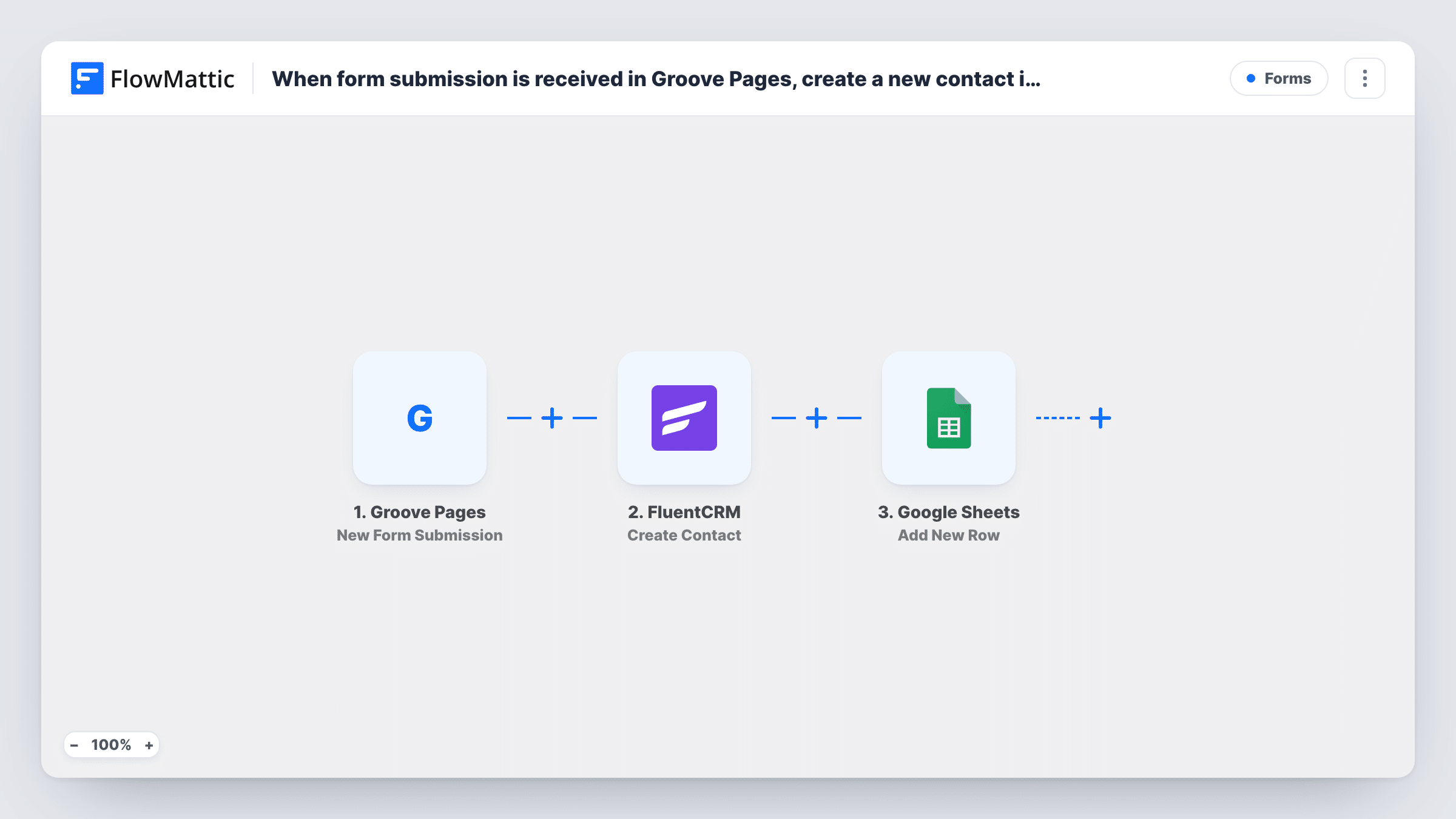
When a visitor fills in a form, the Groove Pages trigger passes their answers to FlowMattic. The next step creates a new contact in FluentCRM from the mapped name and email. The run then moves to Google Sheets and adds a row with the same submission data.
The FluentCRM step is Create Contact, not Create or Update Contact, so it is built for people who are not in your CRM yet. FluentCRM may not accept an address it already holds. You can read the FluentCRM and Sheets outcomes for each Groove Pages entry in Task History.
Webinar opt-in page
A Groove Pages registration page adds each sign-up to FluentCRM for reminder emails, and the sheet becomes the attendee list your co-host can open.
Free download funnel
Visitors trade an email for a checklist on a Groove Pages funnel. FluentCRM gets the new subscriber, and the sheet shows daily opt-in counts.
Coaching application form
Applicants answer questions on a Groove Pages form. Their contact goes to FluentCRM, and the full answers sit in a sheet you review before calls.
How this workflow runs
What happens at each step once the workflow is on, and what you need before you import it.
 Groove Pages New Form Submission
Fires when a visitor submits a form on one of your Groove Pages. The submitted answers are passed on to FluentCRM and Google Sheets.
- FluentCRM Create Contact
Creates a new FluentCRM contact from the submission. Map the form's email and name answers into the contact, and confirm the result with a test run.
- Google Sheets Add New Row
Adds a row to the Google Sheets spreadsheet you choose with the Groove Pages answers. Map each answer to a column so every row holds the full set of answers.
What you need
- FlowMatticCore
- Groove Pages AccountAccount
- FluentCRM PluginPlugin
- Google Sheets AccountAccount
After importing, map your own data. To keep the template universal, not every step is pre-filled. Open each step in the builder and connect your accounts and fields (channels, lists, sheets, recipients) before you switch the workflow on.
Make it yours
Changes worth making after you import it.
- If returning visitors often opt in again, swap the FluentCRM step for Create or Update Contact, which matches by email and refreshes their details.
- Add FluentCRM's Add Tags to Contact after the Create Contact step to mark these contacts with the Groove Pages funnel they came from.
- Submit a test form after import so FlowMattic captures the Groove Pages field names, then map them in both later steps.
Questions about this workflow
What if the Groove Pages visitor already exists in FluentCRM?
Create Contact is meant for new contacts, so FluentCRM may not accept the same email again. The FluentCRM reply for that run is in Task History. If you expect repeat sign-ups, use Create or Update Contact instead.
Must FluentCRM run on the WordPress site where FlowMattic is installed?
Yes. FluentCRM is a WordPress plugin, and the FlowMattic step works with the FluentCRM install on the same site.
Does the Google Sheets row hold every Groove Pages answer?
Only the answers you map. Add New Row ships unmapped, so after a test submission you pick the spreadsheet and match each Groove Pages field to a column, including answers FluentCRM doesn't store.
Are older Groove Pages leads included?
No. Only forms submitted after the workflow is turned on are processed. Leads collected before then stay in Groove Pages unless you move them yourself.
More Forms workflows
Other ready-to-import templates from the same category.






Import this workflow into your WordPress site
Download the JSON, import it from the Workflows screen and connect your accounts. Every run stays on your server, with no per-task fees.
30-day money-back guarantee Unlimited workflows and runs Self-hosted