

When form submission received in Contact Form 7, generate a static screenshot of the website using ScreenshotOne, add the URL to Google Sheet
When someone submits a website address through Contact Form 7, ScreenshotOne captures a static screenshot of that page and the result is logged with the submission in a new Google Sheets row.
 Contact Form 7
 ScreenshotOne
 Google Sheets
3 steps Setup ~5 min Used on 1.8k sites Free to import
What this workflow does
Agencies, auditors and directory owners often ask visitors for a website address, then open each site to see what it looks like before replying. This workflow takes a picture of the submitted page for you and keeps it on record alongside the enquiry, so you can review sites from a spreadsheet instead of a browser full of tabs.
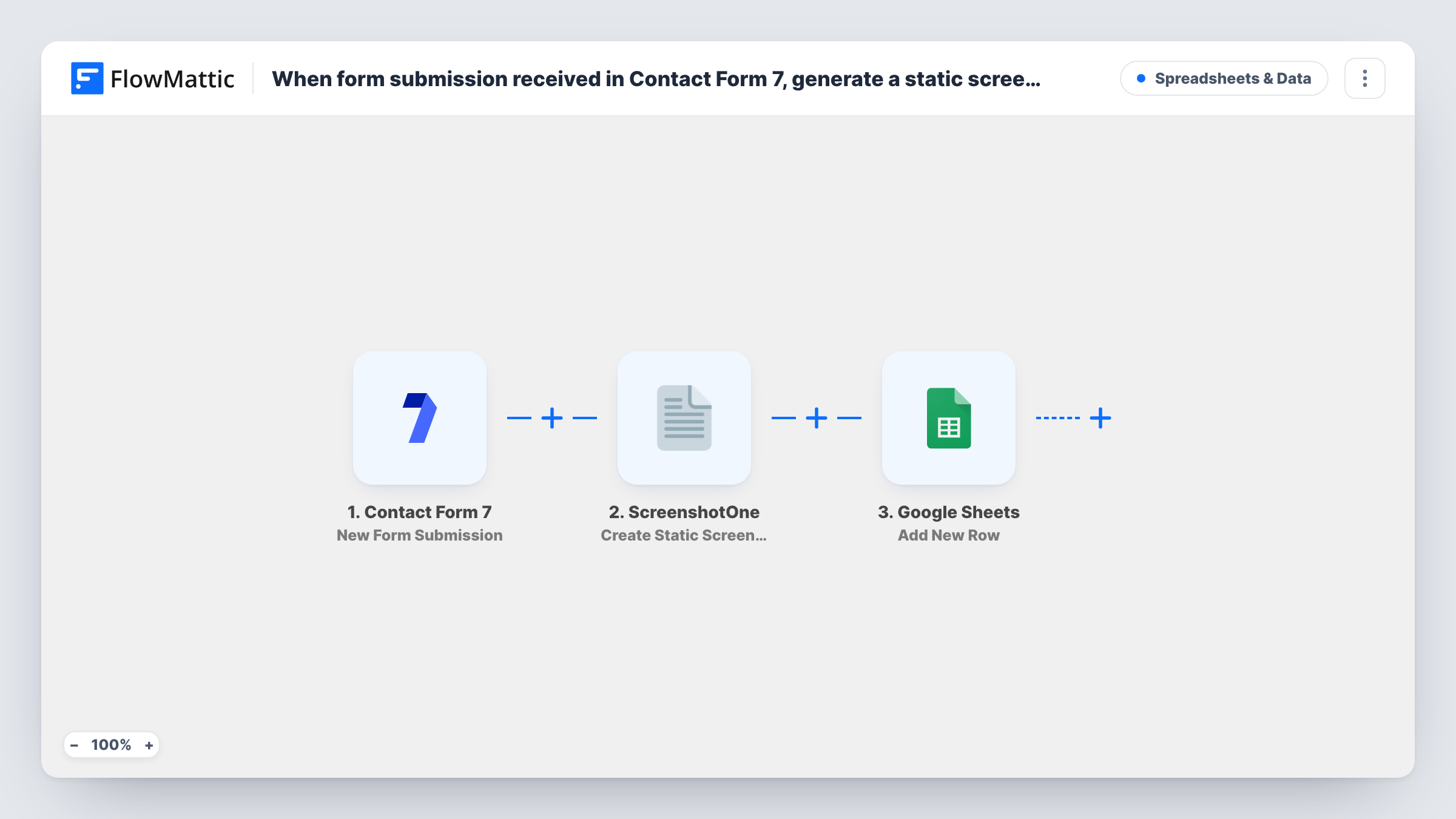
The Contact Form 7 trigger fires when a visitor submits your form. FlowMattic sends the website address from the submission to ScreenshotOne, whose Create Static Screenshot action captures an image of that page. The last step adds a row in Google Sheets, where you map the form answers and the screenshot result from ScreenshotOne's response.
Your form needs a field for the website address, and that field must be mapped into the ScreenshotOne step. Every submission runs all three steps, as there is no Filter. Run a test after import and look at ScreenshotOne's response in Task History to pick the value that holds the screenshot link before you map the sheet column.
Free website review requests
A web agency offers a free site review. Each request arrives in the sheet with a screenshot of the prospect's homepage, ready for the reviewer.
Directory or showcase submissions
Site owners submit their URL to a showcase list, and the editor checks each screenshot in the sheet before approving the listing.
Redesign quote enquiries
Prospects asking for a redesign quote enter their current site, and the sales team sees what they are working with before the first call.
How this workflow runs
What happens at each step once the workflow is on, and what you need before you import it.
 Contact Form 7 New Form Submission
Fires when a visitor submits your Contact Form 7 form. The website address and the other answers are passed on for mapping in the next two steps.
- ScreenshotOne Create Static Screenshot
Captures a static screenshot of the page at the address you map from the form. Connect your ScreenshotOne account and map the submitted website field into this step.
- Google Sheets Add New Row
Adds a row to your chosen Google Sheets spreadsheet for each submission. Map the form answers to columns, plus the screenshot value ScreenshotOne returns.
What you need
- FlowMatticCore
- Contact Form 7 PluginPlugin
- ScreenshotOne AccountAccount
- Google Sheets AccountAccount
After importing, map your own data. To keep the template universal, not every step is pre-filled. Open each step in the builder and connect your accounts and fields (channels, lists, sheets, recipients) before you switch the workflow on.
Make it yours
Changes worth making after you import it.
- Use a url* field in your Contact Form 7 form so the website address is required and must look like a valid URL before the form sends.
- Add a Filter after the trigger that continues only when the website field is not empty, if the field is optional on your form.
- ScreenshotOne also offers a Create Animated Screenshot action. Swap it in if you want an animated image of the page instead of a still one.
Questions about this workflow
What if the website address in the Contact Form 7 entry is wrong?
ScreenshotOne can't capture a page that doesn't load, so that step returns an error. The Google Sheets step still runs, and Task History shows what ScreenshotOne replied.
Do I need a ScreenshotOne account for this Contact Form 7 workflow?
Yes. The screenshot step runs through your ScreenshotOne account, which you connect when you import the workflow.
Is the screenshot image stored in the Google Sheet?
The sheet holds whatever value you map from ScreenshotOne's response, not an embedded picture. Check that response in Task History after a test to choose the right value.
More Spreadsheets & Data workflows
Other ready-to-import templates from the same category.



Import this workflow into your WordPress site
Download the JSON, import it from the Workflows screen and connect your accounts. Every run stays on your server, with no per-task fees.
30-day money-back guarantee Unlimited workflows and runs Self-hosted