

When Halo Security sends a webhook event, create a Monday.com item and email the on-call engineer
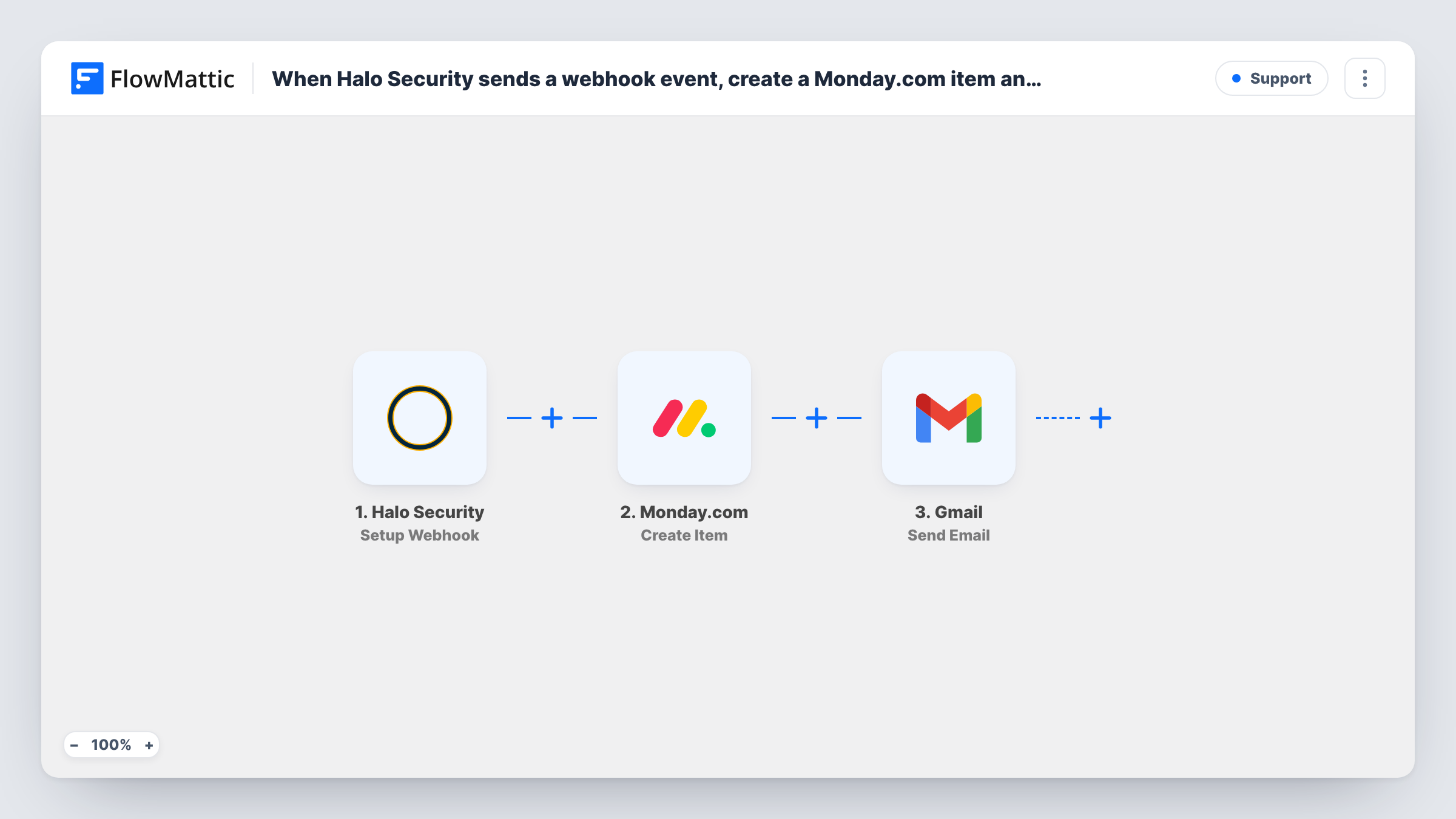
Each event Halo Security posts to your webhook creates an item on a Monday.com board and sends a Gmail email to your on-call engineer, so the issue is tracked and someone is told.
 Halo Security
 Monday.com
 Gmail
3 steps Setup ~5 min Used on 1.1k sites Free to import
What this workflow does
A security event needs two things: a record your team can assign and close, and a person who knows about it now. Doing both by hand means copying details from Halo Security into Monday.com and then writing an email. This workflow does both for every event Halo Security sends.
The Halo Security Setup Webhook trigger provides the URL you paste into Halo Security's webhook settings. It accepts all events posted to it, so in Halo Security enable only the events you want handled, such as new findings. Send a test event to see which fields arrive.
The Monday.com Create Item step adds a new item to a board. After import you connect Monday.com, pick the board and map Halo Security details into the item name and columns. The Gmail step then emails the on-call engineer from your Gmail account. You enter their address and write the message, which can include the event details and anything the Monday.com step returns.
You set up the trigger and both actions yourself after import. Each event produces one item and one email, so check Task History after your first test to confirm both.
Findings board for a security team
A company's security team keeps a Monday.com board of open Halo Security findings. Each new one appears as an item, and the engineer on call that week gets an email.
Agency managing client attack surfaces
An agency that monitors client domains in Halo Security gets an item per event on the client's Monday.com board and an email to the account's technical lead.
Audit trail for compliance
A startup preparing for a security audit keeps every Halo Security event as a Monday.com item with its status and owner, showing how each one was handled.
How this workflow runs
What happens at each step once the workflow is on, and what you need before you import it.
 Halo Security Setup Webhook
Gives you a webhook address to add in Halo Security, and starts a run for every event posted to it. In Halo Security, send only the events you want handled, such as findings.
- Monday.com Create Item
Adds the Halo Security event to a Monday.com board as an item. The step ships unmapped: connect Monday.com, choose the board and map the Halo Security event details into the item name and columns.
- Gmail Send Email
Emails the on-call engineer from your connected Gmail account. Add their address, write a subject and body, and map in the Halo Security details so they can act without opening the board.
What you need
- FlowMatticCore
- Halo Security AccountAccount
- Monday.com AccountAccount
- Gmail AccountAccount
After importing, map your own data. To keep the template universal, not every step is pre-filled. Open each step in the builder and connect your accounts and fields (channels, lists, sheets, recipients) before you switch the workflow on.
Make it yours
Changes worth making after you import it.
- Put a Filter between the Halo Security trigger and the Monday.com step on the event's severity, if Halo Security sends it, so low-severity events stop before an item or email is created.
- Map the event's severity into a Monday.com status or label column, so the board can be sorted by how urgent each item is.
- If the on-call engineer changes each week, keep their address in one place, such as a Google Sheets cell, and add a Lookup Row Data step before the Gmail step to read it.
- Include the Monday.com item link in the email, if the Create Item step returns one in a test run, so the engineer can jump straight to it.
Questions about this workflow
Which Halo Security events create a Monday.com item?
Every event Halo Security posts to the webhook. Enable only the events you want, such as findings, in Halo Security, or add a Filter between the trigger and the Monday.com step.
Can the Gmail email go to more than one engineer?
Yes. Send it to a shared on-call address, or add a second Gmail step after the first with the other engineer's address.
Where on Monday.com does each Halo Security event land?
The one you pick in the Create Item step after import. The template doesn't set a board or columns, so choose them and map the Halo Security fields.
Does the workflow update the Monday.com item when Halo Security resolves the issue?
No. It creates an item and sends an email for each event. A later event about the same issue creates another item, so close earlier items on the board yourself.
More Support workflows
Other ready-to-import templates from the same category.






Import this workflow into your WordPress site
Download the JSON, import it from the Workflows screen and connect your accounts. Every run stays on your server, with no per-task fees.
30-day money-back guarantee Unlimited workflows and runs Self-hosted