

When image received as an attachment in your email, generate background using PhotoRoom and upload to Google Drive
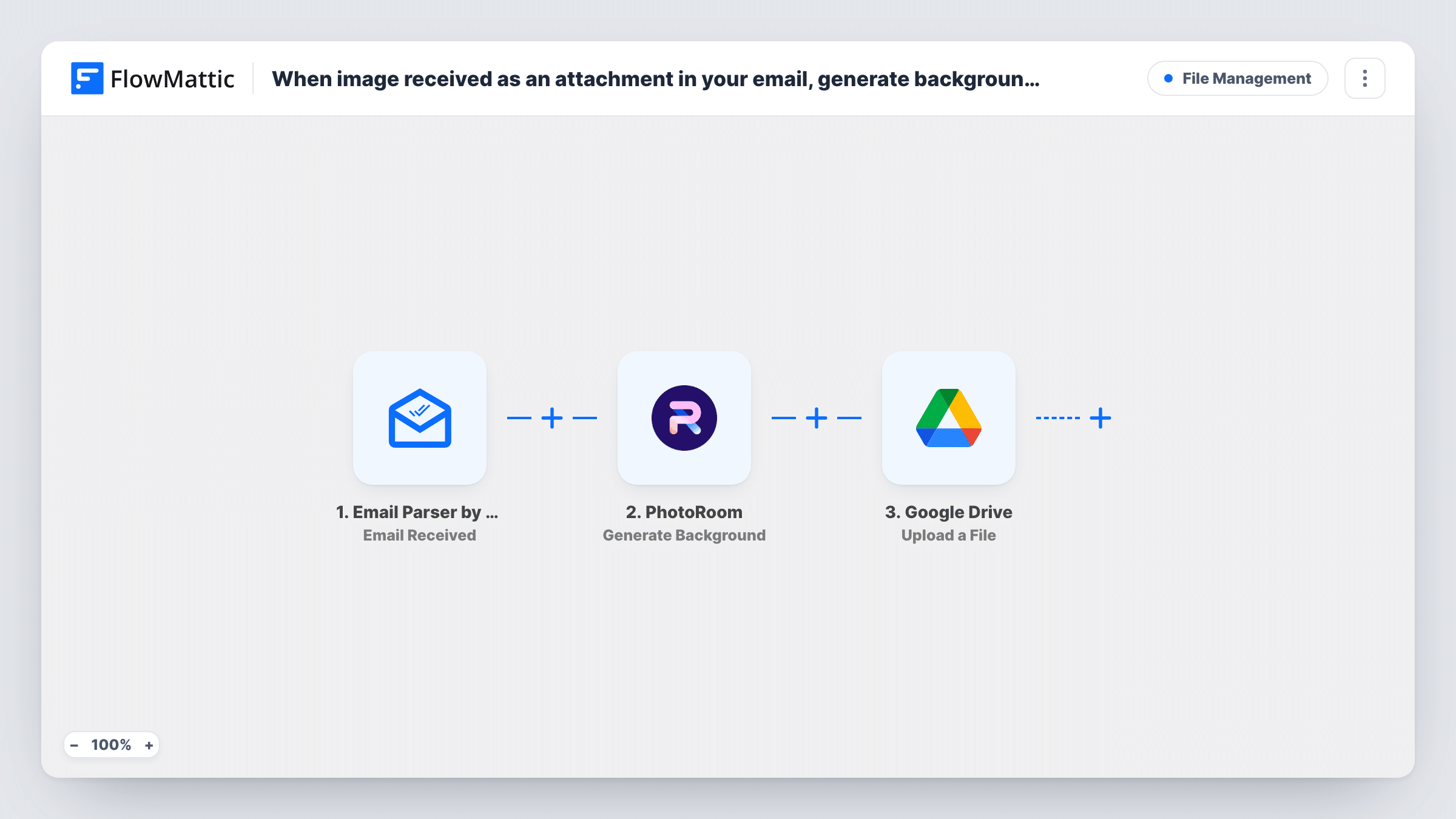
When an email with an image attachment reaches your FlowMattic Email Parser address, the image is saved to the WordPress Media Library, PhotoRoom gives it a new background, and the result is uploaded to Google Drive.
 Email Parser by FlowMattic
 Filter
 WordPress
 PhotoRoom
 Google Drive
5 steps Setup ~8 min Used on 3.4k sites Free to import
What this workflow does
Product photos often arrive by email: from a supplier, a photographer or a colleague on their phone. Turning each one into a clean, staged image normally means downloading it, opening an editor and filing the result. This workflow does those steps for every message that carries an image, so you can forward photos to one address and collect finished versions in a Drive folder.
The Email Parser by FlowMattic trigger runs for every email that reaches your parser address. A Filter then checks the email's attachment data for the text "image/", the start of image file types such as image/jpeg and image/png. Emails without a match stop there and go no further. The check ignores case.
For the emails that pass, the WordPress Upload Base64 Image step stores the attachment in your Media Library. It ships unmapped, so after import you map the image attachment from the email into it. Its media URL is already mapped into the PhotoRoom Generate Background step, which creates a new background for the image from a prompt you write in that step.
The last step uploads a file to the Google Drive folder you choose. It is also unmapped: pick the folder and map the image PhotoRoom returns. Send yourself a test email with a photo and read Task History to see what each step received and returned.
Supplier photos ready for the store
A shop owner forwards product shots from suppliers to the parser address, and each one comes back from PhotoRoom with a consistent studio-style background in a shared Drive folder.
Field photos for property listings
An estate agent emails room photos from a phone after a viewing, and the staged versions are waiting in Google Drive for the listing team.
Social media images from the team
Staff email event photos to one address, and the marketing lead picks finished images with matching backgrounds from Drive for posts.
How this workflow runs
What happens at each step once the workflow is on, and what you need before you import it.
 Email Parser by FlowMattic Email Received
Fires for each email that arrives at your FlowMattic Email Parser address and passes on the sender, subject, body and attachment details to the steps that follow.
- Filter Continue If Condition Meet
Lets the run continue only when the email's attachments field contains "image/", which matches image file types. Capital letters make no difference to it. Emails without an image attachment end here.
- WordPress Upload Base64 Image
Saves a base64-encoded image to the WordPress Media Library and returns its media URL. Nothing is mapped yet: map the image attachment from the email, then check a test run for the stored file.
- PhotoRoom Generate Background
Creates a new background for the uploaded image with PhotoRoom. The image URL from the WordPress step is already mapped; connect PhotoRoom and write a prompt describing the background you want.
- Google Drive Upload a File
Uploads the edited image to a Google Drive folder you select. Connect Google Drive, pick the folder and map the image PhotoRoom returned, then confirm the file appears after a test email.
What you need
- FlowMatticCore
- PhotoRoom AccountAccount
- Google Drive AccountAccount
After importing, map your own data. To keep the template universal, not every step is pre-filled. Open each step in the builder and connect your accounts and fields (channels, lists, sheets, recipients) before you switch the workflow on.
Make it yours
Changes worth making after you import it.
- Write the PhotoRoom prompt for the look you use most, such as a plain white studio backdrop, so every photo comes out in the same style.
- To accept photos only from known senders, add a second condition to the same Filter, between the Email Parser trigger and the WordPress step, that checks the sender's address. The sender list is yours to choose.
- Map the email subject into the Google Drive file name, so you can tell which message each edited image came from.
- Swap Generate Background for PhotoRoom's Remove Background action if you only need a transparent cut-out instead of a new scene.
Questions about this workflow
Do emails without a picture reach PhotoRoom?
No. The Filter after the Email Parser trigger needs "image/" in the attachment data, so emails with no attachment or only a PDF stop before the WordPress, PhotoRoom and Google Drive steps.
What if one email has several photos attached?
Each run uses the attachment you map into the WordPress step. To process every photo, add an Iterator over the attachments between the Filter and the WordPress step, so the upload, PhotoRoom and Drive steps repeat for each one.
Why does the image go through the WordPress Media Library first?
PhotoRoom's step takes an image URL. Uploading the attachment to WordPress gives it a media URL, and that URL is already mapped into Generate Background.
Do I need my own email server for the Email Parser trigger?
No. Email Parser by FlowMattic gives you an address to send or forward emails to, and each email received there starts a run.
More File Management workflows
Other ready-to-import templates from the same category.




Import this workflow into your WordPress site
Download the JSON, import it from the Workflows screen and connect your accounts. Every run stays on your server, with no per-task fees.
30-day money-back guarantee Unlimited workflows and runs Self-hosted