

When new form submission is received in ARForms, check if a field contains a word using Filters, and add the data to Google Spreadsheet
Check each ARForms submission for a word in a field you choose, and add a row to Google Sheets only when the word is there, so the spreadsheet collects just the entries that mention it.
 ARForms
 Filter
 Google Sheets
3 steps Setup ~5 min Used on 2.8k sites Free to import
What this workflow does
A form often gathers more than one kind of message. You might only want the entries that mention a product, a city or a request type in a shared spreadsheet. This workflow checks one field for a word and passes on only the matching ARForms entries.
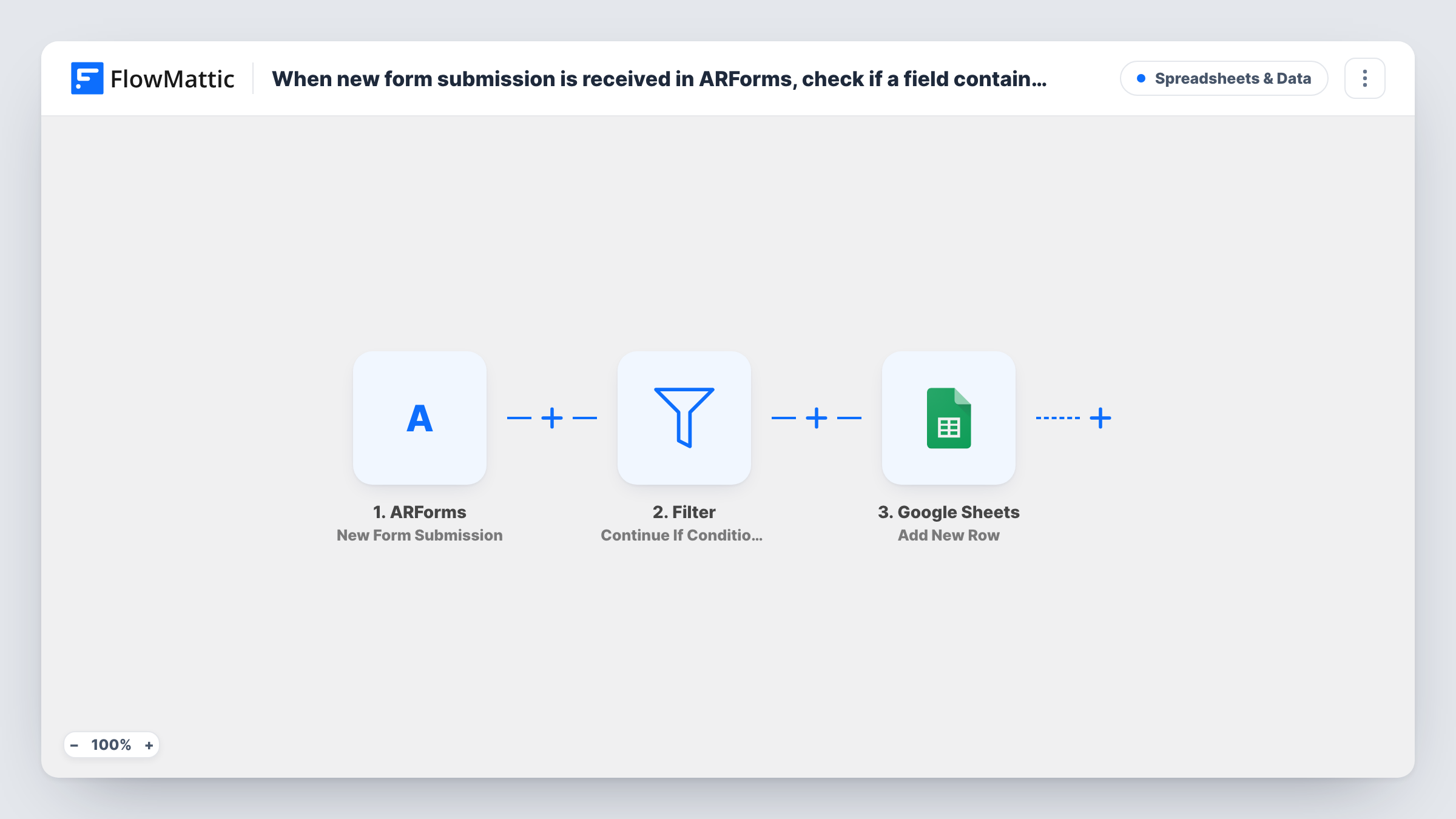
The ARForms trigger fires on each new submission on your WordPress site. The next step is a Filter that continues only if its conditions are met. If they are, Google Sheets gets a new row with the fields you map. If not, the run ends at the Filter and the sheet is left alone.
The template does not come with a condition filled in. After import, pick the ARForms field to check, choose a contains-style rule, and type the word. Test with one entry that has the word and one that does not, then look at Task History to see where each run stopped.
Product-specific enquiries
A general enquiry form has a message box. Only entries that mention a particular product name reach the sheet the product owner reads.
Regional leads for a franchise
Set the Filter to look for a city name in the address field, so each franchise owner's sheet holds only entries from their area.
Urgent support requests
Entries whose subject contains the word urgent are added to a sheet the on-call person checks first.
How this workflow runs
What happens at each step once the workflow is on, and what you need before you import it.
 ARForms New Form Submission
Fires on each new ARForms submission on your site. All the submitted fields are handed to the Filter and the Google Sheets step.
- Filter Continue If Condition Meet
Checks the conditions you set after import, for example whether a chosen field contains a word. If they are met, the run continues. Otherwise it stops and no row is written.
- Google Sheets Add New Row
Writes a new row to your chosen Google Sheets spreadsheet for each entry that passed the Filter. Connect Google, pick the sheet, and map ARForms fields to its columns.
What you need
- FlowMatticCore
- ARForms PluginPlugin
- Google Sheets AccountAccount
After importing, map your own data. To keep the template universal, not every step is pre-filled. Open each step in the builder and connect your accounts and fields (channels, lists, sheets, recipients) before you switch the workflow on.
Make it yours
Changes worth making after you import it.
- Add a second condition to the Filter if several words should count, such as two spellings of a product name, and test that both spellings pass.
- Swap the Filter for a Router if entries without the word should go to another sheet, with a separate Google Sheets step on each route and conditions that cannot both match.
- Keep the word short and test it against real entries, since a contains check matches the text anywhere in the field.
Questions about this workflow
Which ARForms field does the Filter check?
Any field you pick when setting the condition after import. The template ships without one, so you choose the field and the word.
What happens to ARForms entries that don't contain the word?
The run stops at the Filter for that entry, and nothing is written to Google Sheets. Your ARForms entry list keeps the submission either way.
Can the Filter look for more than one word in the ARForms entry?
Yes. Add more conditions to the Filter, then send test entries with each word to confirm the matches you expect pass.
More Spreadsheets & Data workflows
Other ready-to-import templates from the same category.




Import this workflow into your WordPress site
Download the JSON, import it from the Workflows screen and connect your accounts. Every run stays on your server, with no per-task fees.
30-day money-back guarantee Unlimited workflows and runs Self-hosted