

When new form submission is received in Contact Form 7, remove the HTML tags from the message body and add to Google Sheet
For each Contact Form 7 submission, this workflow converts the message field from HTML to Markdown with Text Formatter, so no HTML tags reach your sheet, then adds the entry to a Google Sheets row.
 Contact Form 7
 Text Formatter by FlowMattic
 Google Sheets
3 steps Setup ~5 min Used on 2.9k sites Free to import
What this workflow does
Form messages can carry HTML: pasted text from an email, links, or markup typed by bots. When that lands in a spreadsheet, the cells fill with tags and are hard to read. This workflow cleans the message before it reaches Google Sheets.
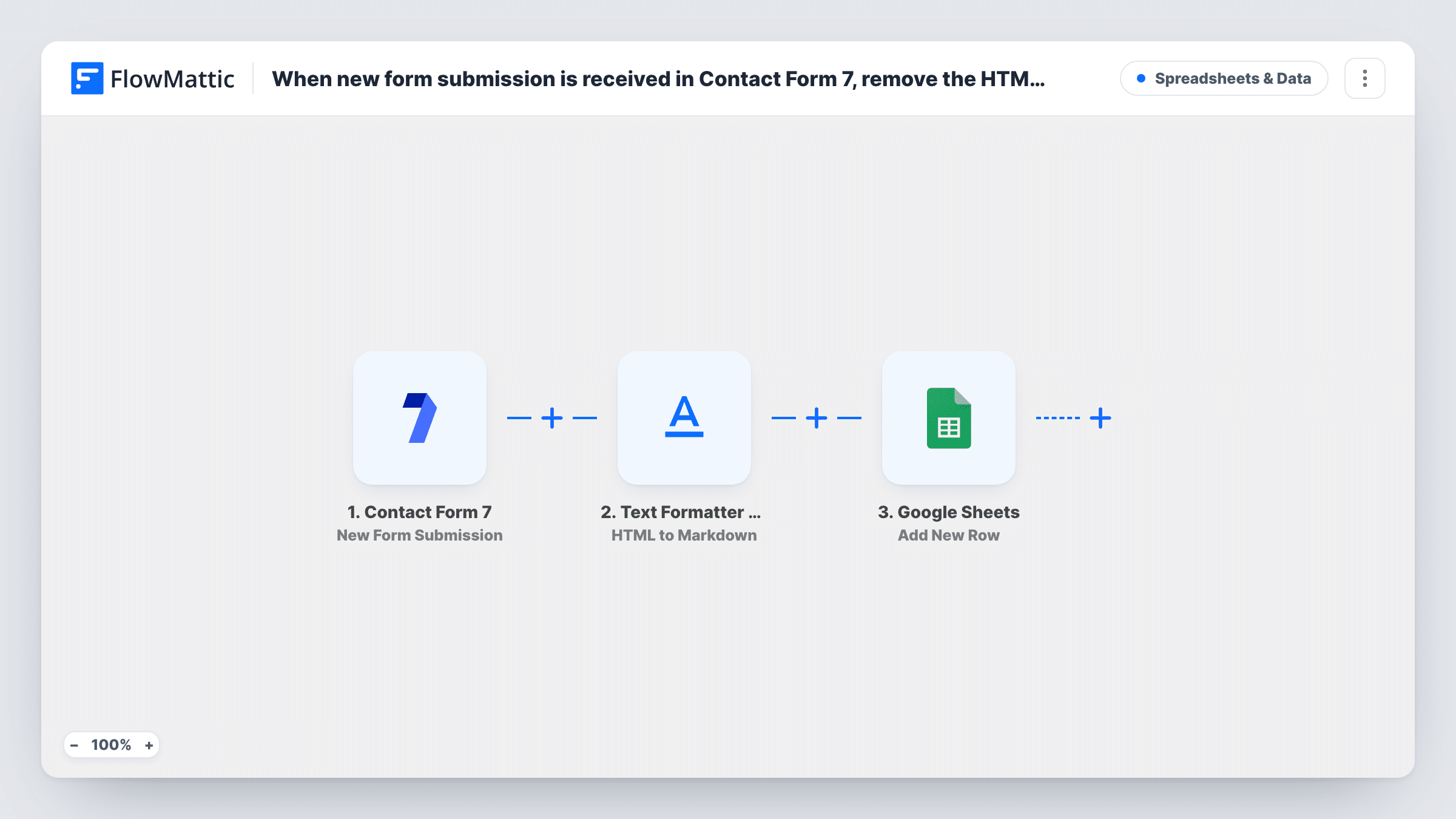
Each new entry on your form starts the Contact Form 7 trigger. The Text Formatter step then runs HTML to Markdown on the message field you map. HTML tags are removed and replaced with Markdown equivalents, so a link becomes link text in brackets and bold text gets asterisks. The Google Sheets step adds a row with the converted message and the other form fields.
The result is Markdown, not bare text, so formatting symbols can still appear in the cell. A plain message with no HTML comes through unchanged. Your Contact Form 7 emails are not affected, because the conversion only applies to what goes to the sheet.
Readable enquiry log
Visitors paste formatted text from emails into your contact form. The sheet shows the message as plain Markdown rather than a block of tags.
Spotting link spam
Bot submissions full of anchor tags show up in the sheet as bracketed links, which makes spam easy to see and delete.
Sharing messages with a team
Support staff read form messages in a shared Google Sheet, with markup turned into something a person can scan quickly.
How this workflow runs
What happens at each step once the workflow is on, and what you need before you import it.
 Contact Form 7 New Form Submission
Picks up every Contact Form 7 entry sent from your site. The message field and every other field become available to the next steps.
- Text Formatter by FlowMattic HTML to Markdown
Converts the HTML in the mapped message field to Markdown, so HTML tags are removed. Map the form's message field here; the converted text is then ready for Google Sheets.
- Google Sheets Add New Row
Writes the cleaned entry as a new row in your chosen spreadsheet. Map the converted message from Text Formatter, not the raw form field, plus the name, email and other fields.
What you need
- FlowMatticCore
- Contact Form 7 PluginPlugin
- Google Sheets AccountAccount
After importing, map your own data. To keep the template universal, not every step is pre-filled. Open each step in the builder and connect your accounts and fields (channels, lists, sheets, recipients) before you switch the workflow on.
Make it yours
Changes worth making after you import it.
- In the Google Sheets step, map the Text Formatter output to the message column. Mapping the original form field would bring the HTML back.
- Send a test submission with a link and some bold text, then check the row to see how the Markdown looks in your sheet.
- Add a Filter after the trigger that stops runs when the message contains http, if you want link-heavy spam kept out of the sheet.
Questions about this workflow
Does this strip all formatting from the Contact Form 7 message?
It removes the HTML tags by converting them to Markdown. Links and emphasis turn into Markdown symbols, so the cell may still show brackets or asterisks.
Will my Contact Form 7 email notifications change?
No. The workflow reads each submission and writes to Google Sheets. The form's own mail settings stay as they are.
Can I clean more than one Contact Form 7 field?
As imported, one Text Formatter step handles the field you map. Add another HTML to Markdown step for each extra field you want converted.
More Spreadsheets & Data workflows
Other ready-to-import templates from the same category.



Import this workflow into your WordPress site
Download the JSON, import it from the Workflows screen and connect your accounts. Every run stays on your server, with no per-task fees.
30-day money-back guarantee Unlimited workflows and runs Self-hosted