

When new Form Submission received in MailPoet Subscription forms, verify email using Emailable, create new user in WordPress
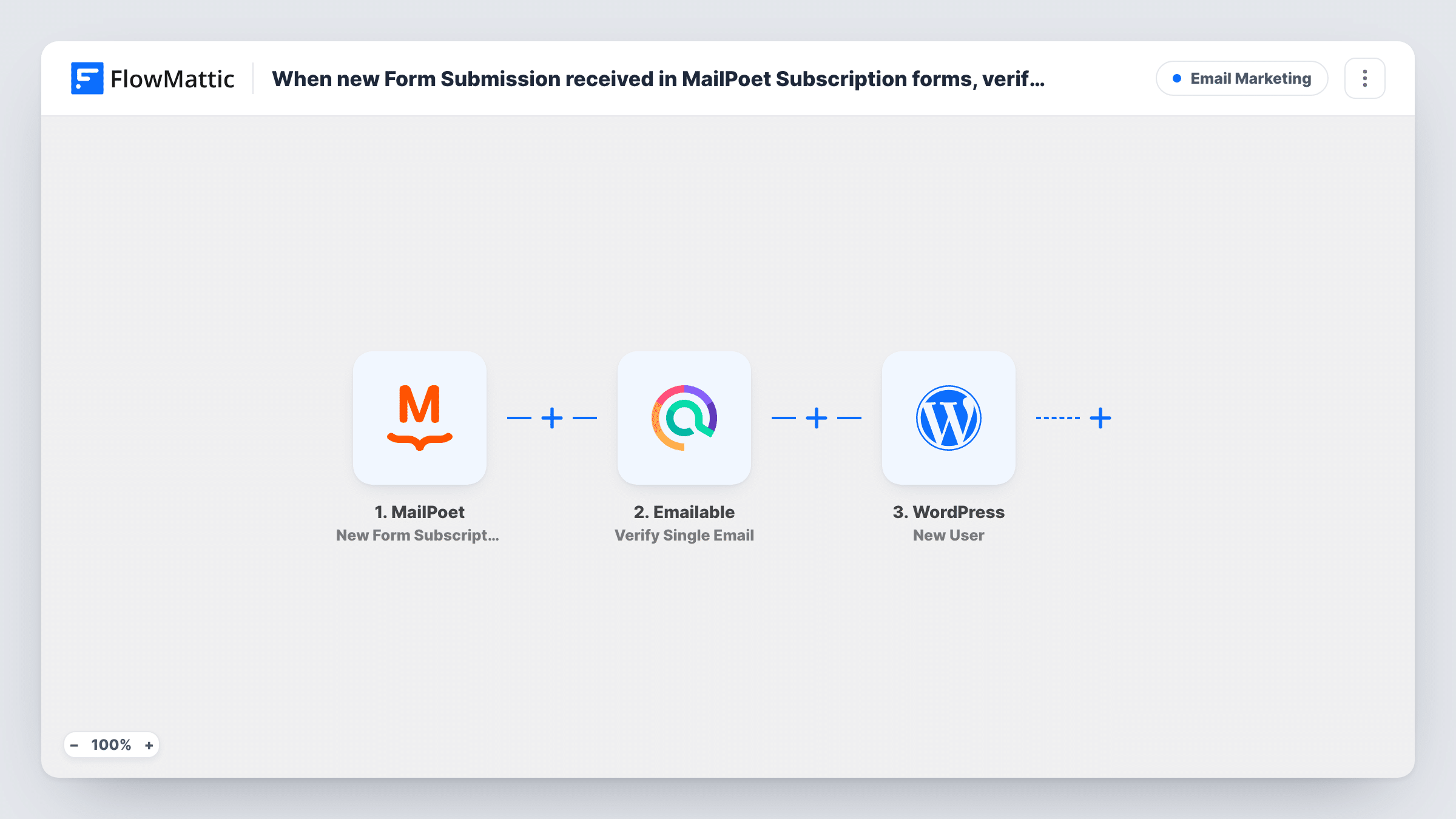
Each MailPoet form subscription has its email checked by Emailable, then a WordPress user is created for the subscriber. As imported, every subscriber gets an account whatever the check returns.
 MailPoet
 Emailable
 WordPress
3 steps Setup ~5 min Used on 1.3k sites Free to import
What this workflow does
When a MailPoet sign-up form also gives people site access, you want each new subscriber to get a WordPress account, and you may want to know whether their address is real. This workflow checks the address and creates the user in one run.
The MailPoet trigger is New Form Subscription, which fires when a MailPoet form receives a new subscription. The subscriber's email and any name fields are passed on. The Emailable step then runs Verify Single Email on that address, and its result becomes data you can map.
The last step uses WordPress New User to create an account from the subscriber's details. Note that nothing in the template acts on the Emailable result: every subscriber continues to the WordPress step, whether the address passed or not. To create accounts only for addresses that pass, add a Filter between the two steps.
Free members area for newsletter readers
Readers who subscribe through a MailPoet form get a WordPress login to a members-only page, with each address checked by Emailable first.
Spotting fake sign-ups on a community site
Emailable's result for each subscriber shows which new accounts came from addresses that failed, so you can review them.
Gated downloads for subscribers
Subscribers get an account to reach your downloads. Add a Filter on the Emailable result so only checked addresses become users.
How this workflow runs
What happens at each step once the workflow is on, and what you need before you import it.
 MailPoet New Form Subscription
Fires when a MailPoet subscription form receives a new subscription. MailPoet hands over the new subscriber's email and name. Sign up with a test address after import so the fields appear for mapping.
- Emailable Verify Single Email
Sends the subscriber's email to Emailable to verify it. Map the MailPoet email here and connect your Emailable account. The result is available to later steps, but nothing uses it as imported.
- WordPress New User
Creates a WordPress user from the subscriber's email and name. Every subscriber reaches this step whatever the Emailable result. Check after a test run which role the new account gets.
What you need
- FlowMatticCore
- MailPoet PluginPlugin
- Emailable AccountAccount
After importing, map your own data. To keep the template universal, not every step is pre-filled. Open each step in the builder and connect your accounts and fields (channels, lists, sheets, recipients) before you switch the workflow on.
Make it yours
Changes worth making after you import it.
- Add a Filter between Emailable and WordPress that continues only when the verification result shows the address is deliverable, so failed addresses don't get accounts.
- Run two tests, one with your real address and one with a made-up address, and look at the Emailable output in Task History to see which value to filter on.
- A MailPoet subscriber who already has a WordPress account won't get a second one, because the New User step returns that user's ID. Task History shows which ID each run returned.
Questions about this workflow
Does Emailable stop invalid MailPoet subscribers from getting an account?
Not as imported. The template checks the address but then creates the user regardless. Add a Filter between the Emailable step and the WordPress step to stop failed addresses.
Do I need an Emailable account?
Yes. Emailable checks each address using the account you link when importing. MailPoet and WordPress run on your own site.
Is the MailPoet subscriber removed if the email fails the check?
No. The workflow doesn't change the MailPoet subscriber. It only verifies the address and creates the WordPress user.
More Email Marketing workflows
Other ready-to-import templates from the same category.




Import this workflow into your WordPress site
Download the JSON, import it from the Workflows screen and connect your accounts. Every run stays on your server, with no per-task fees.
30-day money-back guarantee Unlimited workflows and runs Self-hosted