

When new job application is submitted in WPForms, pause for HR approval then save candidate resume to Google Drive
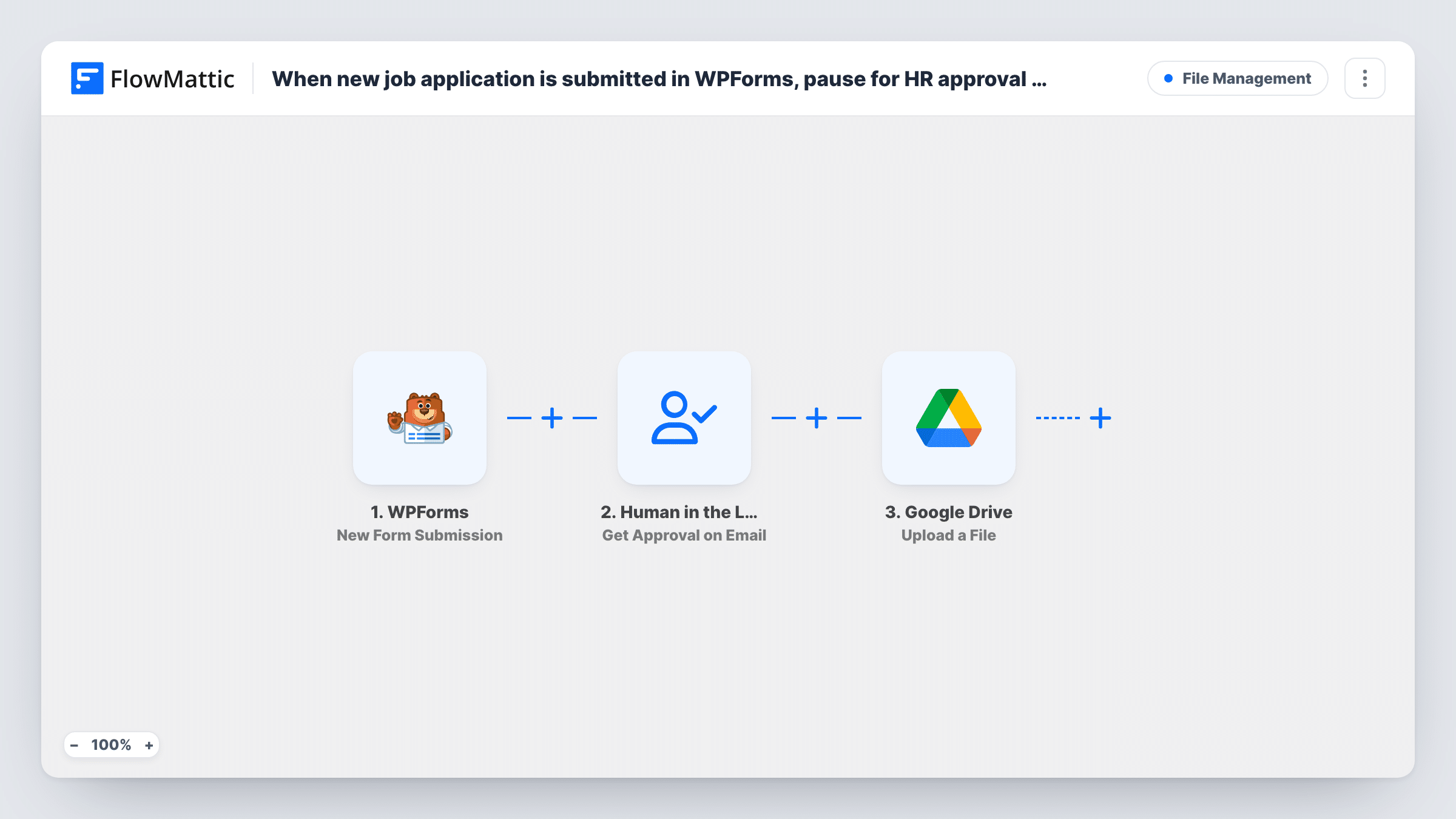
When a candidate applies through a WPForms job application form, this workflow emails HR an approval request and waits. Once approved, the candidate’s resume is uploaded to your chosen Google Drive folder.
 WPForms
 Human in the Loop
 Google Drive
3 steps Setup ~5 min Used on 2.0k sites Free to import
What this workflow does
Not every application deserves a place in your shared hiring folder. Spam, unqualified applicants and duplicate submissions clutter Drive and make it harder to find the people you are actually considering. This workflow puts a person between the form and the folder, so a resume is saved only after HR says yes.
The WPForms trigger fires on each new form submission, carrying the applicant's answers and the link to their uploaded file. The Human in the Loop step sends an approval request by email and pauses the run until someone responds. You map the applicant's details into the message so the reviewer can decide from the email. When the reviewer approves, the run continues to Google Drive, which uploads the file to the folder you select. When they reject it, the run ends there and nothing is uploaded.
Check the approval step's timeout settings before you go live. If the step is set to continue when nobody answers in time, an unanswered request lets the upload go ahead.
Small business hiring from its own careers page
A WPForms application form on the careers page sends each candidate to the owner for a yes or no, and only approved resumes reach the hiring folder in Drive.
Agency screening freelance applicants
A design agency asks freelancers to apply with a portfolio PDF. The creative lead approves the strong ones, and their files land in a shared Drive folder.
Volunteer applications for a nonprofit
A charity reviews each volunteer application before saving the attached CV to Drive, keeping the folder limited to people it plans to contact.
How this workflow runs
What happens at each step once the workflow is on, and what you need before you import it.
 WPForms New Form Submission
Runs when a visitor submits your WPForms job application form. The applicant's answers and the uploaded resume's file link are passed to the approval and Drive steps.
- Human in the Loop Get Approval on Email
Emails an approval request to the reviewer and pauses the workflow until they respond. Map the applicant's name, role and other answers into the message. A rejection ends the run here.
- Google Drive Upload a File
After approval, uploads the resume to the Google Drive folder you choose. Map the file link from the WPForms upload field and connect your Google account on import.
What you need
- FlowMatticCore
- WPForms PluginPlugin
- Google Drive AccountAccount
After importing, map your own data. To keep the template universal, not every step is pre-filled. Open each step in the builder and connect your accounts and fields (channels, lists, sheets, recipients) before you switch the workflow on.
Make it yours
Changes worth making after you import it.
- Set the approval step's timeout action to end the workflow if you want unanswered applications kept out of Drive, rather than letting them continue.
- Add a Google Sheets step after the upload that logs each approved candidate's name, role and email, giving HR a shortlist alongside the Drive folder.
- Submit a test application with a sample PDF after import, approve it from the email, and check that the file appears in the right Drive folder.
Questions about this workflow
Does my WPForms form need a file upload field?
Yes. The Google Drive step uploads the file whose link you map from the submission, so the form must collect the resume through an upload field.
What happens when HR rejects a WPForms application?
The run ends at the approval step and the resume is not uploaded to Google Drive. The submission still stays in WPForms as usual.
What if nobody answers the approval email?
That depends on the timeout action set in the Human in the Loop step. If it ends the workflow, nothing is uploaded. If it continues, the resume goes to Drive without a decision.
Does the candidate hear back from this workflow?
No. It only asks HR for approval and uploads approved resumes. Add an email step after Google Drive if you want to tell approved candidates.
More File Management workflows
Other ready-to-import templates from the same category.




Import this workflow into your WordPress site
Download the JSON, import it from the Workflows screen and connect your accounts. Every run stays on your server, with no per-task fees.
30-day money-back guarantee Unlimited workflows and runs Self-hosted