

When file sharing updated in Zoho WorkDrive, log access change in Google Sheets and audit trail in Notion
When someone’s access level on a Zoho WorkDrive file changes, this workflow logs the change as a Google Sheets row and also creates an item in a Notion database, giving you two records of who changed what.
 Zoho WorkDrive
 Google Sheets
 Notion
3 steps Setup ~5 min Used on 1.5k sites Free to import
What this workflow does
Access to shared files drifts over time. A viewer becomes an editor, an editor is dropped back to viewing, and months later nobody remembers why. If you answer to clients or auditors, you need a record of those changes kept outside WorkDrive itself. This workflow writes one each time an access level changes.
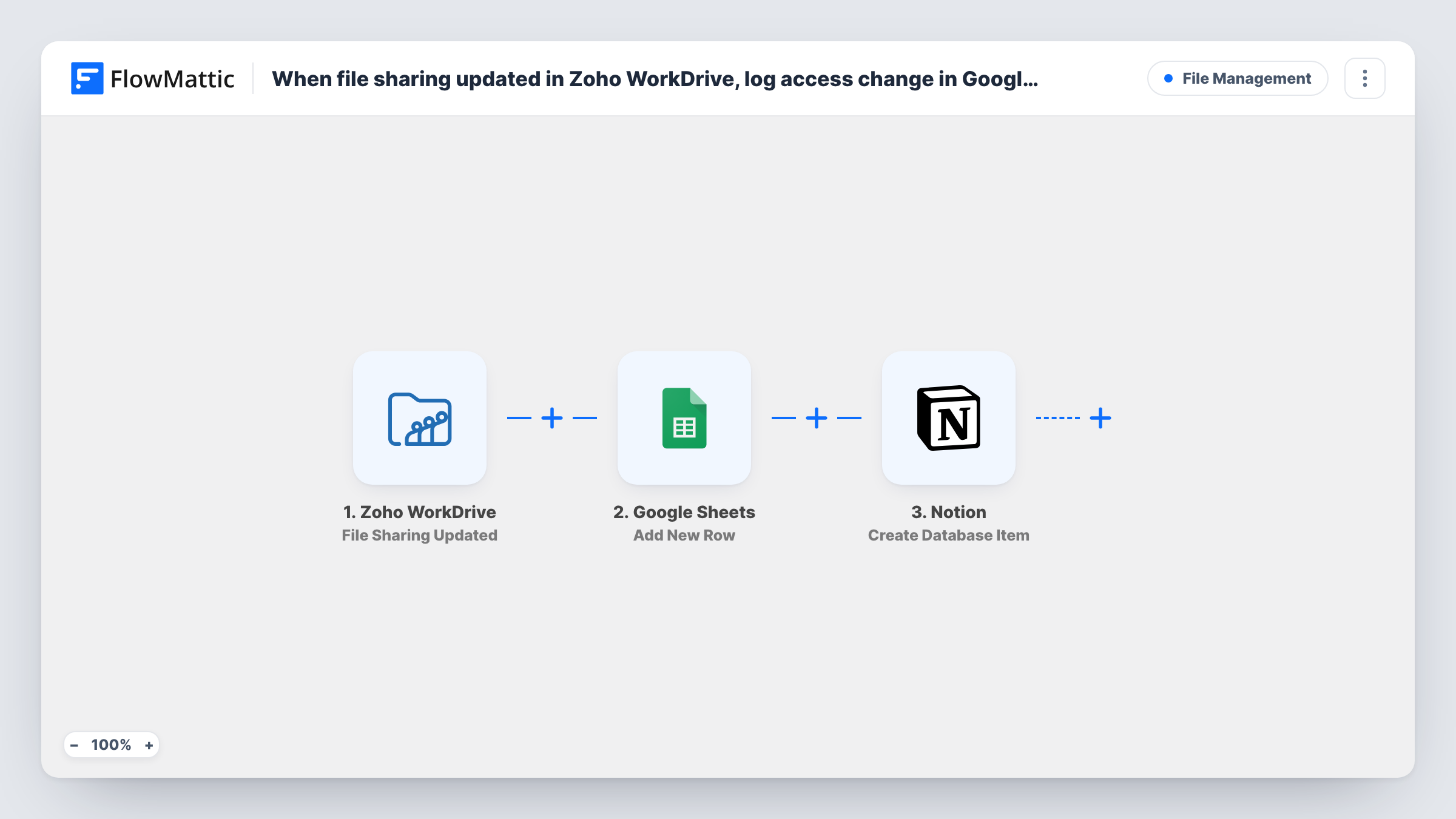
The Zoho WorkDrive trigger fires when a user's access level is changed on a file. FlowMattic first adds a new row to Google Sheets with the event data you map, giving you a flat log to sort and filter. It then creates an item in a Notion database, where the same change can sit beside your team's notes or review status.
Both steps run for every change, and Task History shows what each of them returned. Note that the trigger covers changes to existing shares only: first-time shares and removed access are separate WorkDrive events.
Client file audits for an agency
An agency shares project folders with clients in WorkDrive. When a client contact is moved from viewer to editor, the sheet and the Notion audit database both record it for the next account review.
Compliance trail for HR documents
HR keeps contracts in WorkDrive. Any change to who can edit a contract is written to a Notion database where the compliance lead marks it as reviewed.
Spotting unexpected edit rights
An IT admin scans the Google Sheets log each week for access raised to edit level on sensitive files, then checks the matching Notion item for context.
How this workflow runs
What happens at each step once the workflow is on, and what you need before you import it.
 Zoho WorkDrive File Sharing Updated
Fires when a user's access level is changed on a file in Zoho WorkDrive. The data about the file and the change is passed to the next two steps.
- Google Sheets Add New Row
Logs the access change on a new row of the Google Sheets spreadsheet you choose. Connect your Google account and map the WorkDrive values to your columns.
- Notion Create Database Item
Creates an item in the Notion database you select, holding the same change as an audit entry. Share the database with your Notion connection and map the WorkDrive values into it.
What you need
- FlowMatticCore
- Zoho WorkDrive AccountAccount
- Google Sheets AccountAccount
- Notion AccountAccount
After importing, map your own data. To keep the template universal, not every step is pre-filled. Open each step in the builder and connect your accounts and fields (channels, lists, sheets, recipients) before you switch the workflow on.
Make it yours
Changes worth making after you import it.
- For a full access history, import this template twice more and switch the trigger to WorkDrive's File Shared and File Sharing Removed events, pointing each at the same sheet and Notion database.
- Change a test user's access on a scratch file after import. The run captures what WorkDrive sends, so you can map those values into both steps.
- If only some files matter, put a Filter between the WorkDrive trigger and the Google Sheets step on a value from the event, such as the file or folder name. Routine changes then stay out of both the sheet and Notion.
Questions about this workflow
Does this log new shares or removed access in Zoho WorkDrive?
No. The trigger is File Sharing Updated, which fires when an existing user's access level changes. WorkDrive's File Shared and File Sharing Removed are separate triggers you can use in copies of this workflow.
Why write each access change to both Google Sheets and Notion?
The sheet is a plain log that is quick to sort or export. The Notion item can hold review status and comments. Delete either step if you only need one record.
Which WorkDrive details can I log in the sheet and in Notion?
Whatever the File Sharing Updated event sends. Neither action step comes mapped, so change a test user's access after import and map the captured values, such as the file name, into your columns and database properties.
Must the Notion audit database exist before I import this WorkDrive workflow?
Yes. The Notion step creates items in a database that already exists, so create one with properties for the details you plan to log and share it with your Notion connection.
More File Management workflows
Other ready-to-import templates from the same category.






Import this workflow into your WordPress site
Download the JSON, import it from the Workflows screen and connect your accounts. Every run stays on your server, with no per-task fees.
30-day money-back guarantee Unlimited workflows and runs Self-hosted