

When new lead captured in OpenRead, check if the email is valid with ZeroBounce, and add a new subscriber in Campaign Monitor
Every lead your OpenRead.io funnel captures has its email verified with ZeroBounce, and only addresses with a valid status are added as subscribers to your Campaign Monitor list.
 OpenRead.io
 ZeroBounce
 Filter
 Campaign Monitor
4 steps Setup ~8 min Used on 705 sites Free to import
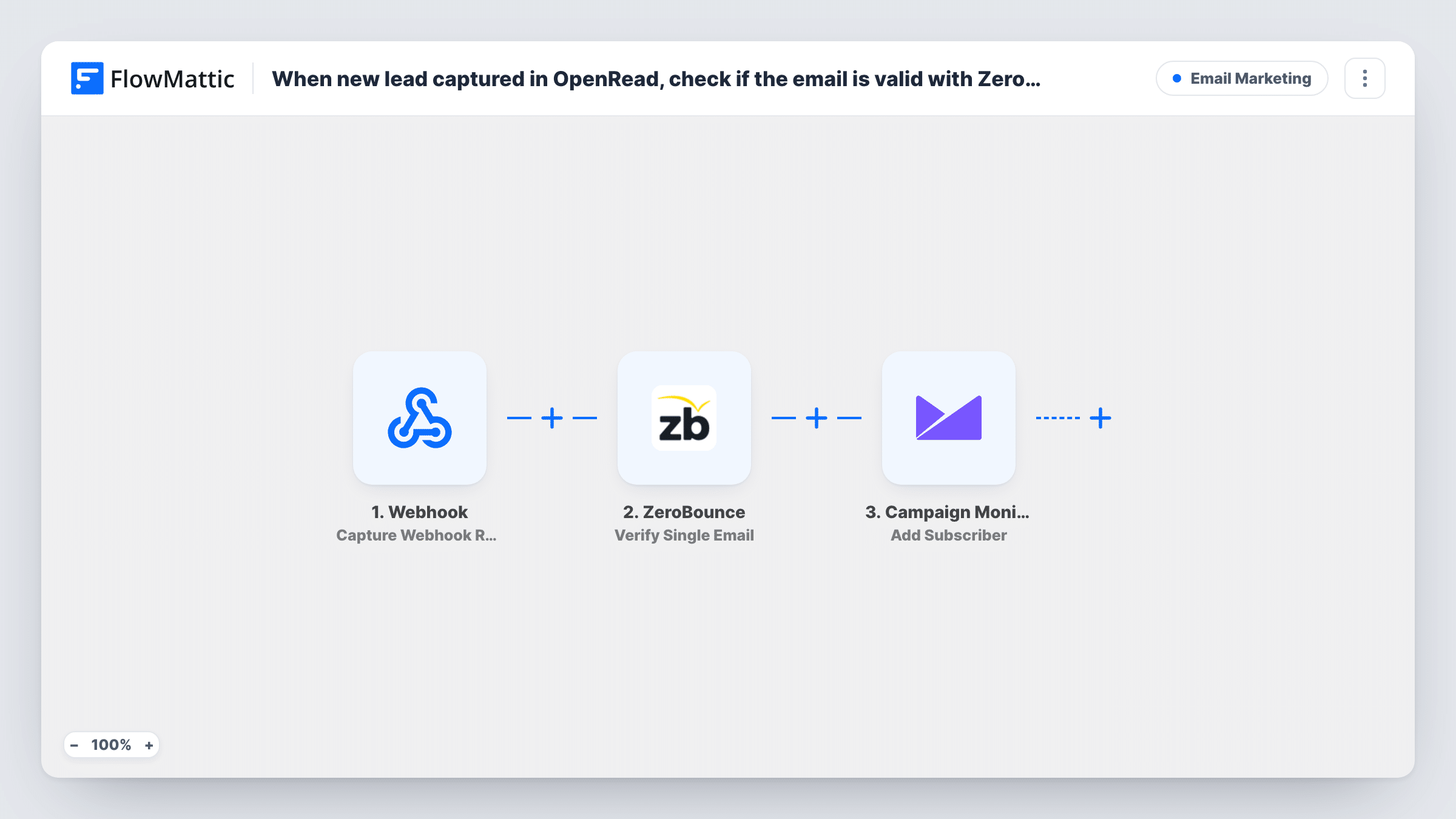
What this workflow does
Lead magnets attract plenty of sign-ups typed in a hurry or made up to get the download. Sending campaigns to those addresses means bounces on your Campaign Monitor account. This workflow checks each OpenRead.io lead first, so only addresses that pass verification join the list.
The OpenRead.io trigger picks up every visitor who hands over an address in your lead magnet funnel. That address is already mapped into the ZeroBounce Verify Single Email step, which returns a status for the address.
Then a Filter checks that status. It continues only when it exactly matches valid, with case ignored. Leads whose address comes back as invalid, catch-all, unknown or anything else stop at the Filter and never reach the list. Every lead is verified, whatever the outcome.
Valid leads reach Campaign Monitor, where Add Subscriber puts them on a list. The lead's email is mapped into this step too. After import you connect ZeroBounce and Campaign Monitor, choose the list, and add the lead's name if OpenRead.io sends one. Run one test lead with a real address and one with a made-up address, then compare them in Task History.
Ebook funnel feeding a newsletter
A marketer offers a free ebook through an OpenRead.io funnel and adds only verified readers to the Campaign Monitor list that gets the weekly newsletter.
Webinar lead magnet with a nurture series
A coach captures leads with an OpenRead.io checklist, and verified addresses land on the list that starts a Campaign Monitor welcome journey.
Starting a new list without fake sign-ups
A startup building its first list keeps fake sign-ups from its OpenRead.io giveaway off Campaign Monitor from day one.
How this workflow runs
What happens at each step once the workflow is on, and what you need before you import it.
 OpenRead.io Capture New Lead
Fires when OpenRead.io captures a new lead from your funnel. The lead's email and any other details OpenRead.io sends are passed to the next steps.
- ZeroBounce Verify Single Email
Checks the lead's email with ZeroBounce and returns a status. The OpenRead.io email is already mapped in; connect your ZeroBounce account after import.
- Filter Continue If Condition Meet
Continues only when the ZeroBounce status exactly matches valid, regardless of case. Any other status ends the run here, so the lead isn't added to Campaign Monitor.
- Campaign Monitor Add Subscriber
Adds the verified lead as a subscriber to your Campaign Monitor list, with the OpenRead.io email already mapped. Choose the list after import and map the name if the lead includes one.
What you need
- FlowMatticCore
- OpenRead.io AccountAccount
- ZeroBounce AccountAccount
- Campaign Monitor AccountAccount
After importing, map your own data. To keep the template universal, not every step is pre-filled. Open each step in the builder and connect your accounts and fields (channels, lists, sheets, recipients) before you switch the workflow on.
Make it yours
Changes worth making after you import it.
- Map the lead's name into the Add Subscriber step if OpenRead.io sends it, so your Campaign Monitor emails can greet subscribers personally.
- If you would rather keep catch-all addresses, change the existing Filter so a catch-all status also lets the run through, and watch that list's bounces afterwards.
- Don't switch the Filter's condition to contains: because checks ignore case and match inside words, contains valid would also pass invalid addresses.
Questions about this workflow
What happens to an OpenRead.io lead with an invalid email?
ZeroBounce verifies it and returns a status other than valid, so the Filter stops the run. The lead is not added to Campaign Monitor, and Task History shows the status it got.
Which Campaign Monitor list do OpenRead.io leads join?
The one you pick in the Add Subscriber step after import. The template maps the email but leaves the list for you to choose.
Are catch-all addresses added to the list?
Not as imported. Only an exact valid status passes the Filter. You can edit the Filter to accept catch-all too if those addresses matter to you.
What if the lead is already subscribed in Campaign Monitor?
Campaign Monitor decides how to treat an address already on the list. Send a test lead with an existing subscriber's email and read the response in Task History.
More Email Marketing workflows
Other ready-to-import templates from the same category.






Import this workflow into your WordPress site
Download the JSON, import it from the Workflows screen and connect your accounts. Every run stays on your server, with no per-task fees.
30-day money-back guarantee Unlimited workflows and runs Self-hosted