

When new user is created in WordPress, add subscriber in Campaign Monitor
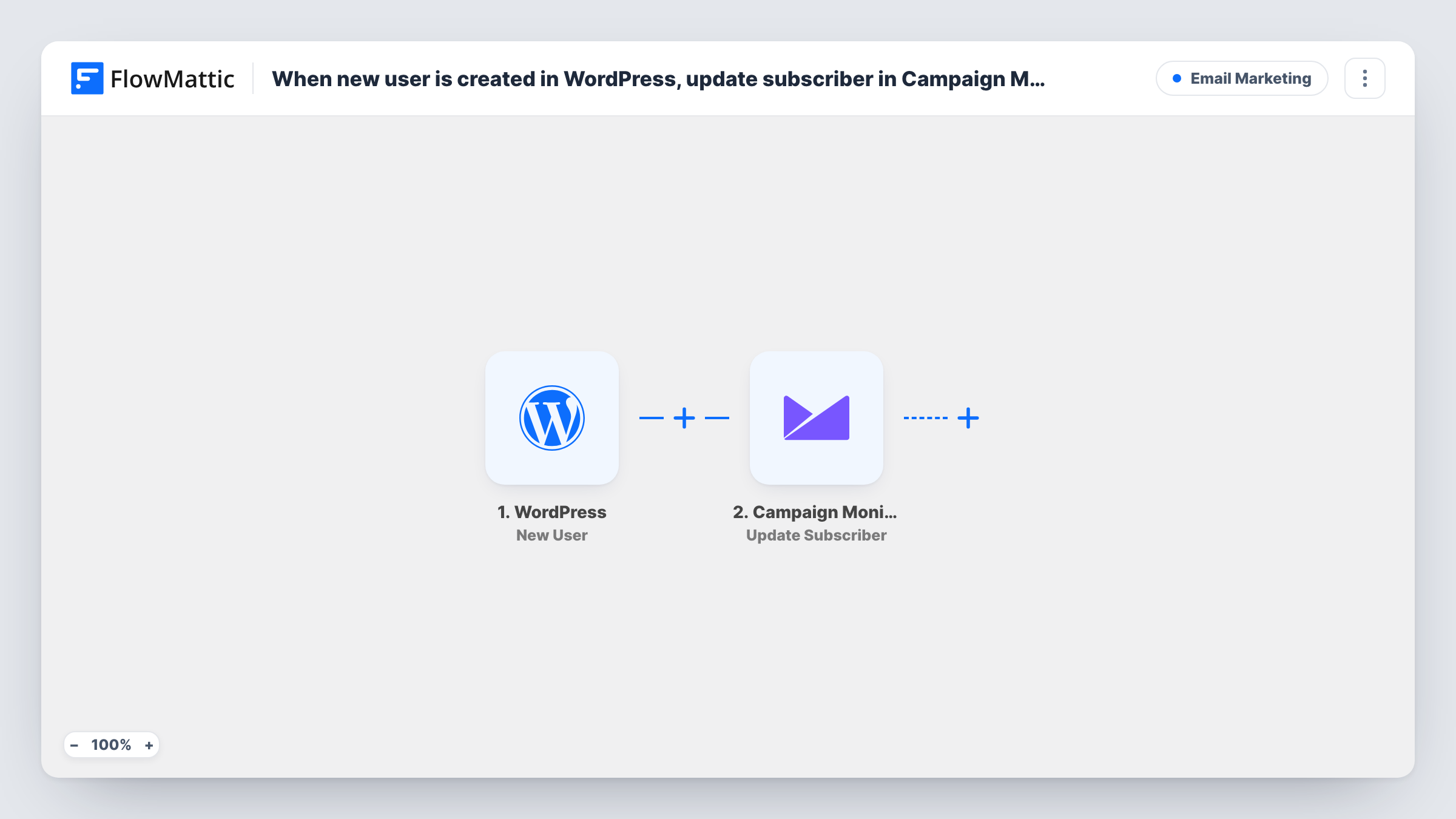
When a user account is created on your WordPress site, FlowMattic subscribes that person to the Campaign Monitor list you choose, using the email and name you map.
 WordPress
 Campaign Monitor
2 steps Setup ~5 min Used on 3.1k sites Free to import
What this workflow does
Registered users are people who already chose to engage with your site, so they are a natural audience for your newsletters and announcements. Exporting them from WordPress and importing them into Campaign Monitor every few weeks leaves gaps. This workflow subscribes each one when their account is created.
The WordPress New User trigger hooks into account registration. It runs for every new account: a visitor signing up, an administrator adding someone in the dashboard, or a plugin or import creating users. FlowMattic passes the account's details on to the next step.
Next, Campaign Monitor receives the person as a subscriber on one of your lists. It has no mapping in the template, so after import you connect your account, select the list and map the user's email address and name into it.
Since imports and admin-created accounts also run the workflow, decide whether those people belong on a marketing list before you switch it on. Consent rules for email marketing still apply to you; a Filter on the user role or a sign-up checkbox helps here. Each run, with Campaign Monitor's reply, is listed in Task History.
Community forum members
A forum built on WordPress subscribes each new member to a Campaign Monitor list used for the weekly digest of popular threads.
Event site registrations
A conference site that asks attendees to create an account adds them to a list that receives schedule changes and speaker news.
Customer portal sign-ups
A service company whose clients log in to a WordPress portal keeps those clients on a Campaign Monitor list for service updates.
How this workflow runs
What happens at each step once the workflow is on, and what you need before you import it.
 WordPress New User
Runs when a user account is registered in WordPress, including accounts added by an administrator, a plugin or an import. The new account's email, name and profile details are passed on.
- Campaign Monitor Add Subscriber
Subscribes the person to a Campaign Monitor list. No fields are mapped in the template, so after import connect Campaign Monitor, select the list and map the user's email and name.
What you need
- FlowMatticCore
- Campaign Monitor AccountAccount
After importing, map your own data. To keep the template universal, not every step is pre-filled. Open each step in the builder and connect your accounts and fields (channels, lists, sheets, recipients) before you switch the workflow on.
Make it yours
Changes worth making after you import it.
- Put a Filter between the WordPress New User trigger and the Campaign Monitor step that continues only when the user role equals the one your sign-up form assigns, so admin and editor accounts stay off the list.
- If you plan a bulk user import into WordPress, turn the workflow off during the import, unless you want every imported person subscribed to Campaign Monitor.
- Register a test account with your own email after setup, then look for it on the Campaign Monitor list to confirm the name and email arrived as mapped.
Questions about this workflow
Do users created by an import plugin get added to Campaign Monitor?
Yes. The New User trigger fires for every account WordPress registers, so users created in bulk by a plugin each start a run and are subscribed.
Does this update a subscriber when a WordPress profile changes?
No. The trigger fires only when the account is first created. Later changes to the user's name or email in WordPress don't reach Campaign Monitor.
What if the new user's email is already a Campaign Monitor subscriber?
Campaign Monitor handles addresses that are already on the list in its own way. Make a test account with an email you know is subscribed and read the reply in Task History.
Can I send WordPress users to different Campaign Monitor lists?
Yes. Add a Router between the New User trigger and the Campaign Monitor step, move that step into one route and copy it into the others, each with its own list, using role conditions that can't both match.
More Email Marketing workflows
Other ready-to-import templates from the same category.





Import this workflow into your WordPress site
Download the JSON, import it from the Workflows screen and connect your accounts. Every run stays on your server, with no per-task fees.
30-day money-back guarantee Unlimited workflows and runs Self-hosted