

When order paid in SureCart, generate blog post based on the prompt using Groq AI and create a new blog post in WordPress
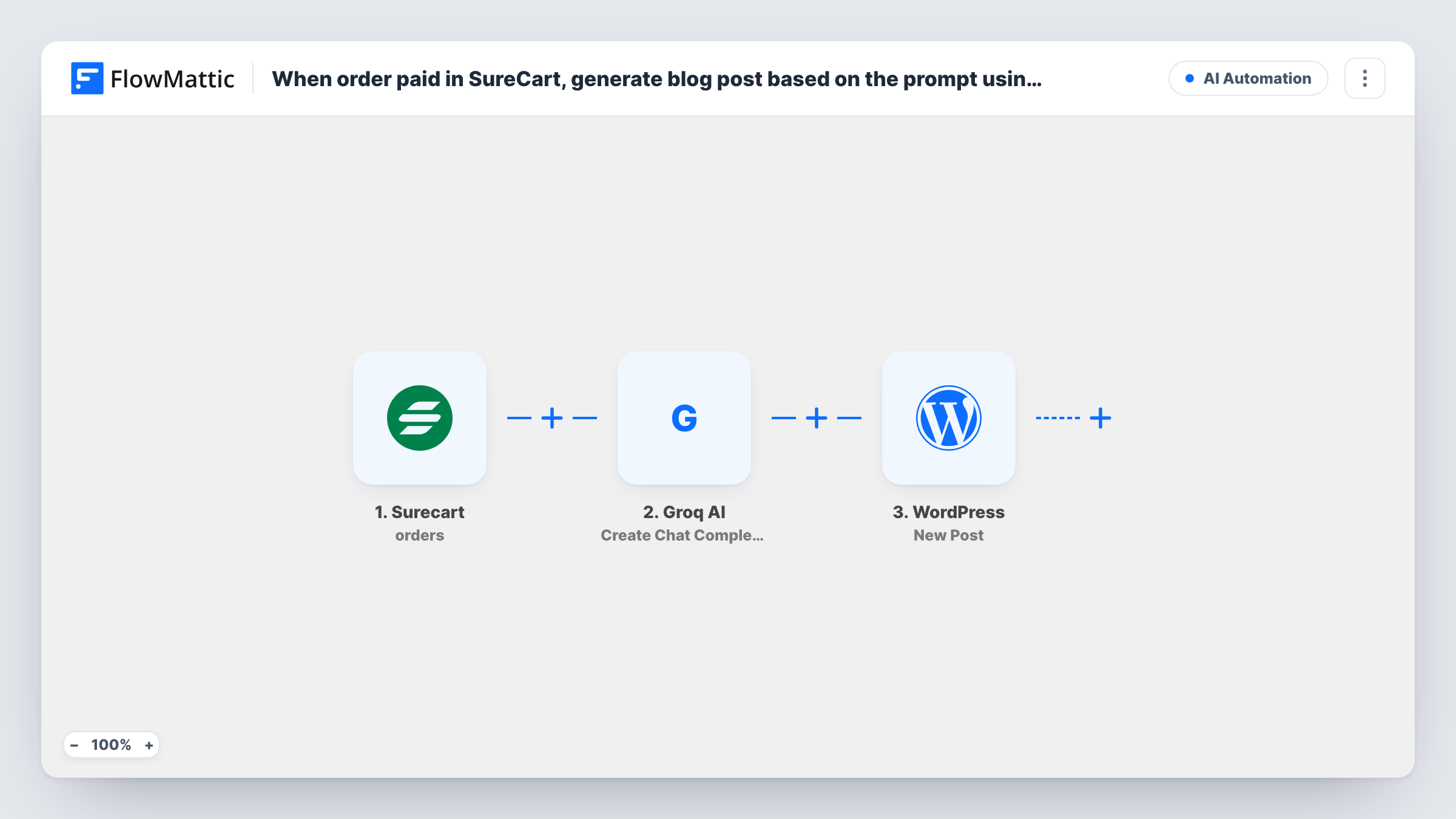
When a SureCart order is paid, Groq AI writes a blog post from the prompt you set, and FlowMattic creates that text as a new WordPress post on your site.
 Surecart
 Groq AI
 WordPress
3 steps Setup ~5 min Used on 992 sites Free to import
What this workflow does
Some stores sell content: a sponsored listing, a featured write-up, a custom article. Once the buyer pays, someone still has to write and post it. This workflow starts that work the moment payment clears, by asking Groq AI for a draft and placing it on your WordPress site.
The SureCart trigger runs when an order's status changes to paid, and passes the order data on. The Groq AI step sends a chat completion request and gets back the model's reply. It ships without a prompt, so after import you write the instructions yourself, mapping in order details such as the product name or anything the buyer entered at checkout.
The WordPress step then creates a new post. It is unmapped too: map Groq's reply into the post content and set a title, either from the order or from the AI output. Every paid order creates one post, so a store with many orders gets many posts.
AI text should be read before it goes in front of readers. Run a test order, then look at Task History to see the prompt Groq received, the reply it returned and the post WordPress created.
Paid sponsored posts for a niche blog
A directory site sells sponsored write-ups through SureCart. Each paid order asks Groq for a draft about the sponsor's business, using the details entered at checkout, and adds it as a post.
Custom guides sold as products
A travel site sells personalised itinerary articles. Payment triggers a Groq draft built from the destination the buyer chose, which then becomes a post for the editor to finish.
Event listing write-ups
A local events blog charges organisers for a featured listing. When the order is paid, Groq drafts the announcement from the event details and WordPress stores it as a post.
How this workflow runs
What happens at each step once the workflow is on, and what you need before you import it.
 Surecart Order paid
A SureCart order moving to the paid status is what starts each run. The order data, including the products and the customer's checkout details, becomes available to the Groq AI and WordPress steps.
- Groq AI Create Chat Completion
Sends a chat completion request to Groq AI and returns the model's reply. No prompt is set in the template: after import, write the instructions for the blog post, mapping in the SureCart order details you need.
- WordPress New Post
Adds the AI-written article to WordPress as a brand-new post. The step ships unmapped, so map the Groq reply into the post content and choose a title from the order or the AI output, then check the post a test run creates.
What you need
- FlowMatticCore
- SureCart AccountAccount
- Groq AI AccountAccount
After importing, map your own data. To keep the template universal, not every step is pre-filled. Open each step in the builder and connect your accounts and fields (channels, lists, sheets, recipients) before you switch the workflow on.
Make it yours
Changes worth making after you import it.
- Put a Filter between the SureCart trigger and the Groq AI step that checks the product in the order, so only purchases of your content product produce a post and other paid orders create nothing.
- Ask Groq in your prompt to put the title on the first line, or add a second Groq step that writes only a title, so you have a clean value to map into the post title.
- Write the prompt with the exact structure you want, such as headings and a word range, and map buyer-supplied details into it so each post is about that order.
Questions about this workflow
Does every paid SureCart order create a WordPress post?
Yes, as imported. Each order that changes to paid starts a run, and each run creates one post. If you sell other products too, put a Filter on the product between the SureCart trigger and the Groq AI step.
What does Groq AI write about?
The topic and shape you describe in your own instructions. The template leaves the Create Chat Completion step without instructions, so you write them and map in the order details Groq should use.
Do I need a Groq account for this SureCart workflow?
Yes. The Groq AI step connects to your own Groq account, so you need access to its API to send the chat completion request.
Can I check the AI text before it appears on my site?
Review it in Task History after each run, and edit the post in WordPress before you share it. Read the first few posts closely while you tune the prompt.
More AI Automation workflows
Other ready-to-import templates from the same category.







Import this workflow into your WordPress site
Download the JSON, import it from the Workflows screen and connect your accounts. Every run stays on your server, with no per-task fees.
30-day money-back guarantee Unlimited workflows and runs Self-hosted