

When payment failed in WP Travel Engine, send retry notification via Twilio SMS and alert admin via Slack
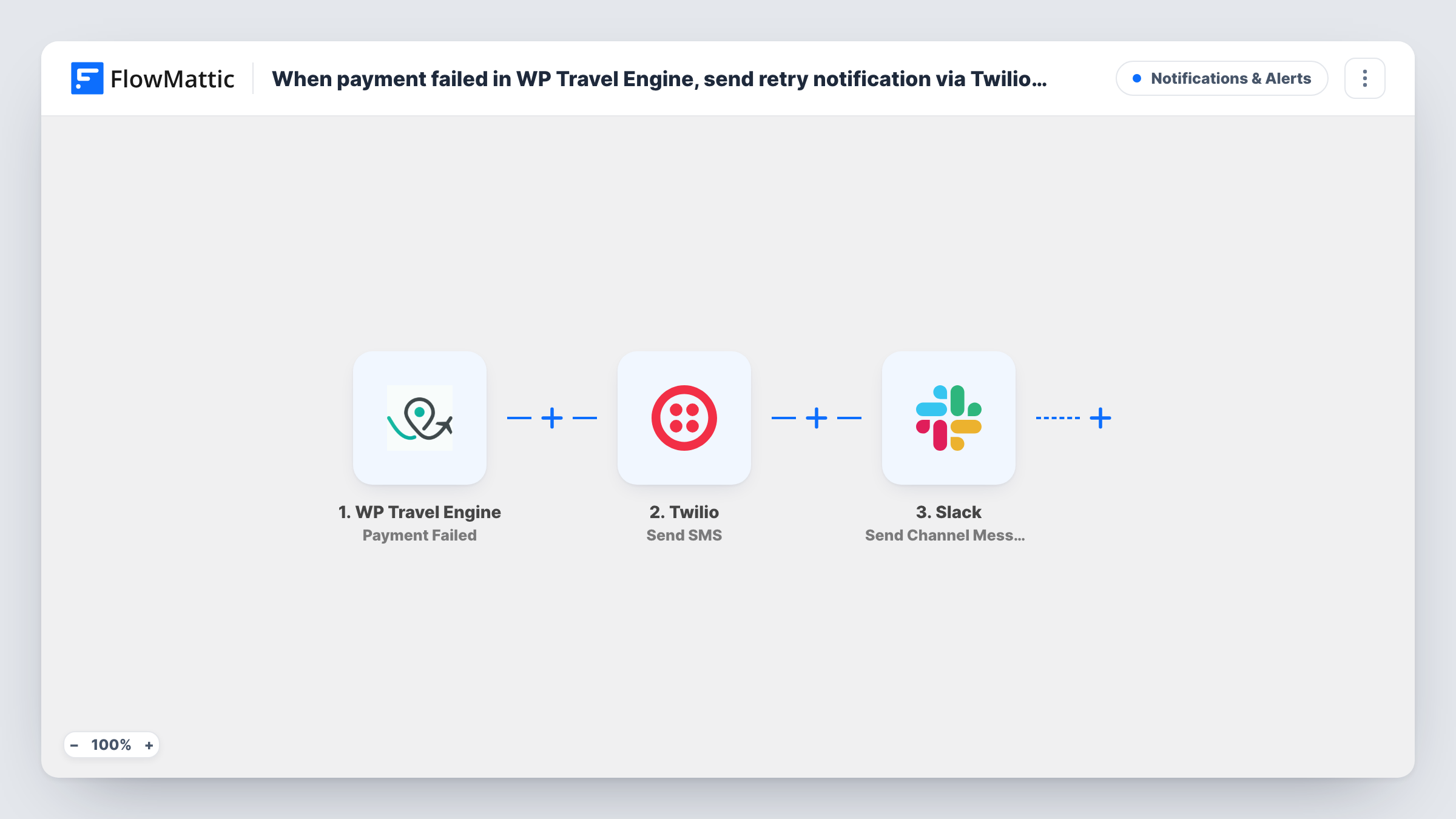
When a payment fails in WP Travel Engine, this workflow texts the traveler through Twilio so they know to try again, then posts an alert to a Slack channel so your team can follow up.
 WP Travel Engine
 Twilio
 Slack
3 steps Setup ~5 min Used on 1.6k sites Free to import
What this workflow does
A failed payment on a tour booking can go unnoticed until the traveler asks why their trip isn't confirmed. This workflow tells both sides straight away. The traveler gets a text asking them to retry, and your staff see the failure in Slack.
The WP Travel Engine trigger fires when a payment fails on your WordPress site. The booking and payment data it receives is passed on. The Twilio step sends an SMS that you write, to the phone number you map from that data. The workflow then posts a message to a Slack channel with the details you include, such as the booking and the traveler's name.
The text says only what you write in it. If you want to include a link for paying again, add it to the message yourself. Task History logs each run and any error from Twilio or Slack.
Small tour operator without a front desk
A two-person tour company hears about failed payments in Slack on their phones, while the traveler already has a text asking them to try again.
Travel agency with a bookings team
The bookings channel in Slack gets a message for each failed payment, so someone can call the traveler if the retry doesn't happen.
Last-minute bookings for day trips
Travelers booking a trip for the next day get a text right away, giving them a chance to pay before the date arrives.
How this workflow runs
What happens at each step once the workflow is on, and what you need before you import it.
 WP Travel Engine Payment Failed
Runs when a payment fails in WP Travel Engine on your WordPress site. The booking and payment details are passed to the Twilio and Slack steps for mapping.
- Twilio Send SMS
Sends an SMS through your Twilio account to the traveler. Map their phone number from the booking data and write the message, including how to pay again. Test with a booking that has your own number.
- Slack Send Channel Message
Posts a message about the failed payment to a Slack channel. Include the booking details your team needs to follow up. You link your Slack workspace while importing.
What you need
- FlowMatticCore
- WP Travel Engine PluginPlugin
- Twilio AccountAccount
- Slack AccountAccount
After importing, map your own data. To keep the template universal, not every step is pre-filled. Open each step in the builder and connect your accounts and fields (channels, lists, sheets, recipients) before you switch the workflow on.
Make it yours
Changes worth making after you import it.
- Run a test with a booking that has no phone number, then open Task History to see what the Twilio step returned for it before you go live.
- Put a link to your booking or checkout page in the SMS, so the traveler knows where to try the payment again.
- Add a Delay and a second Slack message if you want a reminder in the channel some hours after the failure.
Questions about this workflow
Does the SMS include a payment link from WP Travel Engine?
Only if you add one. The message holds the text and mapped fields you write in the Twilio step. Check the trigger's data in a test run to see what booking details you can use.
Which phone number does the Twilio text go to?
The one you map into the Send SMS step. The template leaves it unmapped, so pick the traveler's phone from the WP Travel Engine payment data after a test. Store travelers' phone numbers with their country code, since Twilio sends to numbers in international format.
Do I need a Twilio phone number?
You need a Twilio account set up to send SMS, which you connect on import.
Does the workflow retry the WP Travel Engine payment itself?
No. It only sends the SMS and the Slack message. The traveler has to pay again through your site.
More Notifications & Alerts workflows
Other ready-to-import templates from the same category.




Import this workflow into your WordPress site
Download the JSON, import it from the Workflows screen and connect your accounts. Every run stays on your server, with no per-task fees.
30-day money-back guarantee Unlimited workflows and runs Self-hosted