

Invite Gravity Forms registrants to Eventee and send an ActiveCampaign confirmation automation
Each Gravity Forms registration is invited to your Eventee event, saved as an ActiveCampaign contact and added to the automation that sends your confirmation email.
 Gravity Forms
 Eventee
 ActiveCampaign
4 steps Setup ~8 min Used on 2.7k sites Free to import
What this workflow does
When people register for your event on your own WordPress site, three things need to happen: they need access to the event app, they need to be in your email tool, and they need a confirmation. This workflow handles all three from one form submission, so nobody copies attendee lists between systems.
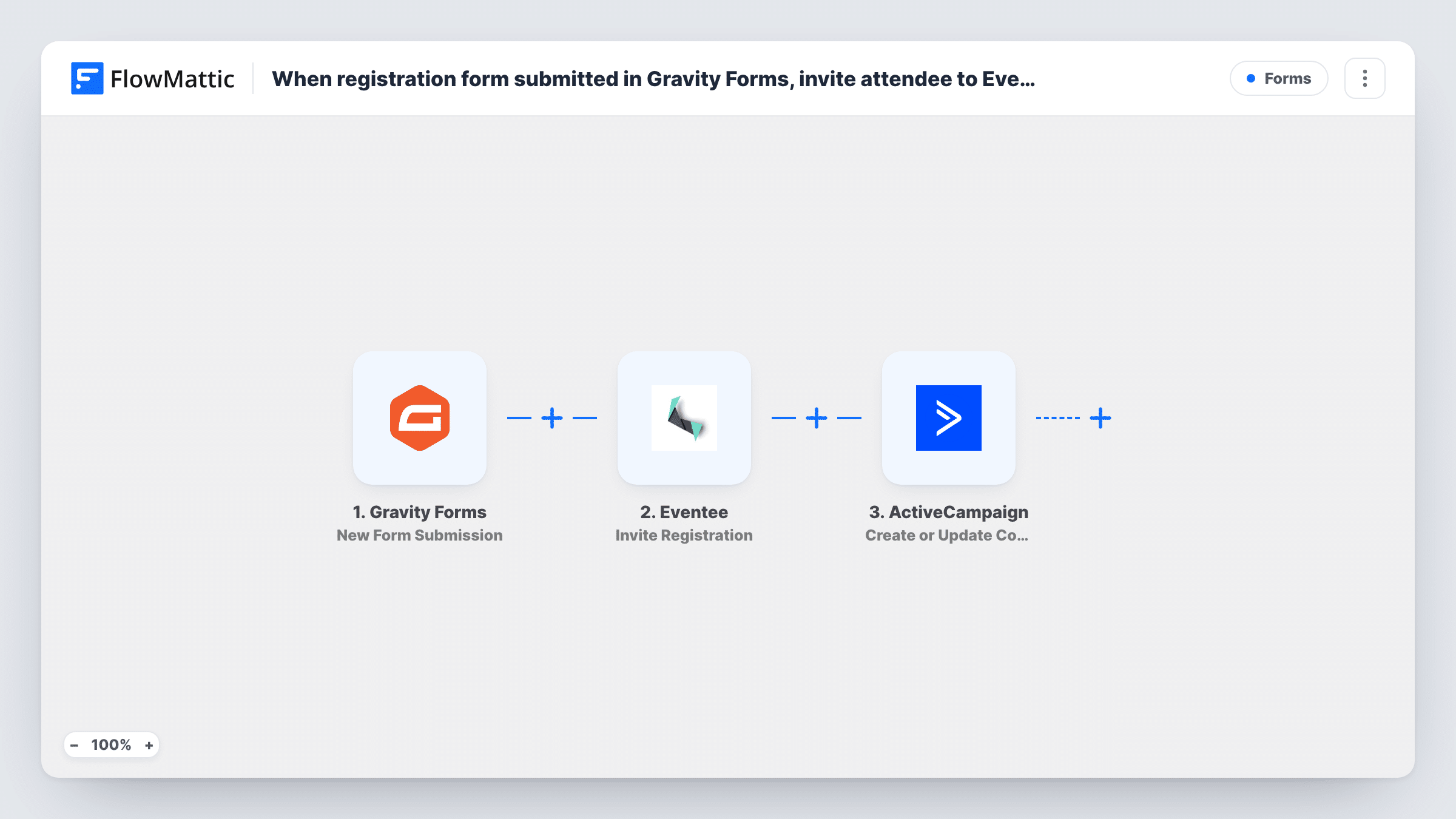
The Gravity Forms trigger starts a run each time your registration form is submitted. Step two sends that registration to Eventee with Invite Registration, which FlowMattic describes as inviting a public event registration to your Eventee event. After you connect the Eventee account for your event, you map the registrant's email and name from the form.
Then ActiveCampaign creates a contact for the registrant, or updates the existing one. The last step adds that contact to an automation you have built in ActiveCampaign, which is where the confirmation email lives. Because the contact step runs first, the person exists in ActiveCampaign by the time the automation step needs them.
All three action steps ship unmapped. After import, choose your form in the trigger, then map fields into Eventee and ActiveCampaign and pick the automation. Submit a test registration and check Task History to see what Eventee and ActiveCampaign returned.
Conference registration on your own site
An industry association takes conference signups with Gravity Forms. Each registrant is invited to the Eventee app for the agenda and gets a confirmation series from ActiveCampaign.
Free meetups with a reminder sequence
A community organiser runs monthly meetups. The ActiveCampaign automation sends the confirmation, then a reminder the day before, while Eventee holds the schedule.
Customer summit for existing clients
A SaaS company invites customers to a yearly summit. Registrants who are already ActiveCampaign contacts are updated rather than duplicated, then join the summit automation.
How this workflow runs
What happens at each step once the workflow is on, and what you need before you import it.
 Gravity Forms New Form Submission
Starts the workflow when your Gravity Forms registration form is submitted. Choose the form after import; its fields, such as name and email, become available to the next steps.
- Eventee Invite Registration
Invites the registration to your Eventee event. The step ships unmapped: connect Eventee for the event you're running, then map the registrant's email and name from the form.
- ActiveCampaign Create or Update Contact
Creates the registrant as an ActiveCampaign contact, or updates the contact if it already exists. Map at least the email from the form, plus name or other fields you collect.
- ActiveCampaign Add Existing Contact to Automation
Adds the contact from step three to an ActiveCampaign automation. Pick the automation that sends your confirmation email and map the contact so the right person enters it.
What you need
- FlowMatticCore
- Gravity Forms PluginPlugin
- Eventee AccountAccount
- ActiveCampaign AccountAccount
After importing, map your own data. To keep the template universal, not every step is pre-filled. Open each step in the builder and connect your accounts and fields (channels, lists, sheets, recipients) before you switch the workflow on.
Make it yours
Changes worth making after you import it.
- Build the confirmation automation in ActiveCampaign before import, so it is ready to pick in the last step. Put the event date and joining details in its first email.
- Make the email field required in your Gravity Forms registration form, since both Eventee and ActiveCampaign need it for the registrant.
- If your form has a consent checkbox for marketing email, put a Filter between the Eventee step and the Create or Update Contact step that continues only when it is ticked. Everyone still gets the Eventee invite.
- Running several events through different Gravity Forms forms? Give each event its own copy of this workflow, with its own form, Eventee connection and ActiveCampaign automation.
Questions about this workflow
What if the registrant is already an ActiveCampaign contact?
Step three creates or updates, so an existing contact is updated, not duplicated. The next step then adds that contact to your confirmation automation.
Does ActiveCampaign send the confirmation email, or FlowMattic?
ActiveCampaign does. The workflow only adds the registrant to your automation, and the emails inside it are the ones you design in ActiveCampaign.
Do I need an Eventee event set up before importing this workflow?
Yes. Invite Registration adds people to an existing Eventee event, so create the event first, connect it in FlowMattic, and send a test registration to confirm the invite lands in the right place.
Will someone who submits the Gravity Forms registration twice get two invites?
Each submission starts a new run, so a second submission sends the details to Eventee again and adds the contact to the automation again. Check in Eventee and ActiveCampaign how each handles a repeat.
More Forms workflows
Other ready-to-import templates from the same category.







Import this workflow into your WordPress site
Download the JSON, import it from the Workflows screen and connect your accounts. Every run stays on your server, with no per-task fees.
30-day money-back guarantee Unlimited workflows and runs Self-hosted