

When reply received in Instantly with specific words, enroll the user in a course in Tutor LMS
When an Instantly reply contains the keyword (set to ‘enroll’, change it to your own), FlowMattic finds or creates the sender’s WordPress account from their email and enrolls that user in the Tutor LMS course you pick.
 Instantly
 Filter
 WordPress
 Tutor LMS
4 steps Setup ~8 min Used on 2.1k sites Free to import
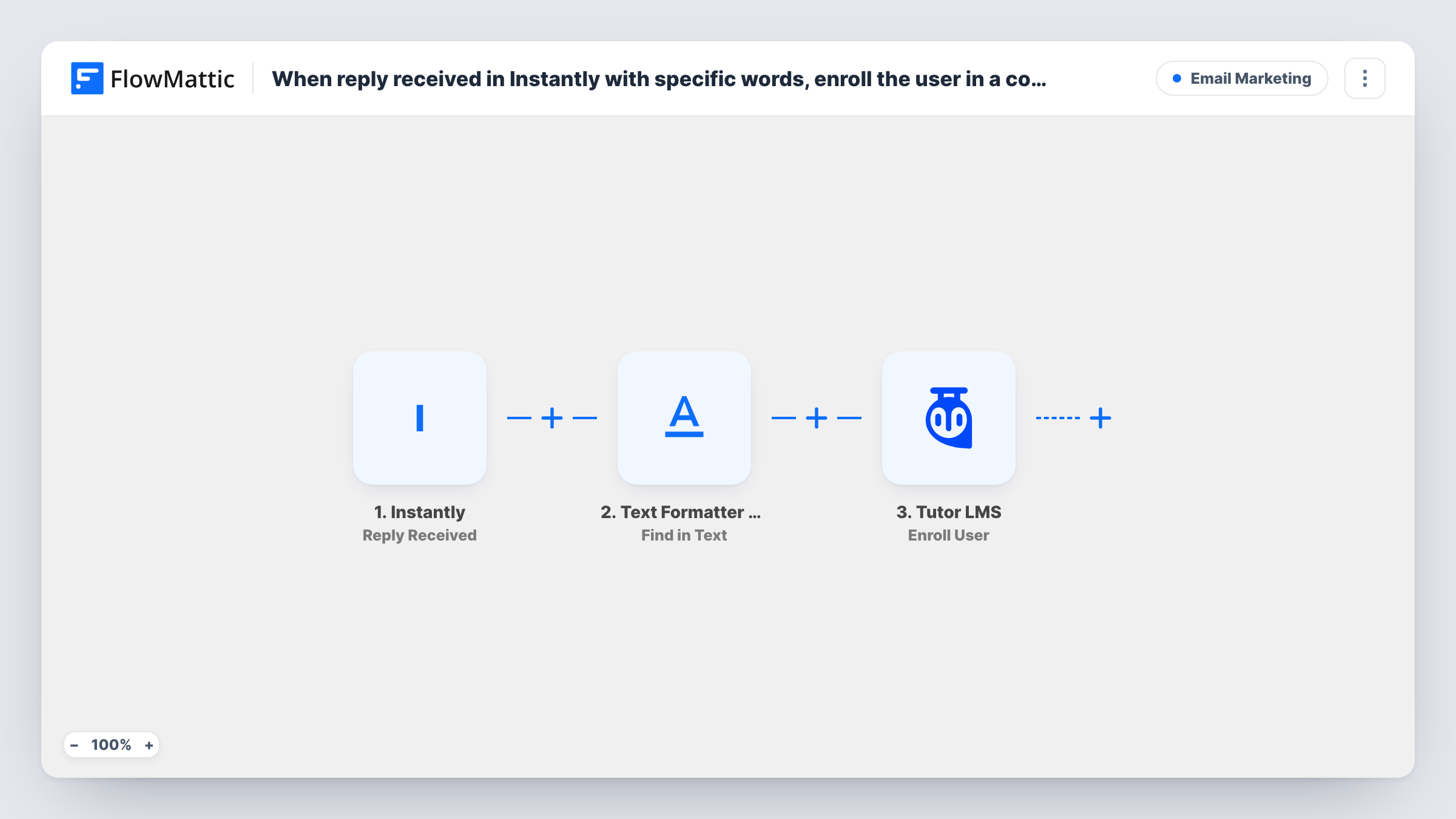
How this workflow runs
What happens at each step once the workflow is on, and what you need before you import it.
 Instantly Reply Received
The workflow starts automatically when someone replies to email sent in a particular campaign in Instantly. FlowMattic captures that data for the steps below.
- Filter Continue If
The Filter only lets a run continue when your conditions are met, stopping everything else before it goes any further.
- WordPress New User
WordPress — triggers when a new user is registered. Data is mapped from earlier steps; connect your WordPress account on import.
- Tutor LMS Enroll User
Tutor LMS — enroll an user to a course. Data is mapped from earlier steps; connect your Tutor LMS account on import.
What you need
- FlowMatticCore
- Instantly AccountAccount
- Tutor LMS PluginPlugin
After importing, map your own data. To keep the template universal, not every step is pre-filled. Open each step in the builder and connect your accounts and fields (channels, lists, sheets, recipients) before you switch the workflow on.
More Email Marketing workflows
Other ready-to-import templates from the same category.






Import this workflow into your WordPress site
Download the JSON, import it from the Workflows screen and connect your accounts. Every run stays on your server, with no per-task fees.
30-day money-back guarantee Unlimited workflows and runs Self-hosted