

When Submission Received in KwesForms, Add Contact in Sendinblue, Add Row in Smartsheet
Every KwesForms submission becomes a new contact in Brevo (Sendinblue) and a new row in a Smartsheet sheet, so your email list and your tracking sheet both get the entry without manual copying.
 KwesForms
 Brevo ( Sendinblue )
 Smartsheet
3 steps Setup ~5 min Used on 324 sites Free to import
What this workflow does
KwesForms handles the form on your site, but the people who fill it in usually need to end up in two other places: your email marketing tool and the sheet where your team tracks work. Copying each entry into both is slow and easy to get wrong. This workflow does it on every submission.
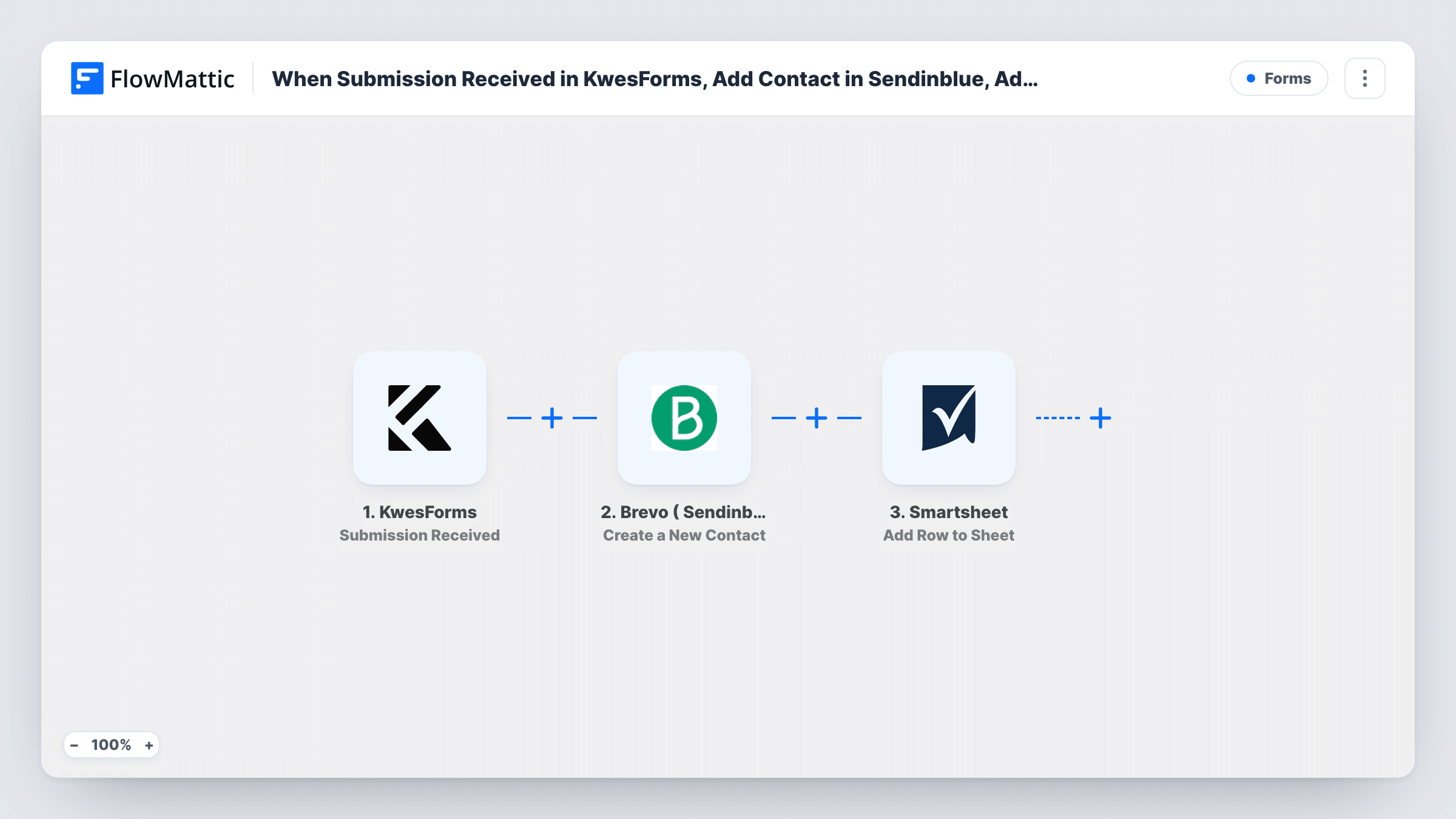
When KwesForms receives a submission, FlowMattic picks up the answers. The second step uses Brevo (Sendinblue) Create a New Contact, where you map the submitted email address and any other answers you want stored on the contact. The third step adds a row to the Smartsheet sheet you choose, with form answers mapped to its columns.
The steps run in that order for every submission, and there is no Filter, so each entry reaches both apps. If Brevo returns an error, for example on an address it won't accept, the Smartsheet row is still added and Task History shows what Brevo replied.
Event registration form
Attendees register through a KwesForms form. Brevo holds them as contacts for reminder emails, and the event team tracks seating or dietary notes in a Smartsheet row per person.
Partner or reseller applications
Each application lands in Smartsheet, where your team marks review status, while the applicant is already in Brevo for any follow-up campaign.
Service enquiries for an agency
Enquiries from a static site built with KwesForms reach Brevo for nurture emails and Smartsheet for the project manager who assigns the work.
How this workflow runs
What happens at each step once the workflow is on, and what you need before you import it.
 KwesForms Submission Received
Fires when KwesForms receives a new submission from your form. Each answer becomes available to map into the Brevo and Smartsheet steps.
- Brevo ( Sendinblue ) Create a New Contact
Creates a contact in Brevo (Sendinblue) from the submission. Connect your Brevo account and map the form's email field, plus any other answers you want on the contact. Test with a fresh address first.
- Smartsheet Add Row to Sheet
Adds a row to the Smartsheet sheet you pick. Connect Smartsheet, choose the sheet and map each column to a form answer, or to data returned by the Brevo step.
What you need
- FlowMatticCore
- KwesForms AccountAccount
- Brevo ( Sendinblue ) AccountAccount
- Smartsheet AccountAccount
After importing, map your own data. To keep the template universal, not every step is pre-filled. Open each step in the builder and connect your accounts and fields (channels, lists, sheets, recipients) before you switch the workflow on.
Make it yours
Changes worth making after you import it.
- Make the email field required in your KwesForms form, so the Brevo step always has an address to create the contact with.
- Add a Filter after the trigger that continues only when a consent checkbox is ticked, if you only want people who opted in added to Brevo and Smartsheet.
- Submit a test entry after import so FlowMattic captures the KwesForms answers, then map them in both later steps before you turn the workflow on.
Questions about this workflow
What if a KwesForms visitor's address is already in Brevo?
The step is Create a New Contact, so Brevo may refuse an address it already holds. Task History shows Brevo's response for that run, and the Smartsheet row is added either way.
Do I need a paid Smartsheet plan for this KwesForms workflow?
You need a Smartsheet account that can edit the sheet you choose, connected in FlowMattic. Check your Smartsheet plan for what it allows; the workflow itself adds one row per submission.
Does KwesForms still store the submission?
Yes. The workflow only reacts to new submissions. It doesn't change how KwesForms handles or keeps the entry.
Can the Brevo contact be added to a particular list?
Open the Create a New Contact step after import and see which options it offers for your Brevo account. Run a test submission to confirm the contact lands where you expect.
More Forms workflows
Other ready-to-import templates from the same category.







Import this workflow into your WordPress site
Download the JSON, import it from the Workflows screen and connect your accounts. Every run stays on your server, with no per-task fees.
30-day money-back guarantee Unlimited workflows and runs Self-hosted