

When user enrolls in a course in Tutor LMS, add tag to the contact in Groundhogg and Create a new affiliate in ThriveCart
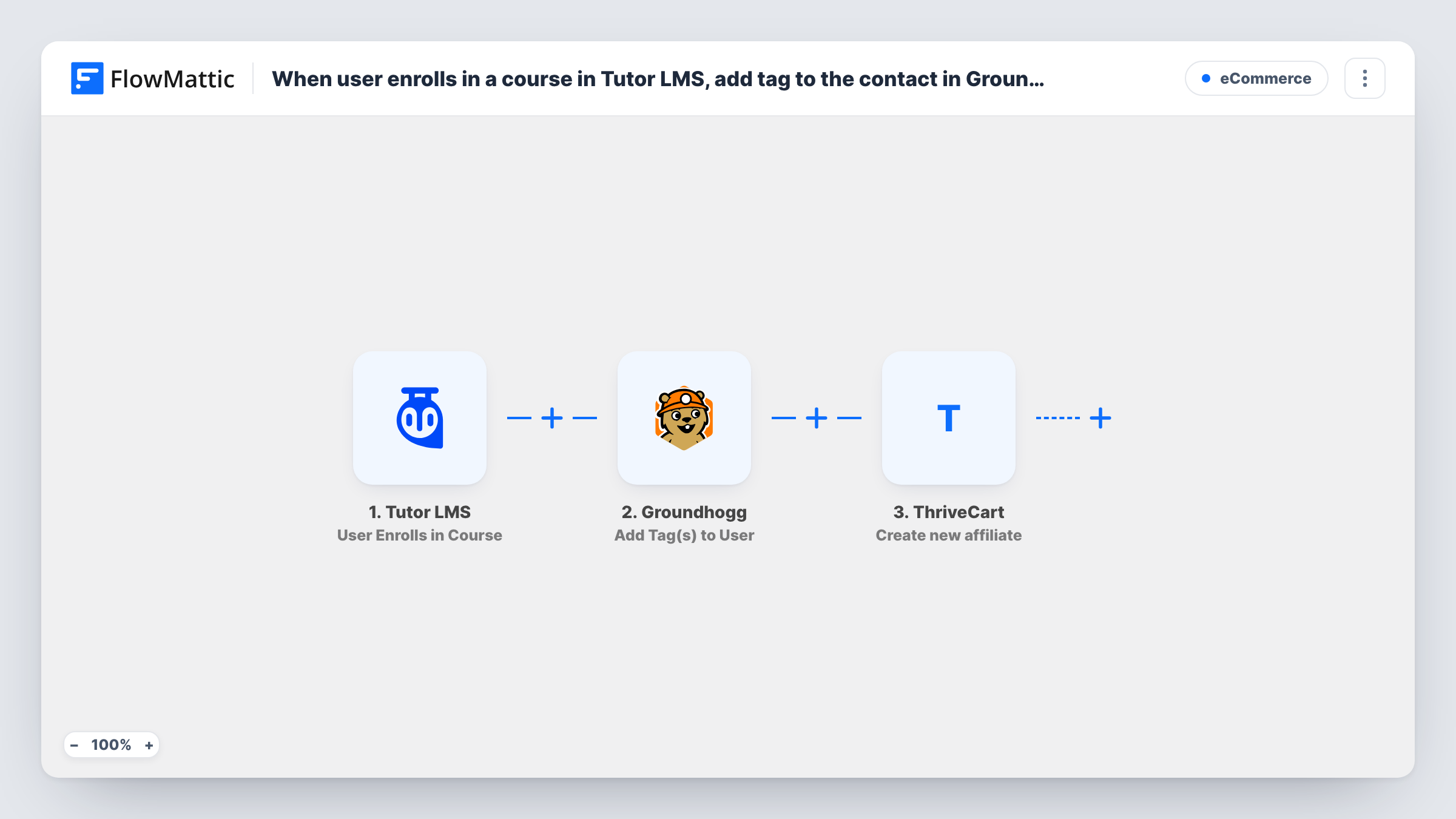
Each time a learner enrolls in a Tutor LMS course, this workflow adds the tags you pick to them in Groundhogg and then creates a new affiliate for them in ThriveCart, linking course access to your CRM and referral program.
 Tutor LMS
 Groundhogg
 ThriveCart
3 steps Setup ~5 min Used on 2.0k sites Free to import
What this workflow does
Students who join a course are often the people most willing to recommend it. If you want them tagged for course emails and signed up to promote your products, doing both by hand for every enrollment takes time. This workflow handles the two jobs from one enrollment event.
The Tutor LMS trigger fires when a user enrolls in a course on your WordPress site. The learner's details are passed to Groundhogg, where the Add Tag(s) to User action applies the tags you choose, for example one named after the course. Then the ThriveCart step runs Create new affiliate, so the same learner is set up as an affiliate in your ThriveCart account from the details you map.
There is no Filter, so every enrollment in every course runs both steps. Someone who enrolls in a second course is tagged again and ThriveCart is asked for another new affiliate. Task History records each run and what Groundhogg and ThriveCart returned, so you can check how each step handled that learner.
Course creators with a student referral program
Every student who enrolls is tagged as a learner in Groundhogg and gets a ThriveCart affiliate account, so they can start sharing your sales page.
Coaches selling a flagship program in ThriveCart
A free Tutor LMS mini-course feeds the paid program. Enrolled students become affiliates for the program, and the Groundhogg tag starts your welcome emails.
Membership sites tracking engaged learners
The Groundhogg tag shows who has enrolled, and the ThriveCart affiliate record gives those learners a way to earn from referrals.
How this workflow runs
What happens at each step once the workflow is on, and what you need before you import it.
 Tutor LMS User Enrolls in Course
Fires when a user enrolls in a course in Tutor LMS. The learner's details and the course they joined are passed on for the Groundhogg and ThriveCart steps.
- Groundhogg Add Tag(s) to User
Adds one or more tags to the learner in Groundhogg. Pick the tags and map the learner detail that identifies them, then test with a learner you know to confirm the tag lands.
- ThriveCart Create new affiliate
Creates a new affiliate in your ThriveCart account from the learner's details. Connect ThriveCart after import and map the Tutor LMS data into the affiliate details the step asks for.
What you need
- FlowMatticCore
- Tutor LMS PluginPlugin
- Groundhogg PluginPlugin
- ThriveCart AccountAccount
After importing, map your own data. To keep the template universal, not every step is pre-filled. Open each step in the builder and connect your accounts and fields (channels, lists, sheets, recipients) before you switch the workflow on.
Make it yours
Changes worth making after you import it.
- Add a Filter after the trigger on the course a test run shows, so only enrollments in the course you want promoted create ThriveCart affiliates.
- If your Groundhogg contacts don't already include your WordPress users, add Groundhogg's Create New Contact action before the tagging step so each learner exists to tag.
- Want to vet learners before they become affiliates? Add a Human in the Loop step before ThriveCart and set its timeout action to End Workflow, so nobody is created without approval.
Questions about this workflow
Does every Tutor LMS enrollment create a ThriveCart affiliate?
Yes, as imported. There is no Filter, so each enrollment in any course runs the ThriveCart step. Add a Filter on the course if you want affiliates from one course only.
What if the learner is already a ThriveCart affiliate?
The step always asks ThriveCart to create a new affiliate. ThriveCart may refuse a duplicate, and Task History shows its response for that run. The Groundhogg tag is still applied either way.
Does Groundhogg need to run on the same site as Tutor LMS?
Yes. Groundhogg and Tutor LMS are WordPress plugins, and FlowMattic works with them on the WordPress site where all three are installed. ThriveCart is the only outside account you connect.
Can I tag learners by the Tutor LMS course they joined?
Yes. Import one copy of the workflow per course, add a Filter on the course to each, and choose a different Groundhogg tag in each copy.
More E-Commerce workflows
Other ready-to-import templates from the same category.






Import this workflow into your WordPress site
Download the JSON, import it from the Workflows screen and connect your accounts. Every run stays on your server, with no per-task fees.
30-day money-back guarantee Unlimited workflows and runs Self-hosted