

When Order created in SureCart, add data to Google Sheet, create a contact in FluentCRM
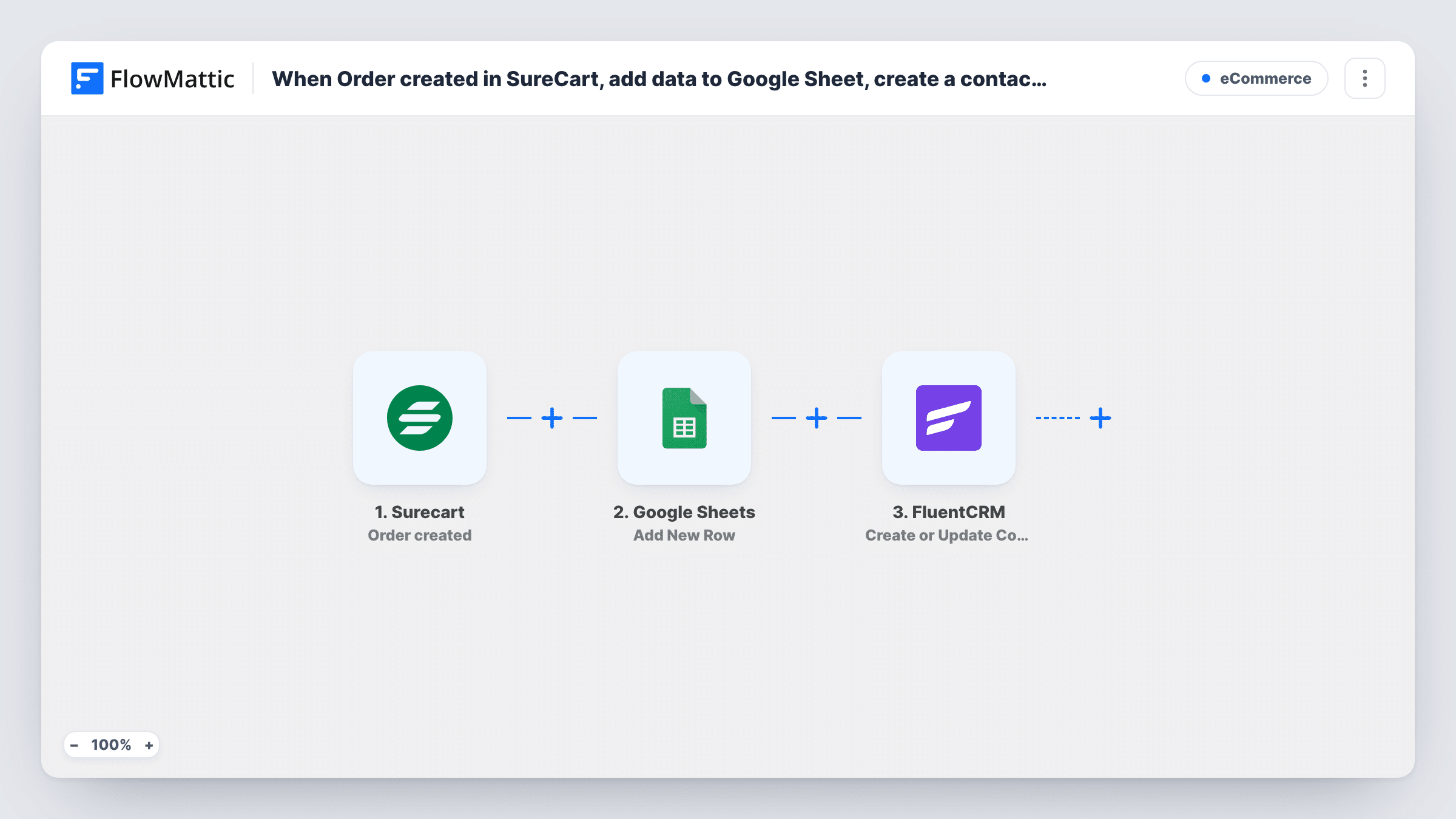
Each order placed in SureCart is logged as a new row in Google Sheets, and the buyer is created or updated as a FluentCRM contact by email so you can follow up from WordPress.
 Surecart
 Google Sheets
 FluentCRM
3 steps Setup ~5 min Used on 3.3k sites Free to import
What this workflow does
SureCart handles checkout, but you may want the order in two other places: a spreadsheet for reporting and bookkeeping, and FluentCRM for customer emails. Doing both by hand after every sale is tedious. This workflow records the order and the customer in one run.
The SureCart trigger fires when an order is placed in your store and passes the order data on. The Google Sheets step adds one new row to the sheet you choose. After import, connect your Google account, pick the spreadsheet and match order values, such as the order number, customer and total, to your column headers.
The FluentCRM step then creates a contact from the buyer, or updates the contact that already uses their email address. It ships unmapped as well, so map the customer's email and name into it. Repeat buyers start a run with each order, so they get another sheet row each time while FluentCRM keeps one contact for them.
Place a test order and check Task History for what each step returned before you rely on the sheet for reporting.
Sales sheet for the bookkeeper
A digital product seller keeps every SureCart order in a Google Sheet that the bookkeeper opens each month, while buyers flow into FluentCRM for product update emails.
Customer list for launch announcements
A course creator builds a FluentCRM audience of everyone who has bought, so the next launch email goes only to existing customers.
Team dashboard from a spreadsheet
A small software company charts daily orders from the Google Sheet in its reporting tool, without giving the team access to the store admin.
How this workflow runs
What happens at each step once the workflow is on, and what you need before you import it.
 Surecart Order created
Fires when an order is placed in your SureCart store. The order's customer, product and amount details are passed to the Google Sheets and FluentCRM steps.
- Google Sheets Add New Row
Adds one new row to your Google Sheet for the order. The step ships unmapped: connect Google, choose the spreadsheet and sheet, and map the SureCart order fields to the columns you want.
- FluentCRM Create or Update Contact
Creates a FluentCRM contact for the buyer, or updates the contact that already has the same email. After import, map the customer's email address first, then their name and any other details.
What you need
- FlowMatticCore
- SureCart AccountAccount
- Google Sheets AccountAccount
- FluentCRM PluginPlugin
After importing, map your own data. To keep the template universal, not every step is pre-filled. Open each step in the builder and connect your accounts and fields (channels, lists, sheets, recipients) before you switch the workflow on.
Make it yours
Changes worth making after you import it.
- Map the order date and total to their own columns, so you can sort the sheet and add a running total for each month.
- If you use the contacts for marketing, put a Filter between the Google Sheets step and the FluentCRM step that checks a consent value from checkout, so every order is still logged but only opted-in buyers become contacts.
- Put the buyer's email in a sheet column as well, so you can match any order row to its FluentCRM contact when a customer asks about a purchase.
Questions about this workflow
Does a repeat SureCart customer create a second FluentCRM contact?
No. The FluentCRM step matches on email address and updates the existing contact. The Google Sheet still gets a new row for every order, so you keep a full order history.
Is the SureCart order paid when this runs?
This template uses Order created, which fires when an order is placed. FlowMattic's SureCart integration has a separate Order paid trigger if you only want paid orders logged.
Which order details end up in the Google Sheet?
The values you match to columns in the Add New Row step. Place a test order first so the SureCart data is available to map, then pick the fields you need.
Where does the SureCart buyer's FluentCRM contact get saved?
In the FluentCRM plugin on this WordPress site, the one FlowMattic is installed on. SureCart and Google Sheets connect through their own accounts.
More E-Commerce workflows
Other ready-to-import templates from the same category.






Import this workflow into your WordPress site
Download the JSON, import it from the Workflows screen and connect your accounts. Every run stays on your server, with no per-task fees.
30-day money-back guarantee Unlimited workflows and runs Self-hosted