

When a Fourthwall subscription expires, update the supporter in Airtable and send a win-back email via Gmail
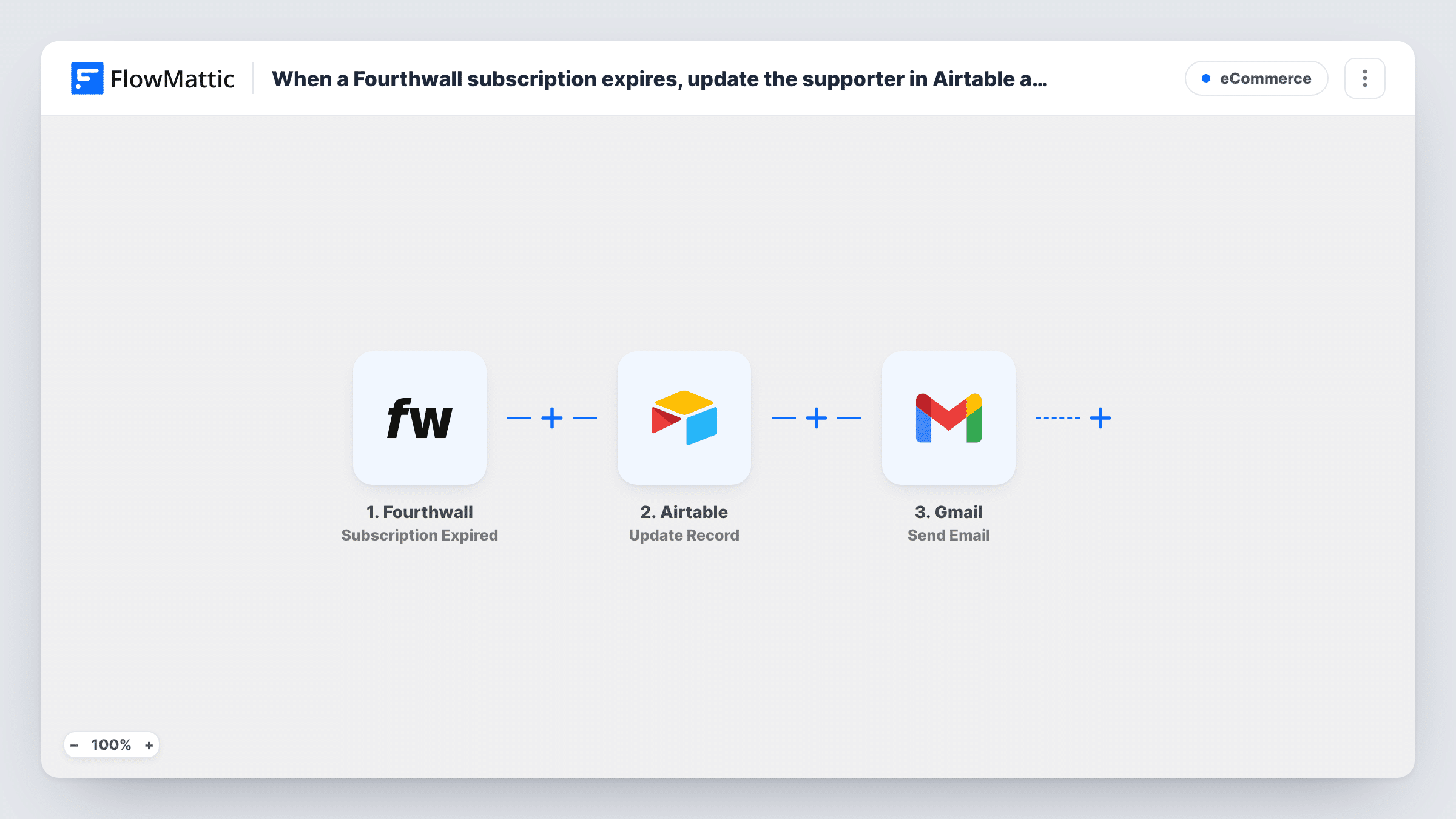
When a Fourthwall subscription expires, FlowMattic finds the supporter’s record in Airtable, updates it, and sends them a win-back email from your Gmail account.
 Fourthwall
 Airtable
 Gmail
Gmail4 steps Setup ~8 min Used on 3.3k sites Free to import
What this workflow does
Creators who run memberships on Fourthwall often keep a supporter list in Airtable, and an expired subscription is the moment both that list and the supporter need attention. This workflow keeps your table current and sends a friendly note inviting the person back, without you checking Fourthwall for lapsed members.
The Fourthwall trigger fires when a subscription expires and passes on the subscription and supporter details. A test run shows which fields arrive, such as the supporter's email.
Two Airtable steps follow. Search Record looks up records with a filter formula, so you can find the supporter by email. Update Record then changes that record, for example setting a status column to expired. Both ship unmapped: after import you pick the base and table, write the search formula with the supporter's email mapped in, and map the found record's ID and the new values into the update.
Finally, the Gmail step sends the win-back email. It's unmapped too, so set the recipient to the supporter's email and write the subject and message. If the supporter isn't in your table, Search Record finds nothing, so test with a known supporter and check Task History for each step.
Membership tracker for a creator
A podcaster tracks Fourthwall members in Airtable, and each expired subscription marks the member as lapsed and sends a personal note asking them to rejoin.
Win-back offer for a fan club
A band's fan club emails expired supporters a returning-member discount code from Gmail and records the date of the email in Airtable.
Clean supporter lists for a studio
An art studio keeps only active supporters in its Airtable view for monthly perks, with expired ones moved out by the status update.
How this workflow runs
What happens at each step once the workflow is on, and what you need before you import it.
 Fourthwall Subscription Expired
Fires when a Fourthwall subscription expires. The subscription and supporter details become available to the Airtable and Gmail steps; check a test run for the supporter's email field.
- Airtable Search Record
Searches your Airtable table with a filter formula to find the supporter's record. The step ships unmapped: pick the base and table, and write a formula that matches the email from Fourthwall.
- Airtable Update Record
Updates the Airtable record the search found. The step ships unmapped: map the record ID from the Search Record step and set the fields to change, such as a status or expiry date column.
- Gmail Send Email
Sends the win-back email from your Gmail account. The step ships unmapped: map the supporter's email from Fourthwall as the recipient, then write a subject and message inviting them back.
What you need
- FlowMatticCore
- Fourthwall AccountAccount
- Airtable AccountAccount
- Gmail AccountAccount
After importing, map your own data. To keep the template universal, not every step is pre-filled. Open each step in the builder and connect your accounts and fields (channels, lists, sheets, recipients) before you switch the workflow on.
Make it yours
Changes worth making after you import it.
- Put a Filter between the Search Record step and the Update Record step that continues only when the search returned a record ID, so supporters missing from your table stop before the update and the email.
- Keep the supporter's email in its own Airtable column with the same spelling Fourthwall uses, which makes the search formula reliable.
- Add a column for the date of the win-back email and map the run date into it in the Update Record step, so you can see who was contacted.
Questions about this workflow
How does the workflow find the right supporter in Airtable?
Through the Search Record step's filter formula. After import, write a formula that compares your email column to the email from the Fourthwall trigger, and test it with a supporter you know is in the table.
What if the expired Fourthwall supporter isn't in my Airtable base?
The search finds no record, so there is nothing to update, and Airtable may return an error for Update Record. Task History shows each step's response for that run.
Can I include a discount in the win-back email?
Yes. Write the code or link into the Gmail message. The template doesn't create discounts, so set up the offer in Fourthwall first.
Do I need a Gmail account for the win-back email?
Yes. The Send Email step sends through the Gmail account you connect in FlowMattic, so messages come from that address.
More E-Commerce workflows
Other ready-to-import templates from the same category.






Import this workflow into your WordPress site
Download the JSON, import it from the Workflows screen and connect your accounts. Every run stays on your server, with no per-task fees.
30-day money-back guarantee Unlimited workflows and runs Self-hosted