

When new order received in WooCommerce, Create Domain in Cloudflare and email the details to user
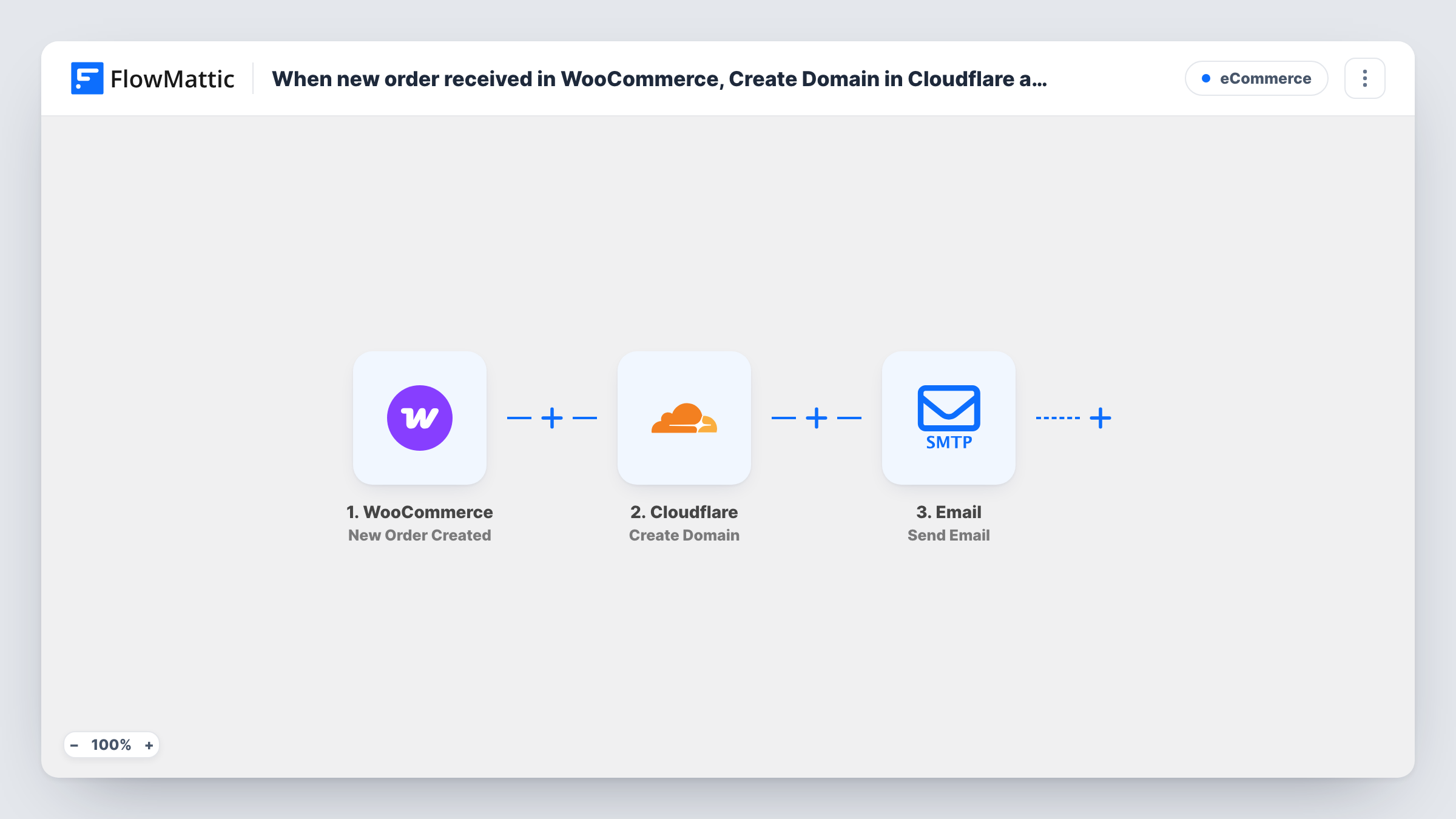
When a new WooCommerce order comes in, this workflow adds a domain zone to your Cloudflare account using a domain name from the order, then emails the buyer the details you choose.
 WooCommerce
 Cloudflare
 Email
Email3 steps Setup ~5 min Used on 1.8k sites Free to import
What this workflow does
If you sell website setup, hosting or DNS management through WooCommerce, each order starts with the same chore: add the customer's domain to Cloudflare and tell them what to do next. This workflow handles both as soon as the order is created.
The WooCommerce New Order Created trigger passes the order data to FlowMattic. The Cloudflare Create Domain step then creates a new domain zone in your account for the domain name you map from the order. It does not register or buy the domain: the customer must already own it. Your checkout needs a field where the buyer enters it, since a standard order has no domain value.
Last, the Email step sends a message to the buyer's billing email through WordPress mail or your SMTP account. You can include values from Cloudflare's response, which a test run shows. As imported, every new order runs all three steps, whatever was bought.
Agency selling a DNS setup service
A client buys your Cloudflare setup package and enters their domain at checkout. The zone is added to your Cloudflare account and the client gets an email about the next step.
Web host onboarding new sites
Each hosting order includes the customer's domain, so the zone is ready in Cloudflare before you start building, and the customer hears from you right away.
Freelancer offering site launches
A one-off launch package on your WooCommerce store collects the domain and sends the buyer an email with what you have set up and what they should change.
How this workflow runs
What happens at each step once the workflow is on, and what you need before you import it.
 WooCommerce New Order Created
Starts the run as soon as a WooCommerce order is placed in your store. The order data, including billing details and any custom checkout fields, is passed to the next steps.
- Cloudflare Create Domain
Creates a new domain zone in your Cloudflare account. Map the domain name the buyer entered at checkout into this step and connect your Cloudflare account. Cloudflare's response becomes data you can map.
 Email Send Email
Sends an email through FlowMattic's Email module, using WordPress mail or SMTP. Map the buyer's billing email as the recipient and add the domain and any Cloudflare details from the previous step.
What you need
- FlowMatticCore
- WooCommerce PluginPlugin
- Cloudflare AccountAccount
After importing, map your own data. To keep the template universal, not every step is pre-filled. Open each step in the builder and connect your accounts and fields (channels, lists, sheets, recipients) before you switch the workflow on.
Make it yours
Changes worth making after you import it.
- Add a Filter after the trigger so only orders for your domain-related product continue. Without it, every order, whatever was bought, tries to create a Cloudflare zone.
- Add a checkout field for the domain name, and make it required for the products that need it, so the Cloudflare step always has a domain to work with.
- Run a test order with a domain you control, then check Cloudflare's response in Task History to see which details are worth including in the email.
Questions about this workflow
Does this register a new domain in Cloudflare for the WooCommerce buyer?
No. Create Domain adds a domain zone to your Cloudflare account. The buyer must already own the domain, and it only works through Cloudflare once its nameservers point there.
Where does the domain name come from in a WooCommerce order?
WooCommerce orders have no domain value by default. Add a checkout field or product option that collects it, then map that value into the Cloudflare step.
What if the domain is already in Cloudflare?
Cloudflare may refuse to create a zone that already exists, and Task History shows its response. The email step still runs, so word the email to suit both cases or add a check before sending.
Can I add DNS records for the new Cloudflare zone too?
Yes. FlowMattic's Cloudflare app also has Create DNS Record. Add it after Create Domain to set up the records each customer needs.
More E-Commerce workflows
Other ready-to-import templates from the same category.




Import this workflow into your WordPress site
Download the JSON, import it from the Workflows screen and connect your accounts. Every run stays on your server, with no per-task fees.
30-day money-back guarantee Unlimited workflows and runs Self-hosted