

When Waalaxy captures a new prospect, add them to HubSpot CRM and notify the team in Slack
Each prospect Waalaxy posts to your FlowMattic webhook becomes a new HubSpot CRM contact, and a Slack channel message then tells your team a fresh lead has arrived.
 Waalaxy
 HubSpot CRM
 Slack
3 steps Setup ~5 min Used on 319 sites Free to import
What this workflow does
A LinkedIn prospect who replies in Waalaxy is worth a quick follow-up, but only if the right people hear about it. This workflow records the prospect in HubSpot and posts a heads-up in Slack, so the lead is stored and the team is told in one pass.
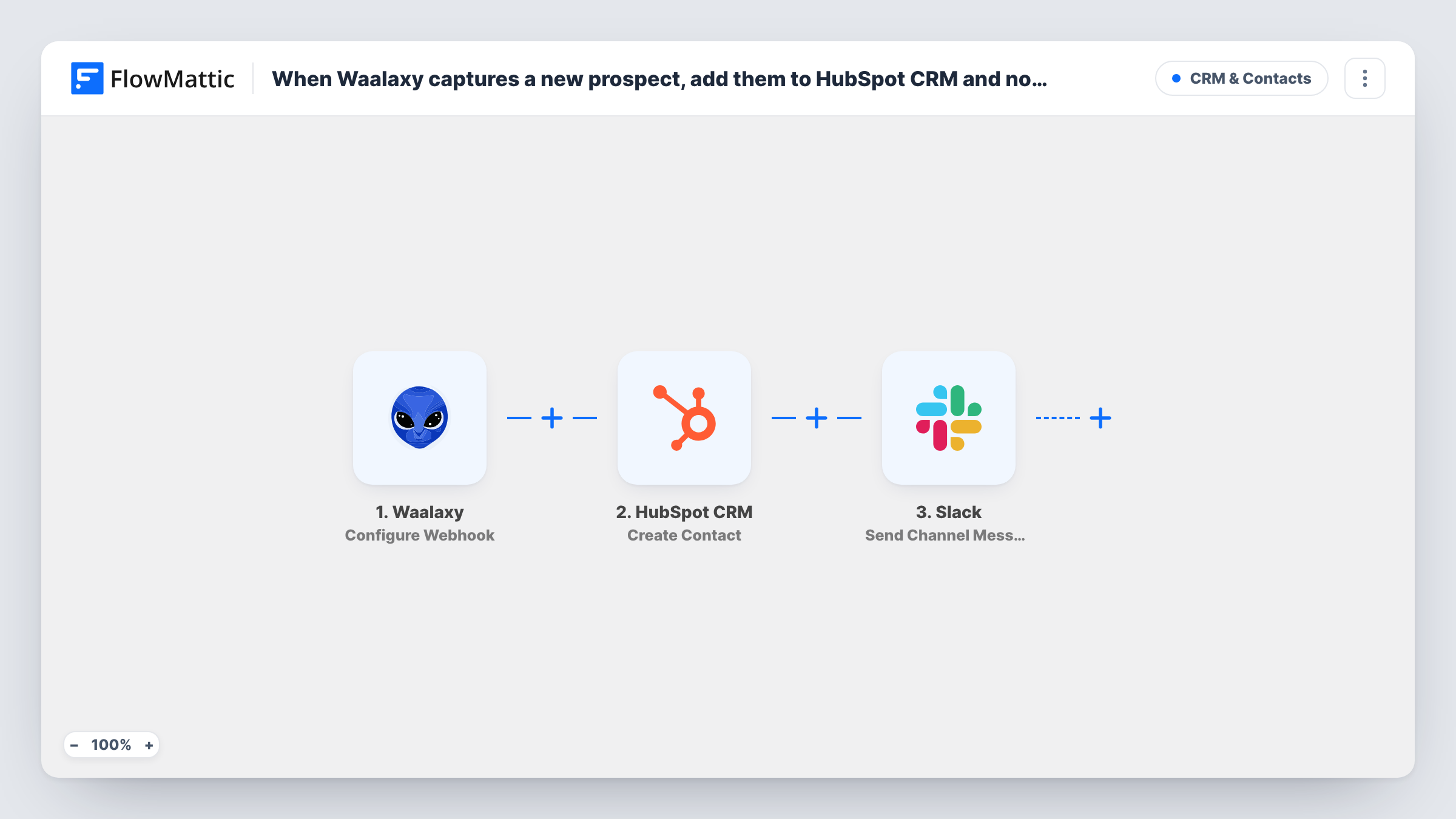
The Waalaxy trigger gives you a webhook URL, and you point Waalaxy at it. Each time Waalaxy posts prospect data there, FlowMattic passes the values to the HubSpot CRM Create Contact action, which adds a contact from the fields you map. The third step uses the Slack Send Channel Message action to post in the channel you pick, with whichever prospect details you put in the text.
HubSpot's Create Contact adds records and leaves existing ones alone. When the email is already in your portal, HubSpot may reject the request and Task History shows that response.
Small sales team sharing one channel
Two reps watch a #new-leads channel. Each Waalaxy prospect appears there with name and company, and both can open the matching HubSpot contact.
SDR handing off to account executives
Your SDR runs Waalaxy sequences. The Slack post tells the account executives a prospect landed in HubSpot, so nobody waits for a weekly handover.
Consultant tracking inbound interest
A solo consultant keeps LinkedIn prospects in HubSpot and gets a Slack ping in a channel only they read for each one, to reply while the conversation is fresh.
How this workflow runs
What happens at each step once the workflow is on, and what you need before you import it.
 Waalaxy Configure Webhook
Provides a webhook URL that Waalaxy posts prospect data to. Every post starts a run. Send a test prospect after you set up Waalaxy so the fields are available for mapping.
- HubSpot CRM Create Contact
Turns the Waalaxy prospect into a fresh HubSpot CRM contact record. Connect HubSpot and map the Waalaxy values you want stored, for example first name, last name, company and email if Waalaxy provides one.
- Slack Send Channel Message
Drops a lead alert into whichever Slack channel your team watches. Write the text and add Waalaxy values such as the prospect's name and company, so the team knows who to follow up with.
What you need
- FlowMatticCore
- Waalaxy AccountAccount
- HubSpot CRM AccountAccount
- Slack AccountAccount
After importing, map your own data. To keep the template universal, not every step is pre-filled. Open each step in the builder and connect your accounts and fields (channels, lists, sheets, recipients) before you switch the workflow on.
Make it yours
Changes worth making after you import it.
- Prospect alerts meant for a private channel need Slack's Send Private Channel Message action in place of this one. If a single rep should get each Waalaxy lead, Send Direct Message does that.
- Add a Filter between the Waalaxy trigger and the HubSpot step that continues only when Waalaxy sends an email address, so neither HubSpot nor Slack is used for prospects you cannot contact by email.
- Map a value from the HubSpot step's response into the Slack message, such as the new contact's ID, after checking a test run, so the team can find the record quickly.
Questions about this workflow
How do I spot Waalaxy prospects who were already in HubSpot?
Look at that prospect's run in Task History. Create Contact only adds records, so HubSpot may reject an email it already holds, and its response appears on the HubSpot step for that prospect.
Can the Waalaxy alert go to a private Slack channel?
The imported step posts to channels through Send Channel Message. Swap it for Send Private Channel Message when the Waalaxy alerts belong in a private one.
Which Waalaxy events start the workflow?
Any data Waalaxy posts to the trigger's webhook URL. Set up Waalaxy to send only the prospect events you want in HubSpot and Slack.
Will a prospect already in HubSpot get updated?
No. This template creates contacts only. To update existing ones, you would need a different HubSpot action and a way to identify the contact.
More CRM & Contacts workflows
Other ready-to-import templates from the same category.




Import this workflow into your WordPress site
Download the JSON, import it from the Workflows screen and connect your accounts. Every run stays on your server, with no per-task fees.
30-day money-back guarantee Unlimited workflows and runs Self-hosted