

Summarise each new blog post with AI and email the summary to your editor
When a post is published, OpenAI writes a three-sentence summary and emails it to your editor with the post title and link. Set the recipient address and your OpenAI connection after import.
 WordPress
 OpenAI (ChatGPT)
 Email
Email3 steps Setup ~5 min Used on 2.3k sites Content Ops Free to import
What this workflow does
Whoever writes your newsletter or social posts needs a short version of each new article. Reading every post in full to boil it down takes time, and it often waits until the digest is due. This workflow drafts that short version the moment a post goes up and sends it straight to the editor.
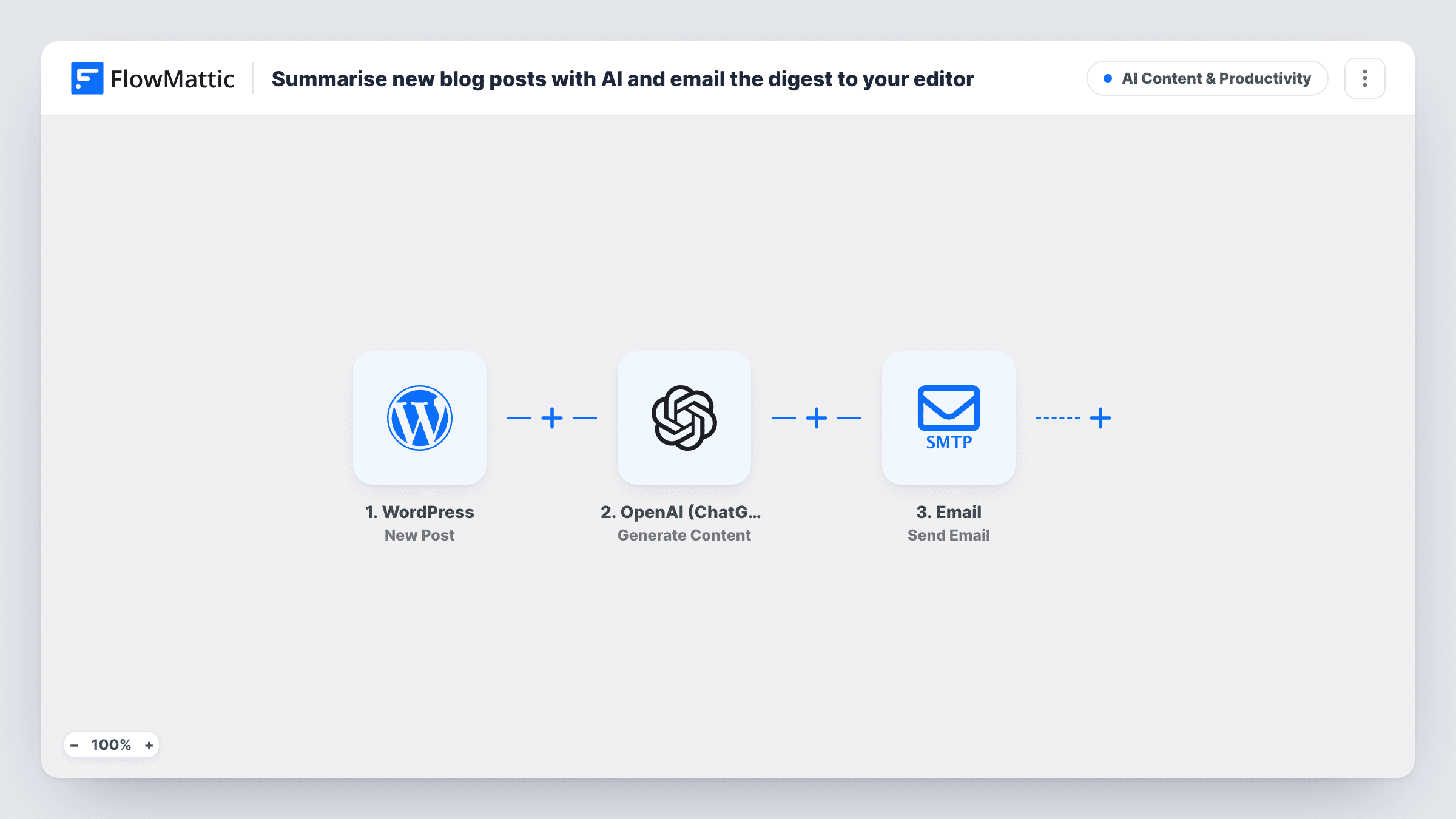
The WordPress New Post trigger passes the post's title, link and content to FlowMattic. The content goes to OpenAI (ChatGPT) through Generate Content, using gpt-4o and a prompt that asks for a three-sentence summary written for a newsletter. The Email step then sends one message per post, with the subject Summary followed by the post title, and a body holding the title, the link and the AI summary.
The recipient in the template is a placeholder, [email protected], so change it to a real address before you turn the workflow on. Nothing is combined across posts: if you want a weekly digest, your editor gathers the separate emails. The summary is generated text, so it is worth a read before it goes into a newsletter.
Weekly newsletter built from the blog
The editor keeps each summary email in a folder and assembles the weekly issue from them, editing the AI text where needed.
Agency blogs for several clients
The account lead gets a summary of each post published on a client site and can reuse it in the client's monthly report.
Social media scheduling
A social manager receives the three-sentence version of each post with its link, a starting point for the posts that promote it.
How this workflow runs
What happens at each step once the workflow is on, and what you need before you import it.
 WordPress New Post
The workflow starts automatically when a new post is published in WordPress. FlowMattic captures that data for the steps below.
- OpenAI (ChatGPT) Generate Content
OpenAI (ChatGPT) — generate content based on the prompt provided. Data is mapped from earlier steps; connect your OpenAI (ChatGPT) account on import.
 Email Send Email
Email — send an email using built-in WP mail function or custom SMTP. Data is mapped from earlier steps; connect your Email account on import.
What you need
- FlowMatticCore
- OpenAI (ChatGPT) AccountAccount
After importing, map your own data. To keep the template universal, not every step is pre-filled. Open each step in the builder and connect your accounts and fields (channels, lists, sheets, recipients) before you switch the workflow on.
Make it yours
Changes worth making after you import it.
- Change the recipient from [email protected] to your editor's real address before activating, or every summary goes to a placeholder.
- New Post runs once, when a post is first published. To summarise only some posts, put a Filter between the New Post trigger and the OpenAI step on a field the trigger sends, such as the post type.
- Ask for a social caption or a subject line in the prompt as well, so the email carries more than one ready-made piece of copy.
- The email template maps a post URL field that New Post doesn't send, so that link arrives blank. Replace it with the trigger's permalink value, then send a test to check the link.
Questions about this workflow
Does this send one weekly digest email of all new WordPress posts?
No. It sends one email per new post, right after the summary is generated. To get a single weekly email, your editor collects the separate messages.
Is the AI summary added to the WordPress post itself?
No. The summary only goes into the email. The post, its excerpt and its content stay as you wrote them.
Which OpenAI model writes the post summary?
The template uses gpt-4o with a limit of 600 tokens on the reply. You can choose another model in the Generate Content step.
Can the summary email go to more than one person?
Add a second Email step after the first one with another address, mapping the same OpenAI reply into its body.
More AI Content & Productivity workflows
Other ready-to-import templates from the same category.




Import this workflow into your WordPress site
Download the JSON, import it from the Workflows screen and connect your accounts. Every run stays on your server, with no per-task fees.
30-day money-back guarantee Unlimited workflows and runs Self-hosted