

Save new WooCommerce customers to Airtable and HubSpot
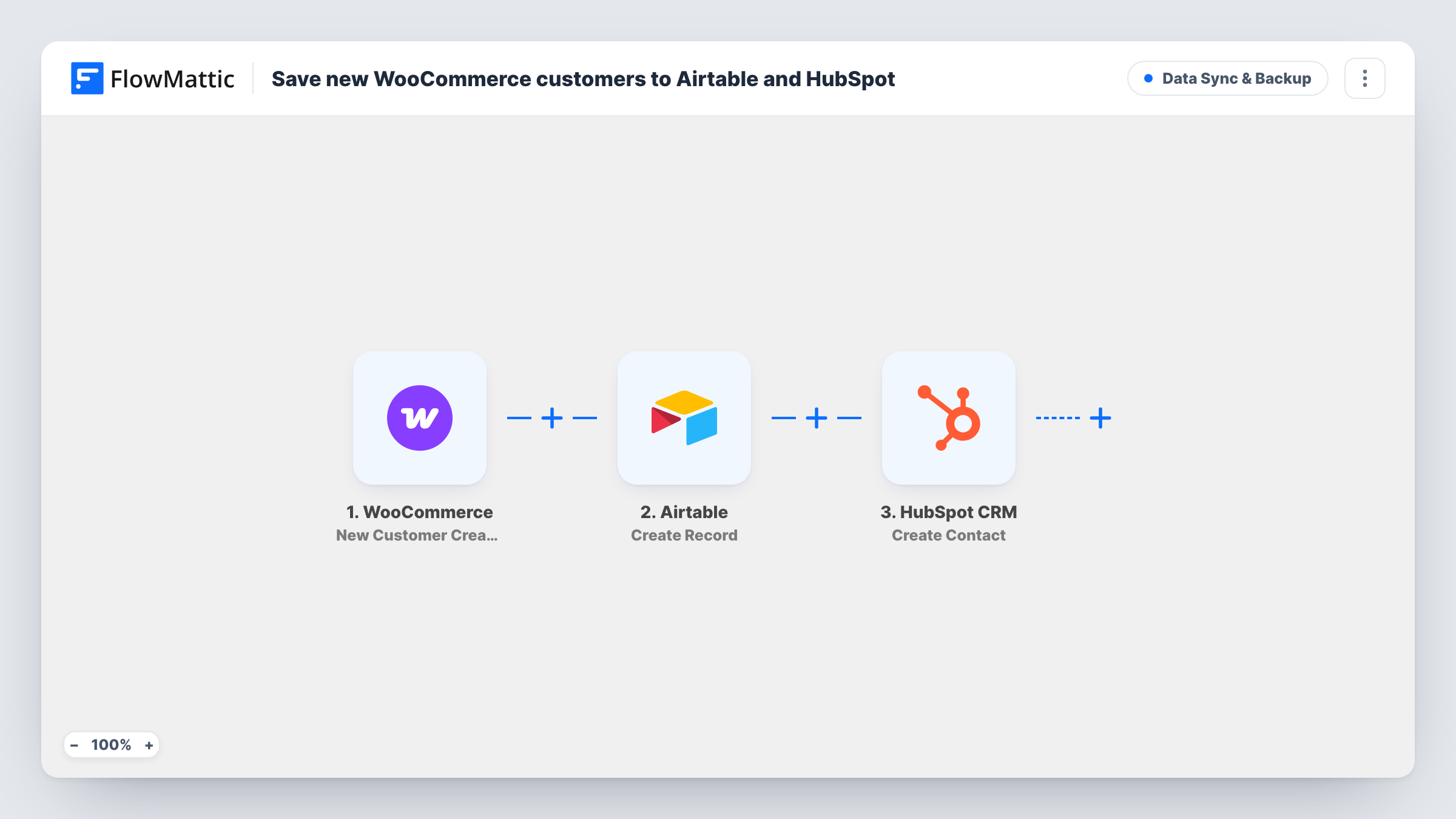
When a WooCommerce customer account is created, this workflow adds a record to your Airtable base and creates a HubSpot contact with the customer’s email, first name and last name.
 WooCommerce
 Airtable
 HubSpot CRM
3 steps Setup ~5 min Used on 3.4k sites Data Ops Free to import
What this workflow does
A new customer on your store usually matters to two groups: the people running operations and the people doing sales or marketing. If ops works in Airtable and sales works in HubSpot, both need the same customer, and keying them in twice is slow and error-prone. This workflow sends each new customer to both.
The WooCommerce trigger fires when a customer is created on your store. FlowMattic first passes the customer's details to Airtable, where Create Record adds a record. That step has no mapping in the template, so you map the customer fields into it after import. Then HubSpot gets a new contact, already mapped with the customer's email, first name and last name.
Both steps create new entries rather than updating existing ones. HubSpot uses the email address to identify contacts, so a customer whose email is already in your HubSpot account may not be added again. Task History shows the result of each run, which is where you see that.
Store selling to trade buyers
Trade customers register an account before they can order. Ops tracks them in Airtable for account setup, while sales starts a relationship with them in HubSpot.
Marketing lists in HubSpot
Every new customer becomes a HubSpot contact, ready for the lists and emails your marketing team already runs there.
Customer database for a small team
Your team builds reports and views on customers in Airtable. Each new account appears there without anyone exporting from WooCommerce.
How this workflow runs
What happens at each step once the workflow is on, and what you need before you import it.
 WooCommerce New Customer Created
Fires when a new customer is created in WooCommerce. The customer's email, first name, last name and other details are passed to the next two steps.
- Airtable Create Record
Creates a record in your Airtable base for the new customer. Connect Airtable and map the WooCommerce customer fields into it after import, then check with a test account.
- HubSpot CRM Create Contact
Creates a contact in HubSpot with the customer's email, first name and last name, all mapped from WooCommerce. Connect your HubSpot account on import.
What you need
- FlowMatticCore
- WooCommerce PluginPlugin
- Airtable AccountAccount
- HubSpot CRM AccountAccount
After importing, map your own data. To keep the template universal, not every step is pre-filled. Open each step in the builder and connect your accounts and fields (channels, lists, sheets, recipients) before you switch the workflow on.
Make it yours
Changes worth making after you import it.
- Add a Filter after the trigger that skips customers whose email ends in your own domain, so test accounts you create while setting up the store stay out of HubSpot and Airtable.
- Register one test customer after import so the trigger captures real customer data, then map those fields into the Airtable step before you turn the workflow on.
- Add more HubSpot fields after import, such as phone or company from the WooCommerce billing details, if your sales team relies on them.
Questions about this workflow
Does this run for WooCommerce guest checkouts?
It runs on New Customer Created. Guest orders don't create a customer account in WooCommerce, so check with a test guest order whether your store triggers it before relying on it.
What happens if the customer is already a HubSpot contact?
The step creates contacts and doesn't look for existing ones. HubSpot keys contacts by email, so a duplicate address may be refused and that run shows an error in Task History.
Are existing WooCommerce customers sent to Airtable and HubSpot?
No. Only customers created after you turn the workflow on are sent. Import earlier customers into each app separately.
Which fields reach the Airtable base?
Whichever you map. The Airtable step has no fields mapped as shipped, so choose the WooCommerce details it should store after import.
More Data Sync & Backup workflows
Other ready-to-import templates from the same category.




Import this workflow into your WordPress site
Download the JSON, import it from the Workflows screen and connect your accounts. Every run stays on your server, with no per-task fees.
30-day money-back guarantee Unlimited workflows and runs Self-hosted